

Segments let you filter customers by customer information, purchase history, behavior, and other conditions, then use the resulting audience in scenarios and campaigns. This page covers creating a StoreCRM segment, checking its customers, and updating a Shopify segment.
- StoreCRM segment: Define conditions in StoreCRM to select matching customers.
- Shopify segment: Import a Shopify segment and manage its customers with a snapshot or real-time synchronization.
Create a new segment
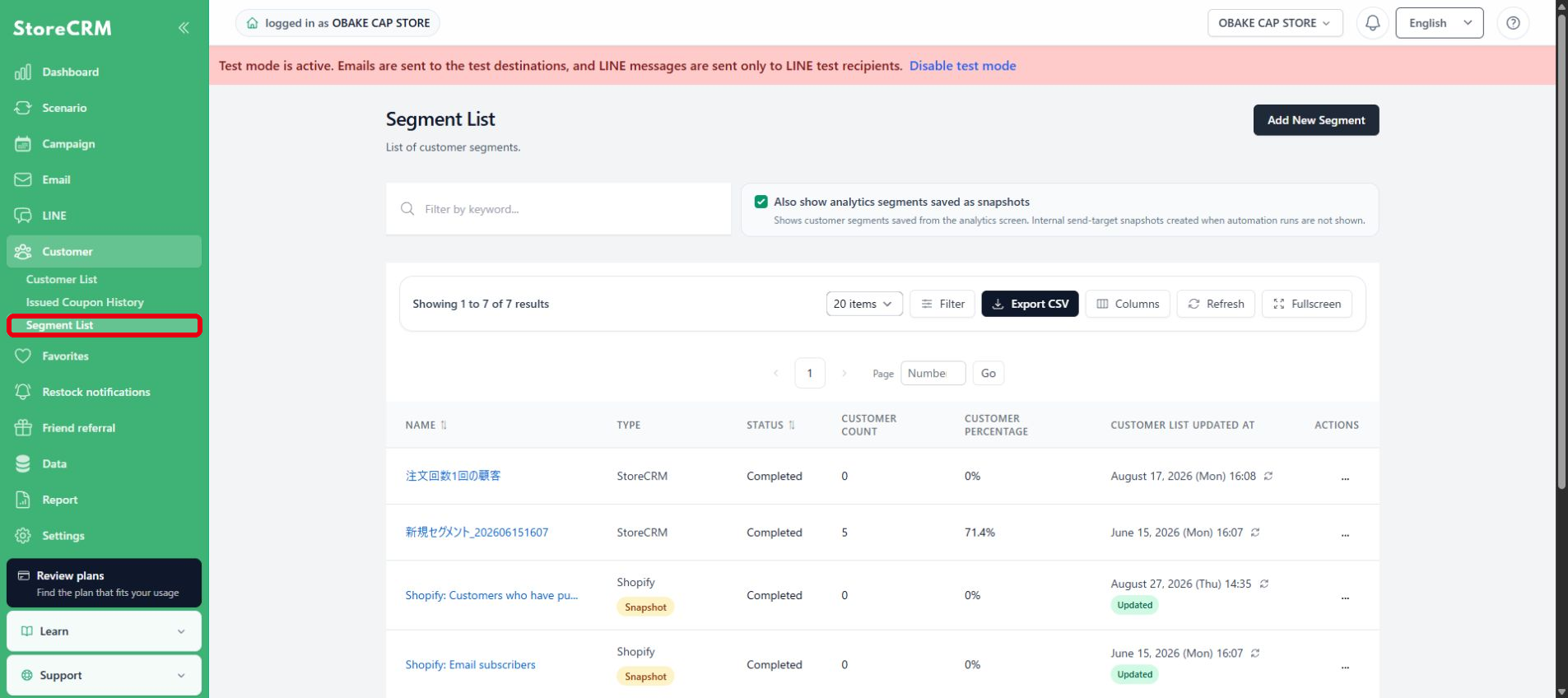
1. Open the segment list
In StoreCRM, go to Customer → Segment List.
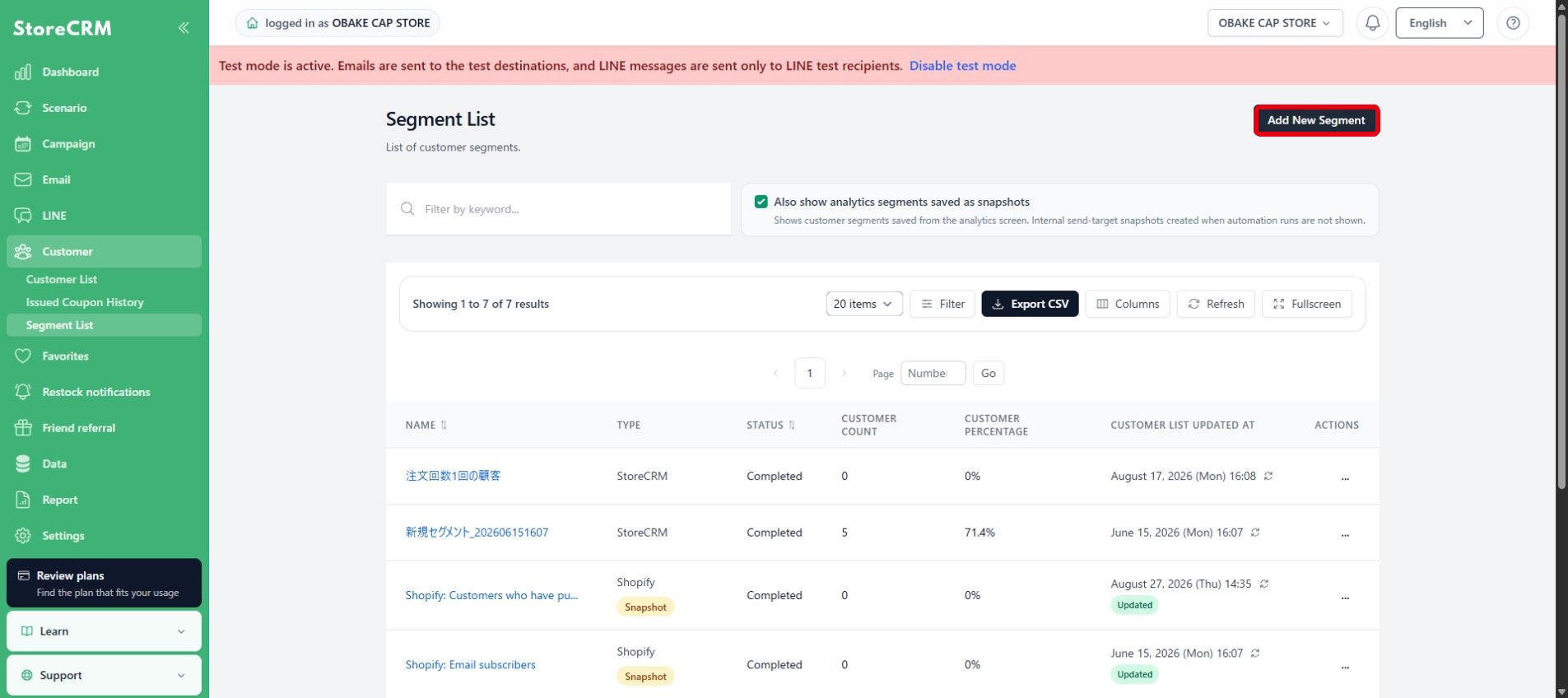
2. Add a new segment
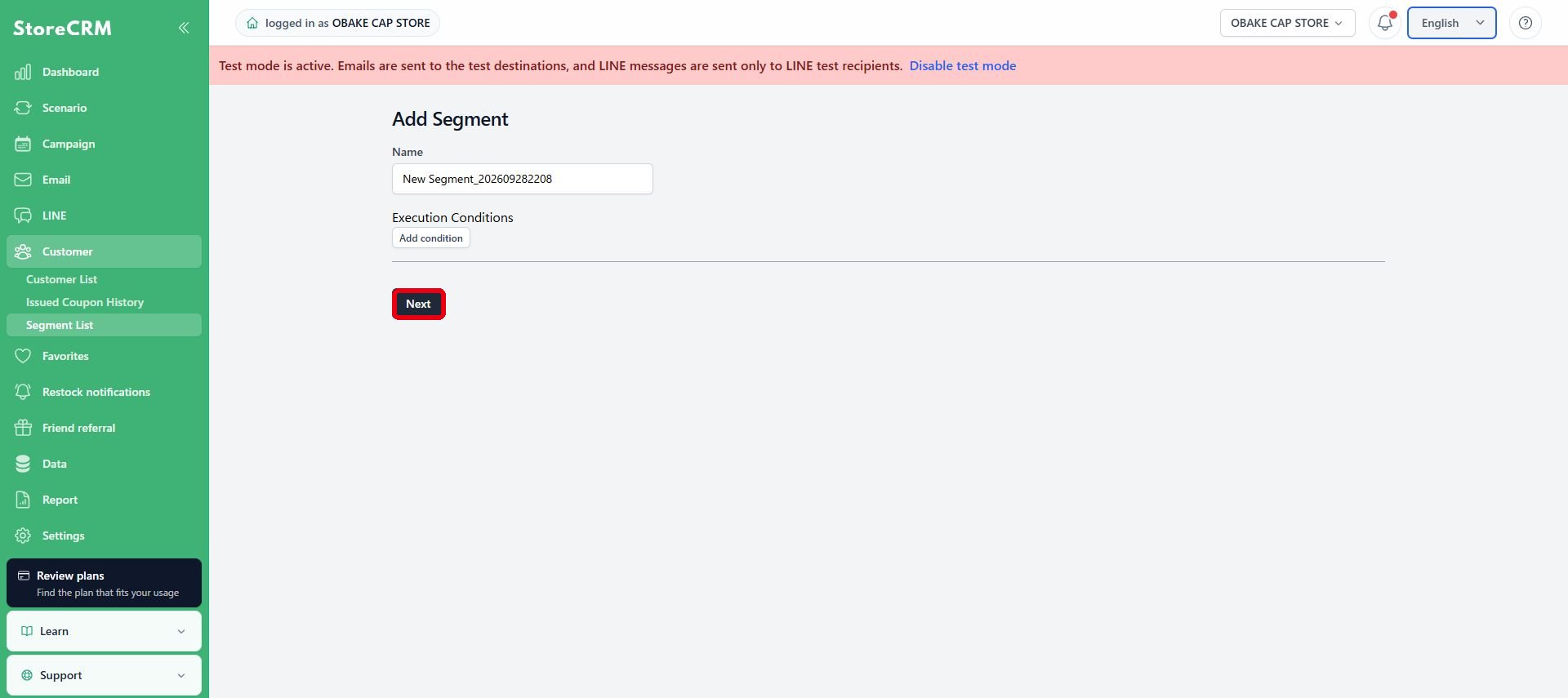
Select Add New Segment in the upper-right corner.
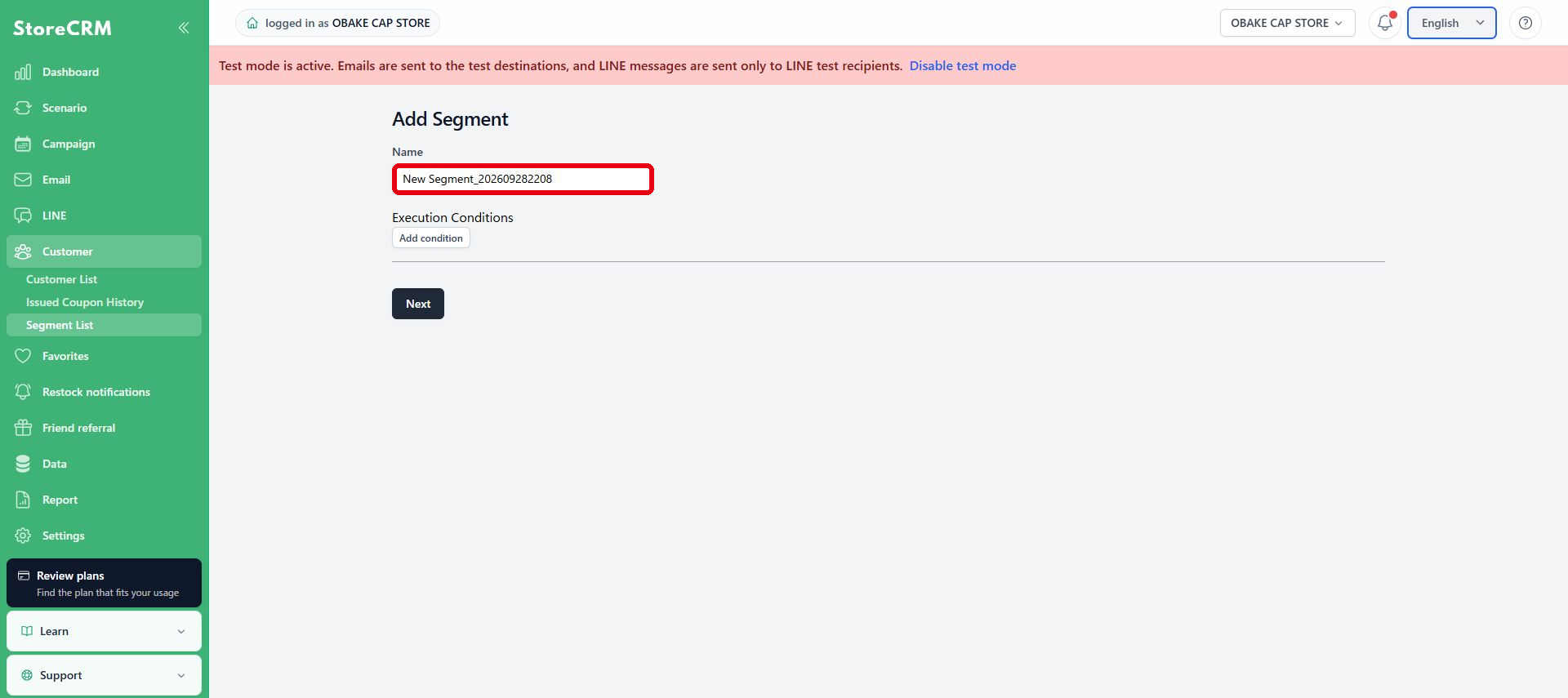
3. Enter a name
Enter a name that makes the purpose and audience clear. Use a name that is easy to identify in campaigns and by other staff members.
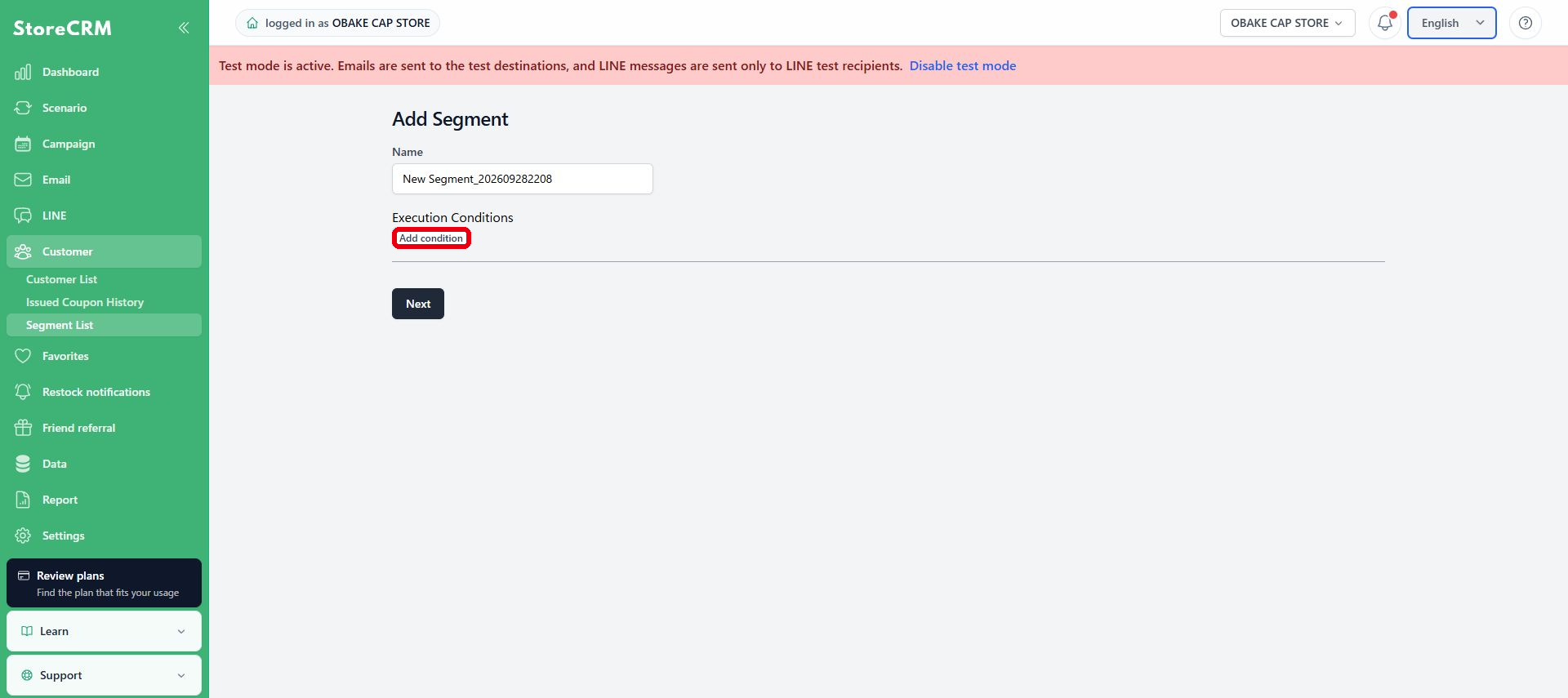
4. Configure execution conditions
Select Add condition and define filters using customer information, purchase history, products, behavior, and other data. You can combine multiple conditions with AND or OR. For details about the available conditions, seeSegment execution conditions.
5. Review the conditions and continue
Review the name and execution conditions, then select Next. Confirm the configuration on the next screen and create the segment.
6. Check the result
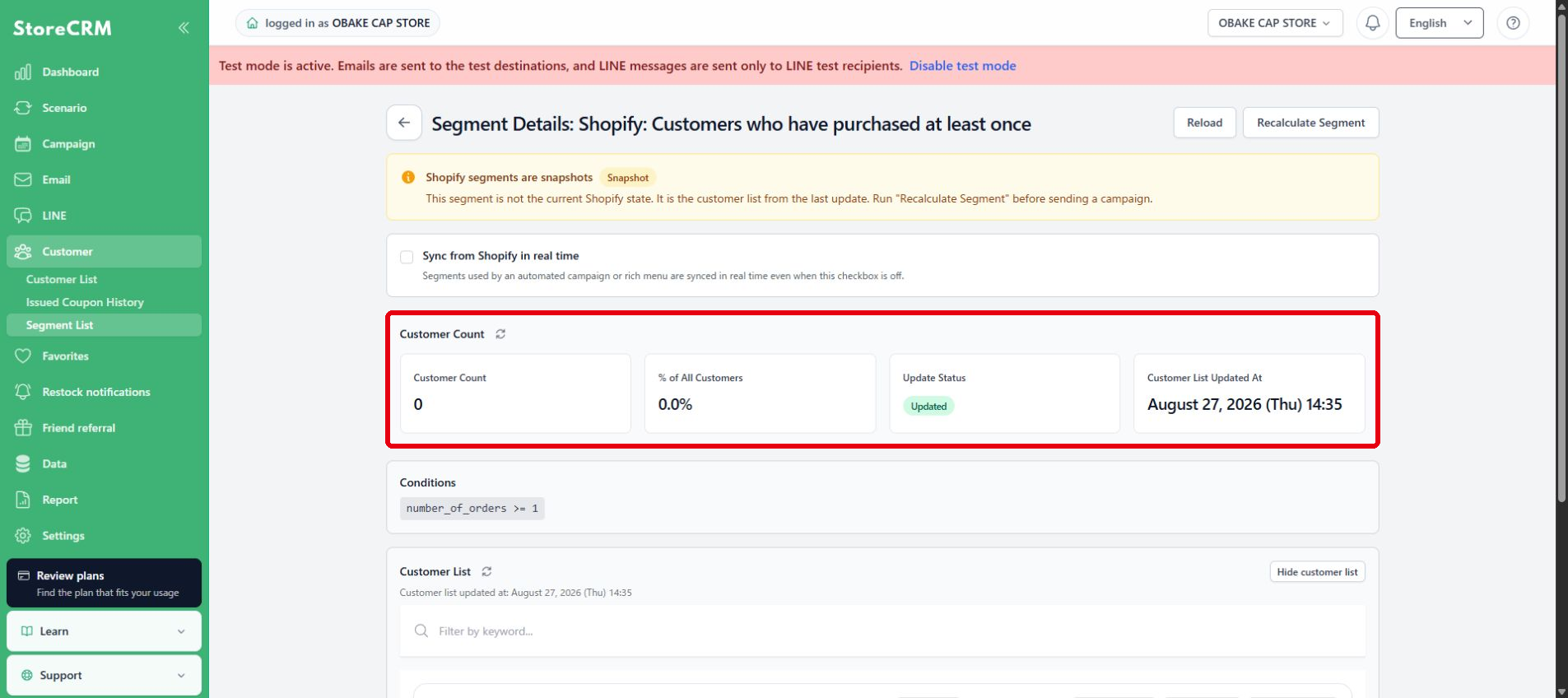
On the segment details page, check Customer Count, % of All Customers, Update Status, and Customer List Updated At. Review the configuration under Conditions and the matching customers in Customer List. After customer data changes, select Recalculate Segment to refresh the audience.
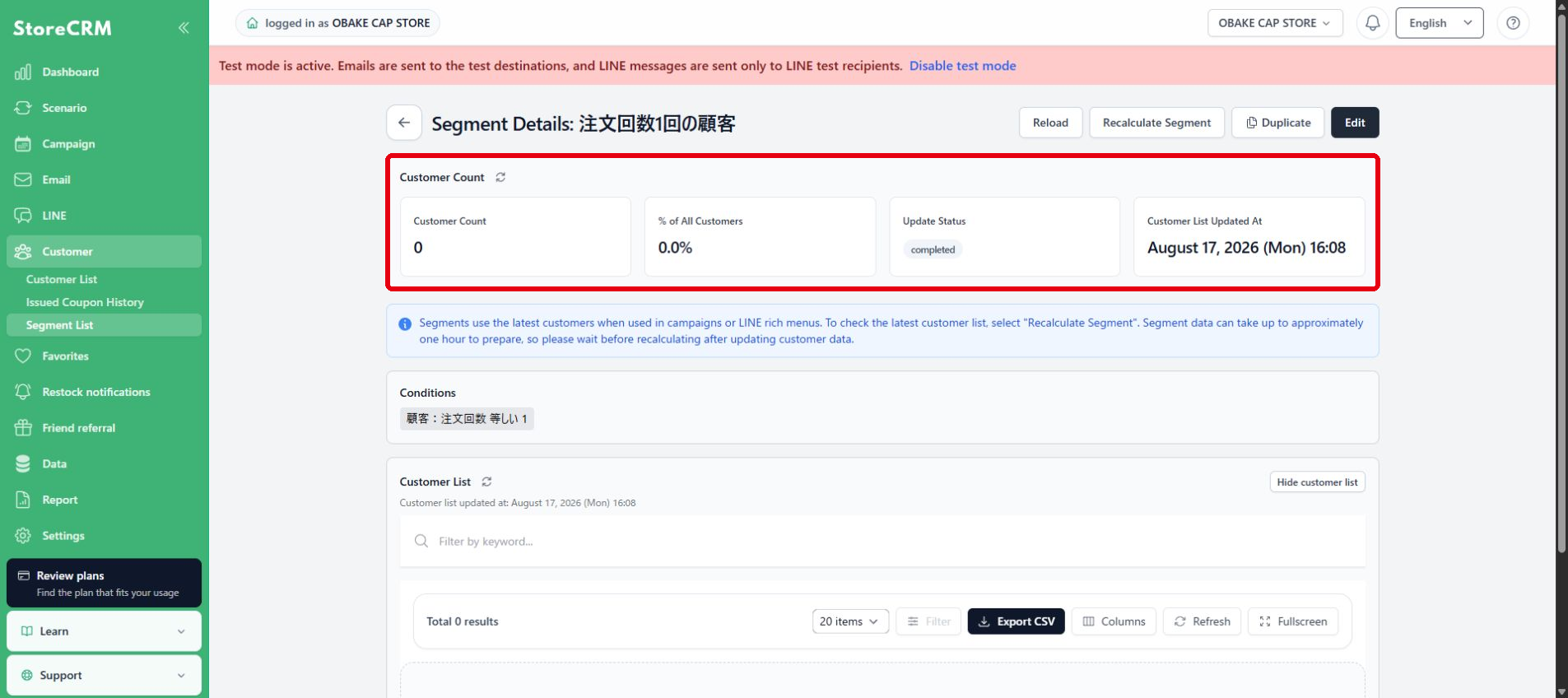
Segment calculation may take some time. If Update Status shows that processing is in progress, wait for completion and then check Customer Count and Customer List Updated At.
Manage a Shopify segment
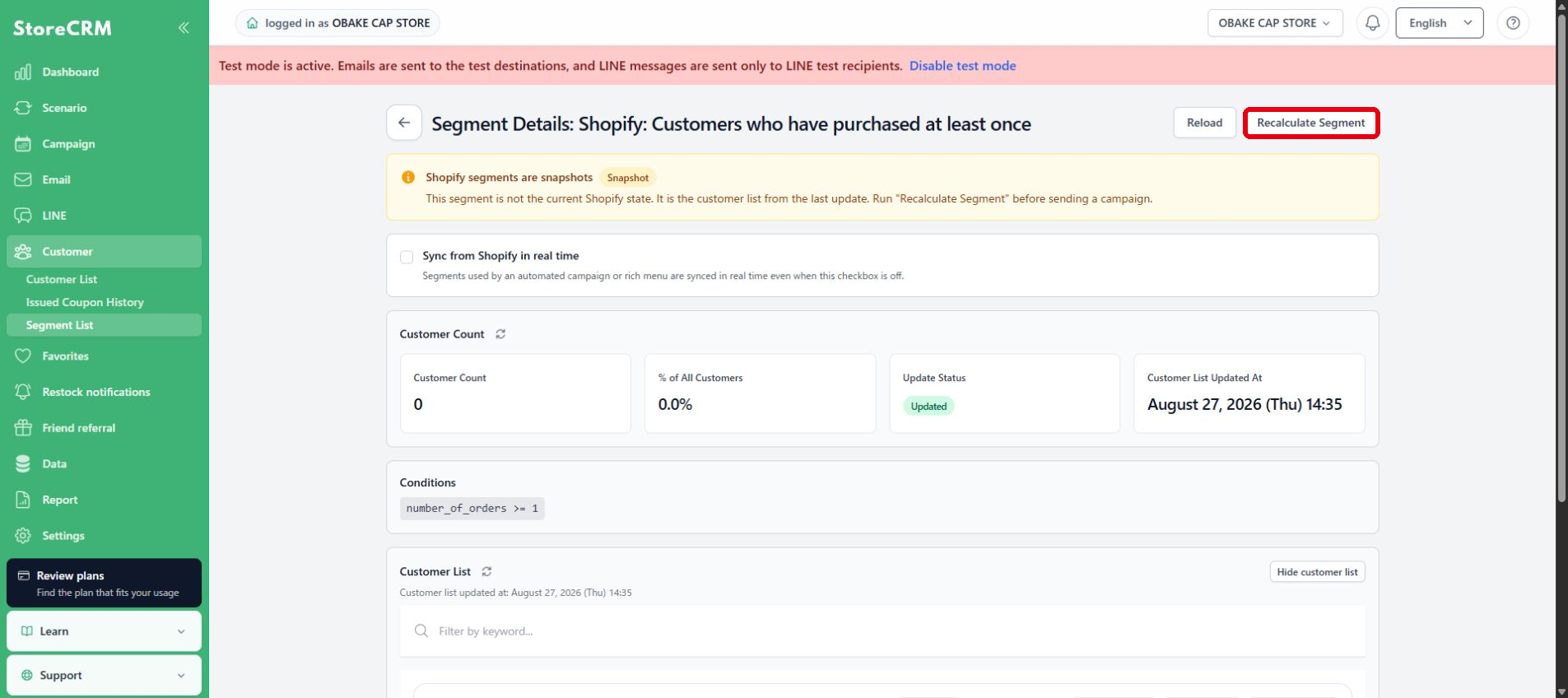
A Shopify segment keeps a snapshot of the customers who matched when it was imported into StoreCRM. Before using it in a delivery or other action, recalculate it when necessary or enable real-time synchronization.
Recalculate the snapshot
After changing the segment conditions or customer data in Shopify, select Recalculate Segment on the segment details page. When recalculation finishes, the audience is updated to match the current Shopify segment.
Enable real-time synchronization
When Sync from Shopify in real time is enabled, the audience is updated in response to Shopify customer and order changes. Segments used by LINE rich menus or Campaign Automation are automatically included in real-time synchronization.
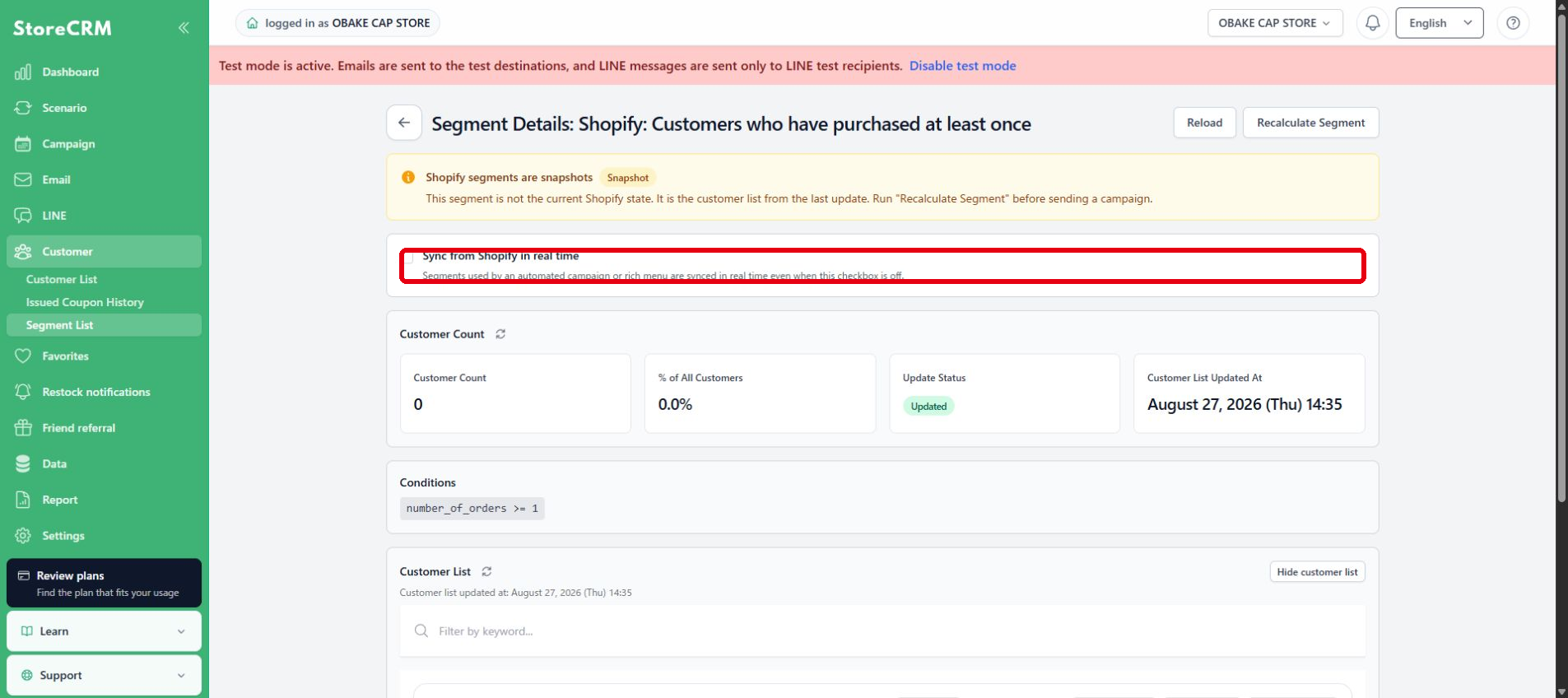
Immediately after enabling real-time synchronization, run Recalculate Segment to align the current audience.
Check the update status
After recalculation or synchronization, confirm that Update Status is complete and Customer List Updated At has changed. Also check Customer Count and the customer percentage.
 English
  Japanese