

- If you reinstall the app, your paid plan subscription will be canceled and then started again. Charges are prorated, so this will not result in an excessive additional cost.
- When you switch plans, charges for both the previous plan and the new plan are prorated.
- If you downgrade to a less expensive plan, Shopify automatically issues app credits based on the price difference and the remaining days in the billing cycle. You can use these credits for future Shopify app purchases. Seehere for more information.
- Contact Shopify Customer Support for the exact billing amount.
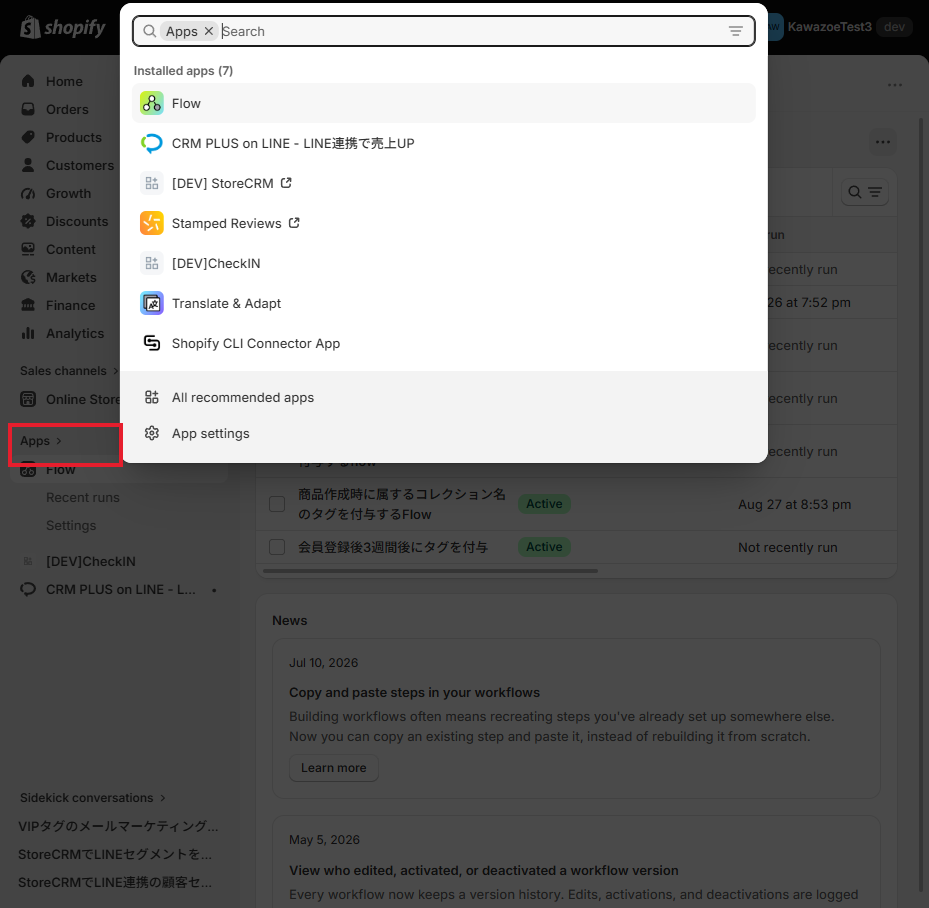
Click on "Apps.
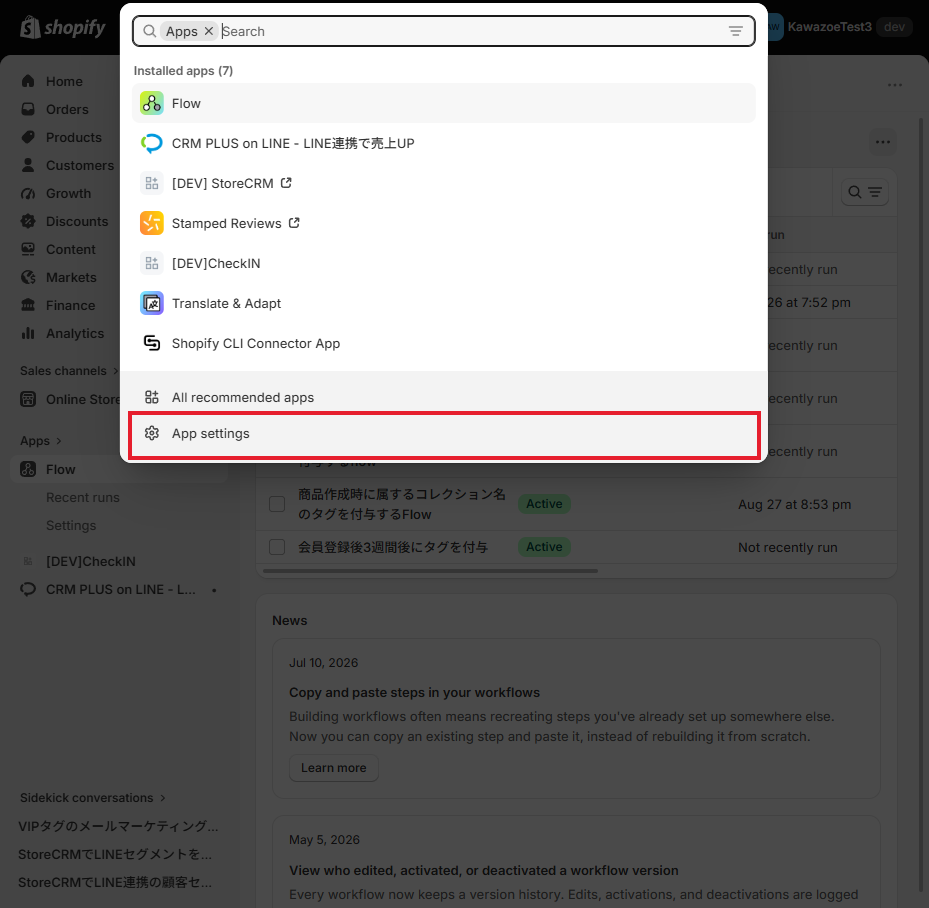
2. click on "App and Sales Channel Settings.
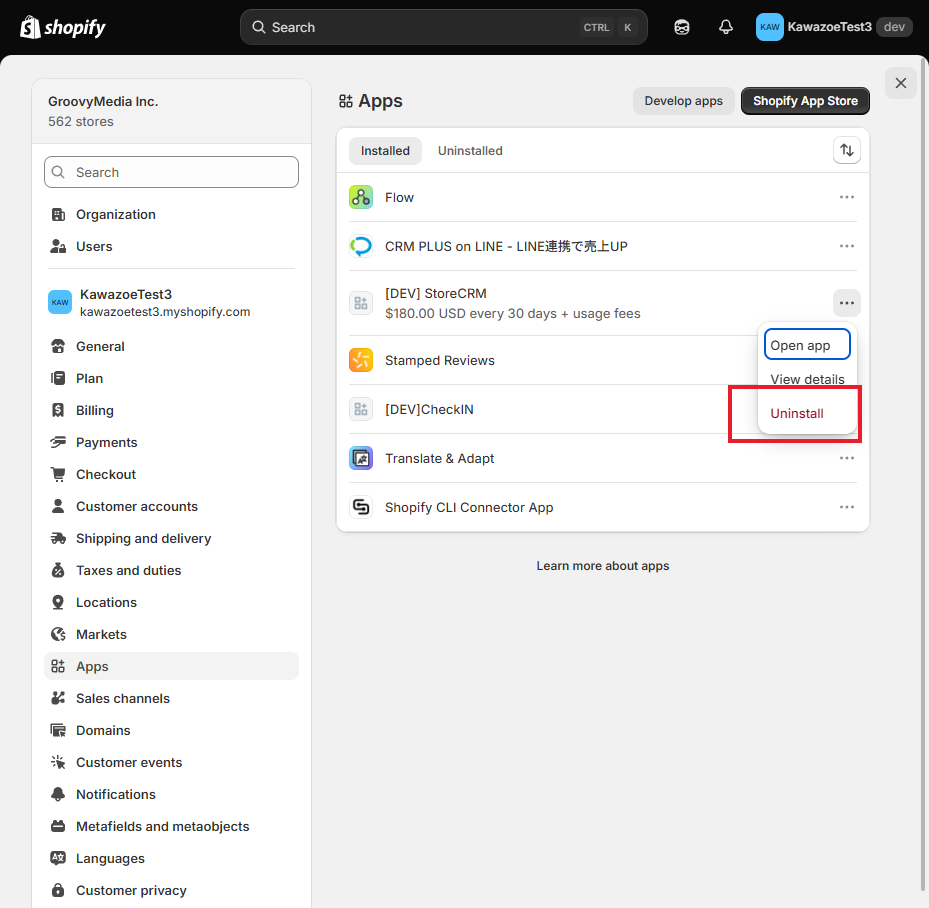
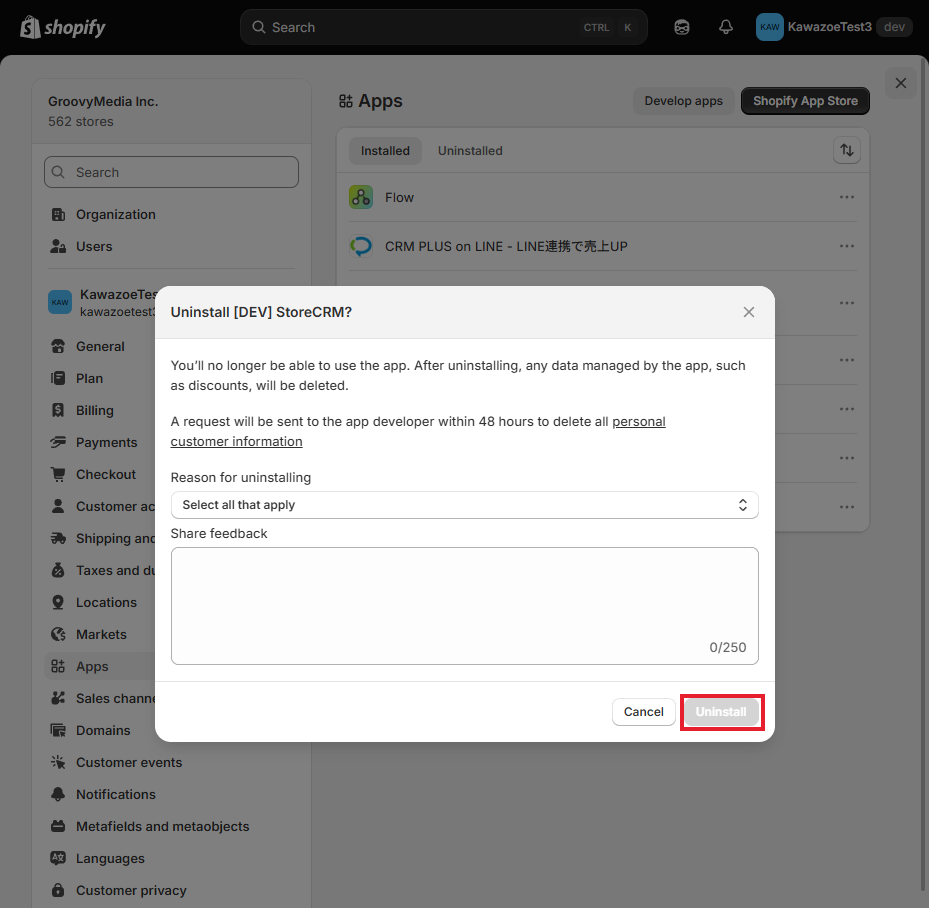
Click "Uninstall" on the right side of StoreCRM.
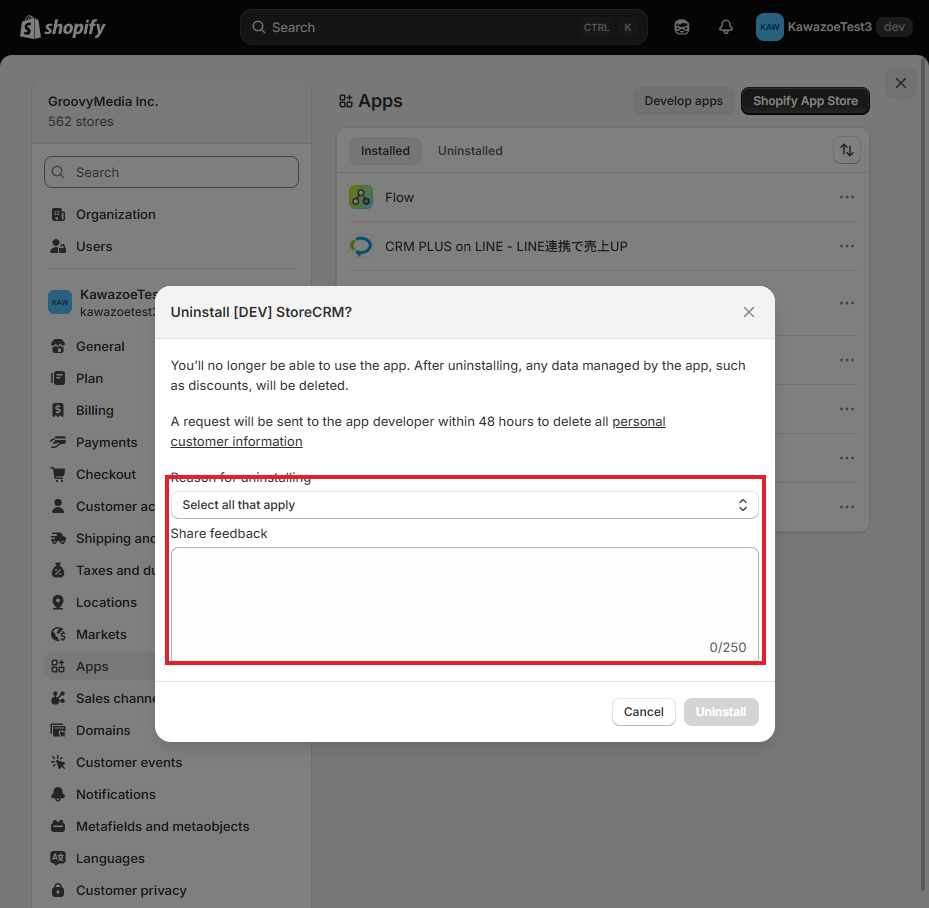
4. enter an optional reason for deletion or uninstallation.
You can delete it without entering it.
Click "Uninstall".
Uninstalled.
Related pages
 English
  Japanese