

Segment conditions let you filter customers based on customer information, purchase history, favorites, back-in-stock notifications, and engagement with email or LINE.
When using multiple conditions, combine AND and OR to define the audience.
- This section describes the conditions under which segments are executed.
- The product ID or customer ID is the number in the Shopify URL.
Customer
| Item | Description. |
|---|---|
| Email address | Customer email address |
| Birthday | Customer birthday. Specify today, tomorrow, this month, a number of days from now, and other periods |
| Name | Customer name |
| First name | Customer first name |
| Last name | Customer last name |
| Phone number | Customer phone number |
| Tags | Customer tags |
| Address | Customer address |
| Marketing Permits | Whether email marketing is permitted |
| transaction permission | Whether transactional email is permitted |
| ID | Shopify customer ID |
| Order count | Customer order count |
| Total Sales | Customer total amount spent |
| Last Order Date | Date and time of last order |
| Date and time of first order | Date and time of first order |
| With or without LINE linkage | Whether LINE is linked |
| Segments | Customers included or not included in another segment |
| Language | Customer language setting |
| Email has hard bounced | Customers suppressed because of an invalid address or another issue |
| Terms of service consent based on the latest version in the current settings | Whether the customer agreed to the latest published version of the terms of service |
| Customers who placed an order containing an order tag | Customers with order history that includes or excludes the specified Shopify order tags |
When another segment is selected in a segment condition, the most recently calculated result might be used. For complex nested conditions, confirm that the result is as intended.
Purchase history
| Item | Description. |
|---|---|
| Customers who previously purchased the following products | Customers who purchased products matching the selected product name, product tag, product ID, collection, or variant |
| Customers who previously purchased the following products as one-time purchases | Customers who purchased the matching products as one-time purchases |
| Customers who previously purchased the following products through recurring subscriptions | Customers who purchased the matching products through recurring subscriptions |
| Customers who have not previously purchased the following products | Customers who have not purchased the selected products |
| Customers who have not previously purchased the following products as one-time purchases | Customers who have not purchased the matching products as one-time purchases |
| Customers who have not previously purchased the following products through recurring subscriptions | Customers who have not purchased the matching products through recurring subscriptions |
Available conditions are product name, product tag, Shopify product ID, collection, product variant name, and Shopify variant ID.
Collection conditions support manual collections only. Automated collections cannot be selected.
Favorites
| Item | Description. |
|---|---|
| Customers who have favorited the following products | Customers who have favorited the selected products |
| Customers who have not favorited the following products | Customers who have not favorited the selected products |
| Customers who added a favorite in the last N days | Customers who added a favorite during the selected period |
| Customers who did not add a favorite in the last N days | Customers who did not add a favorite during the selected period |
Specify products by product name, product tag, Shopify product ID, product variant name, or Shopify variant ID.
Back-in-stock notifications
| Item | Description. |
|---|---|
| Customers subscribed to back-in-stock notifications for the following products | Customers subscribed to back-in-stock notifications for the selected products |
| Customers not subscribed to back-in-stock notifications for the following products | Customers not subscribed to back-in-stock notifications for the selected products |
| Customers who subscribed to a back-in-stock notification in the last N days | Customers who subscribed to a back-in-stock notification during the selected period |
| Customers who did not subscribe to a back-in-stock notification in the last N days | Customers who did not subscribe to a back-in-stock notification during the selected period |
Back-in-stock subscription status
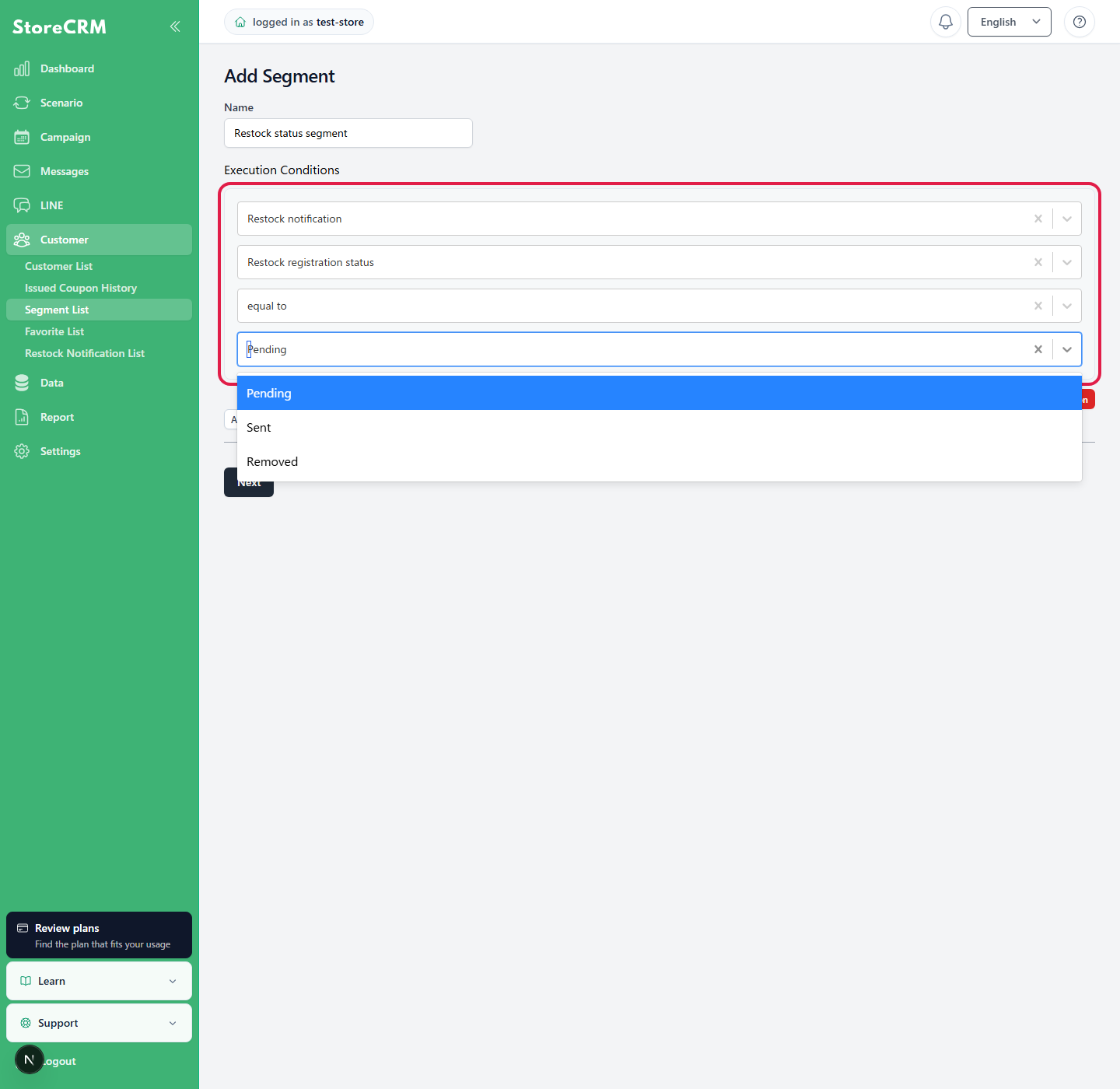
When [Customers with the specified back-in-stock subscription] or [Customers without the specified back-in-stock subscription] is selected on the segment create or edit screen, use [Back-in-stock subscription status] to specify the notification delivery state.
| Item | Description. |
|---|---|
| Unsent only | Includes subscriptions whose notification has not been sent yet (active). Existing segments without a specified status are also treated as this condition. |
| Sent only | Includes only subscriptions whose back-in-stock notification has been sent (sent). |
| Unsent and sent | Includes both unsent (active) and sent subscriptions (sent). |
When conditions such as product name, product ID, and variant are combined, only customers whose product conditions and status match within the same back-in-stock subscription record are included.
Handling subscriptions from logged-out customers
Even if a customer subscribes while logged out, the subscription is associated with that customer when the registered email address or other details match an existing StoreCRM customer. A guest subscription with no corresponding StoreCRM customer is not included in customer segments.
Email / LINE engagement
| Item | Description. |
|---|---|
| Customers who opened an email in the last N days | Customers who opened an email during the selected period |
| Customers who did not open an email in the last N days | Customers who did not open an email during the selected period |
| Customers who clicked an email in the last N days | Customers who clicked a link in an email during the selected period |
| Customers who did not click an email in the last N days | Customers who did not click a link in an email during the selected period |
| Customers who opened or clicked an email in the last N days | Customers with an open or click engagement |
| Customers with no email opens or clicks in the last N days | Customers with no open or click engagement |
| Customers who clicked LINE in the last N days | Customers who clicked a link in a LINE message |
| Customers who did not click LINE in the last N days | Customers who did not click a link in a LINE message |
| Customers who engaged with email or LINE in the last N days | Customers who engaged with email or LINE |
| Customers with no email or LINE engagement in the last N days | Customers with no engagement on either email or LINE |
Select the scope from all sends, a campaign, an automation, an email, or a LINE message.
Behavioral data such as email or LINE opens and clicks, favorite additions, and back-in-stock subscriptions can take up to approximately one hour to appear in segment calculations.
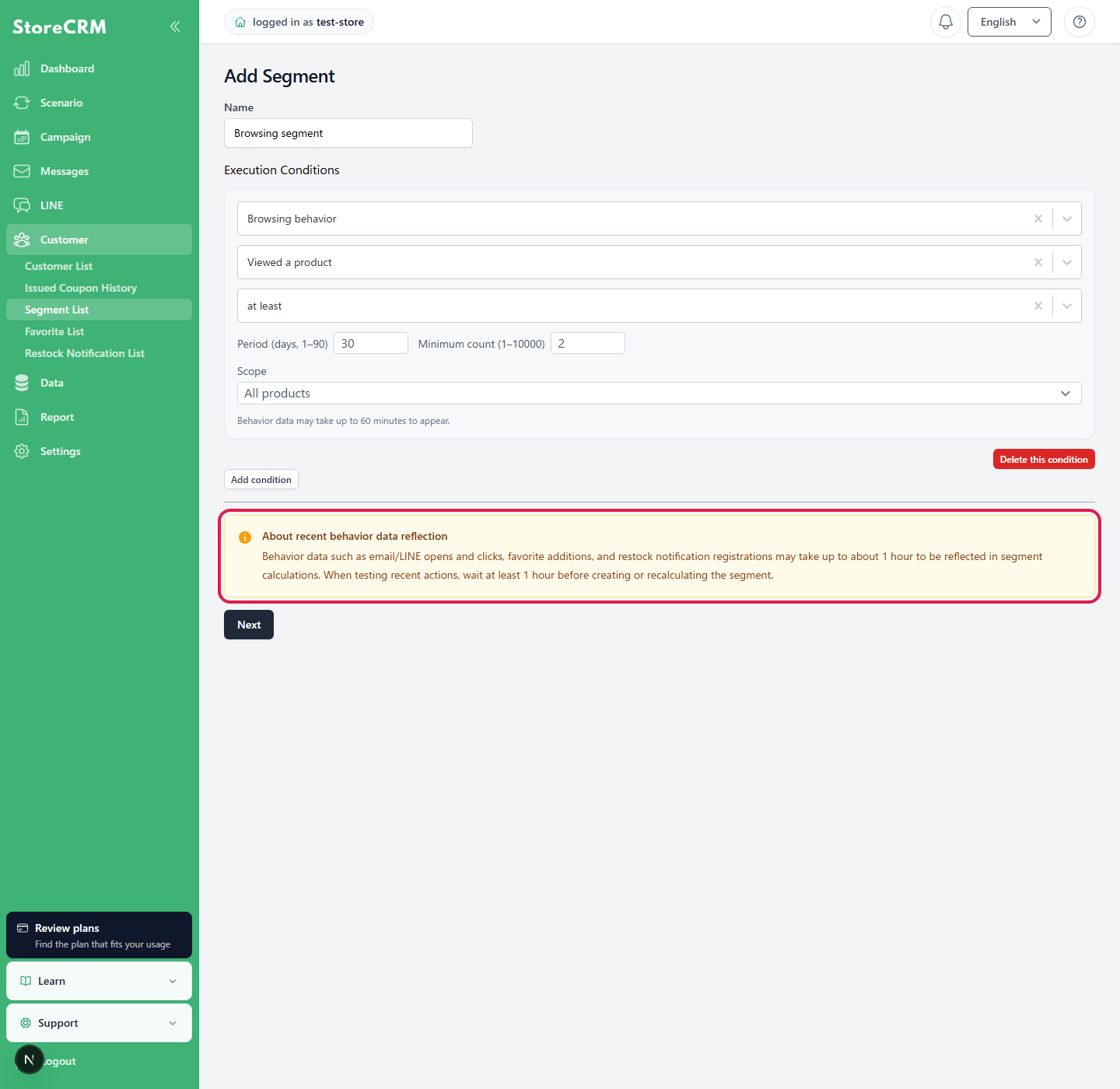
To verify using recent activity, wait at least one hour before creating or recalculating the segment. This mainly applies to email or LINE engagement, favorites added in the last N days, and back-in-stock subscriptions in the last N days.
Browsing behavior
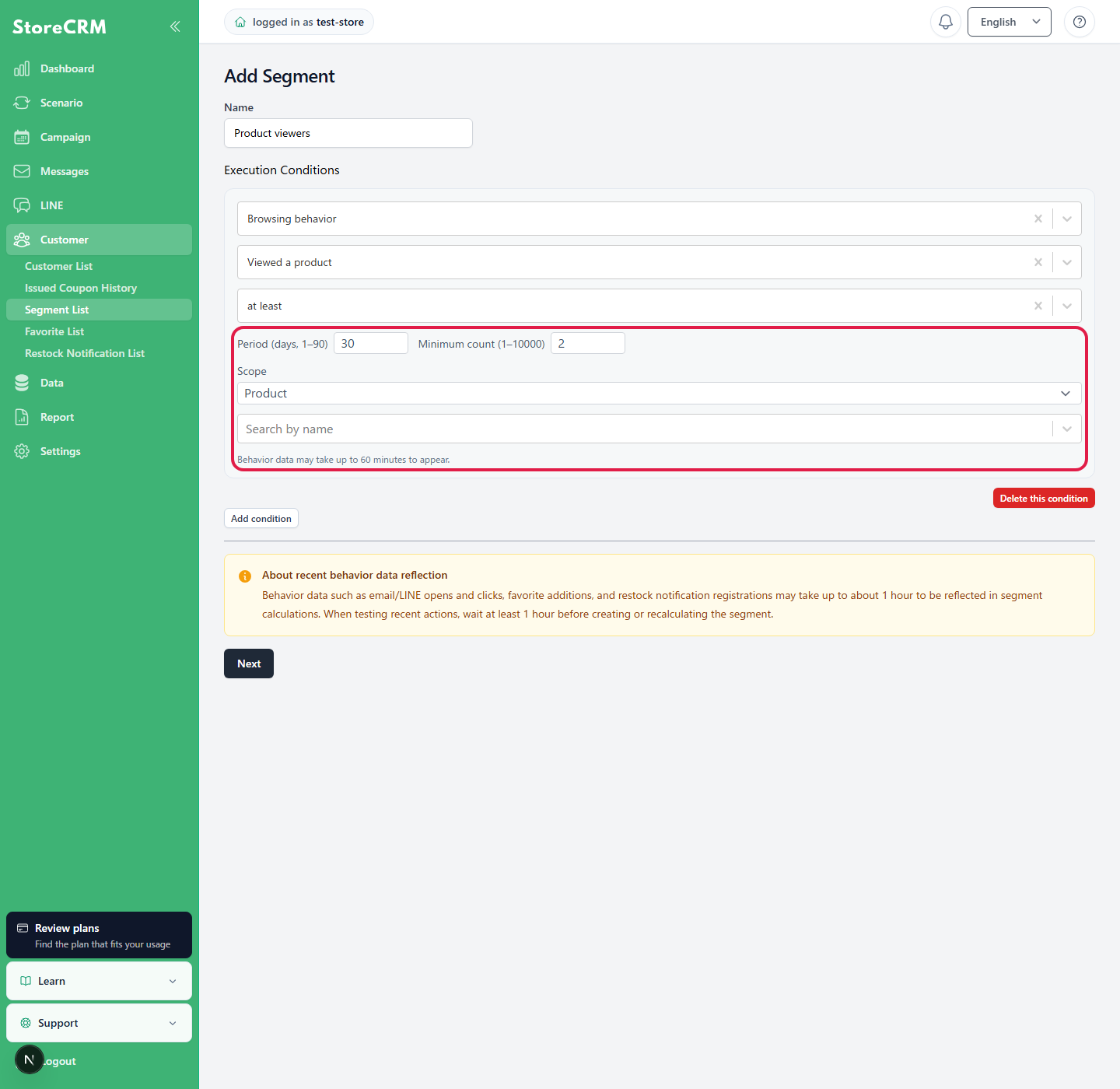
[Viewed a product] uses browsing history as a condition, while [Left after viewing a product] uses views that did not lead to a purchase. Set a period from 1 to 90 days and a minimum count from 1 to 10,000.
Select the scope from [All products], [Product], [Collection], or [Product type]. Browsing data can take up to approximately 60 minutes to aggregate. If target candidates cannot be retrieved or browsing tracking is unavailable, the condition cannot be saved; check product synchronization and storefront browsing tracking.
Metafields and connected apps
If customer metafields are configured for the store, "Metafield: XX" appears as a condition.
Metafields from supported apps such as easyPoints can also be used as conditions. Available items depend on store settings and integration status.
Logic
| Item | Description. |
|---|---|
| Go to YES by percentage (1–99%) | Split customers into YES and NO groups using the specified percentage. Use this for A/B tests. |
Select customers by percentage
In segment creation or editing, select Logic (A/B test etc.) → Select customers by percentage and enter an integer from 1 to 99. Presets of 95, 90, 80, and 50 are available. The unselected share is also shown. After saving and calculation, check the count and customer list.
This is a customer selection condition, separate from delivery and control assignments inside a scenario. Combining segment and scenario percentages further reduces the audience. Small populations will not exactly match the requested ratio.
Related pages
Related pages
Create a browsing behavior segment
 English
  Japanese