
The Favorites Report shows products that received attention during a specified period and their current favorite counts, grouped by product or variant. To check each customer's current favorites, see the Check the list of favorites for more information.
Open the report
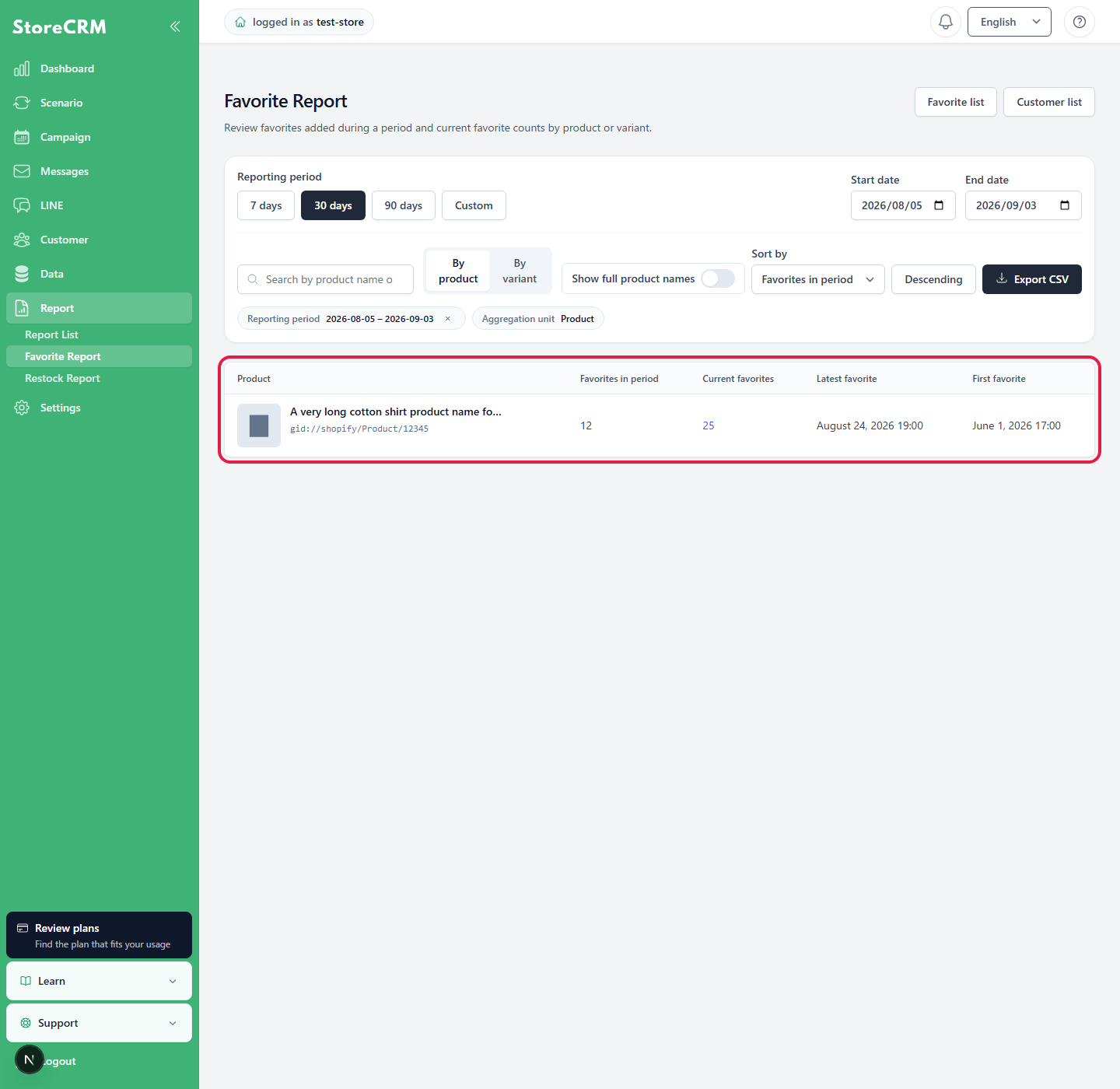
In StoreCRM, open Report → Favorites Report. The default view shows the last 30 days, grouped by product and sorted by favorites in the period in descending order.
Change the reporting period and filters
- Reporting period: 7 days, 30 days, 90 days, or a custom start and end date
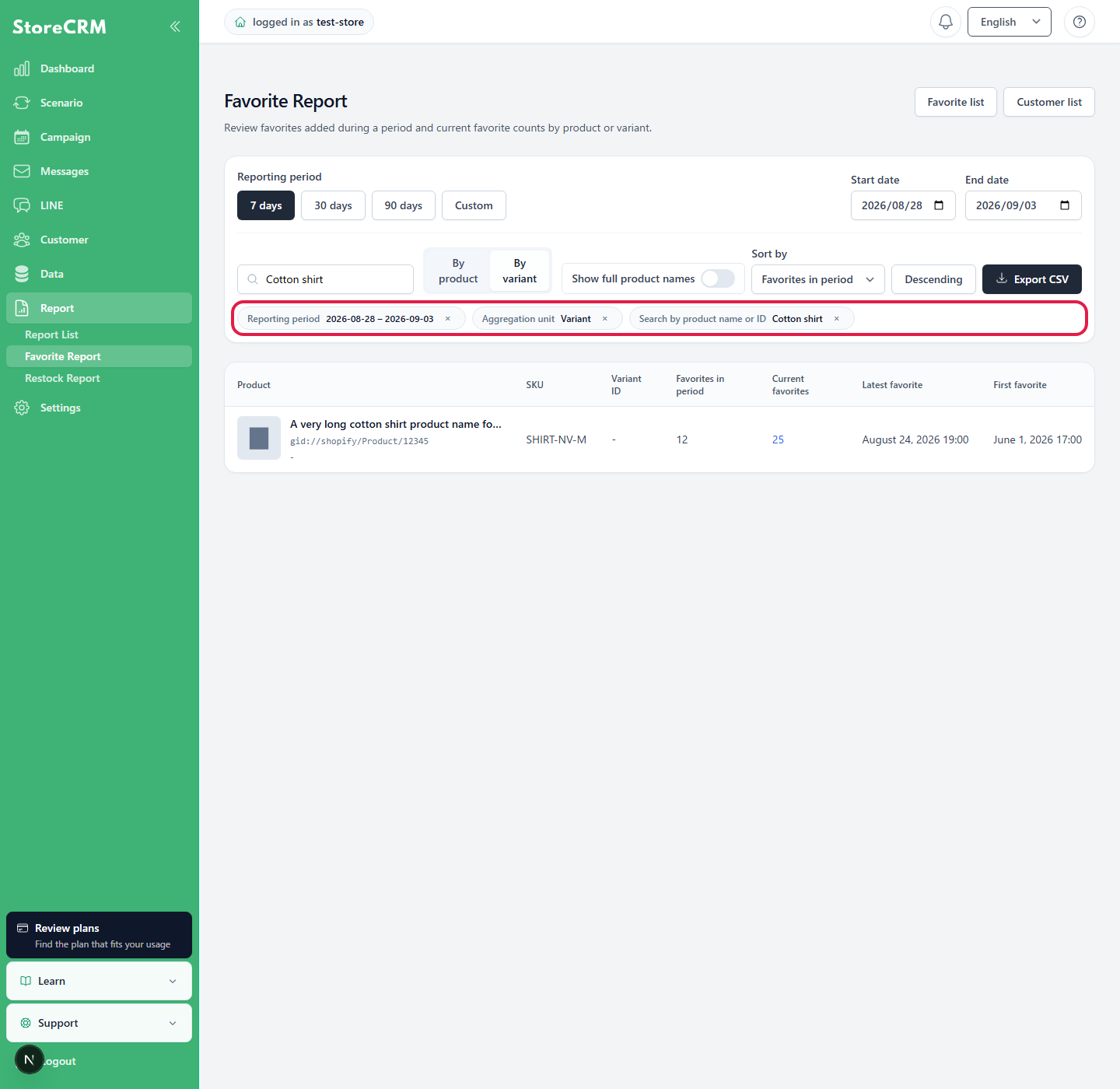
- Search: product name or product ID
- Aggregation unit: product or variant. Stores configured for product-level favorites are fixed to product.
- Sort by: favorites in the period, current favorites, latest favorite date, or first favorite date, in ascending or descending order
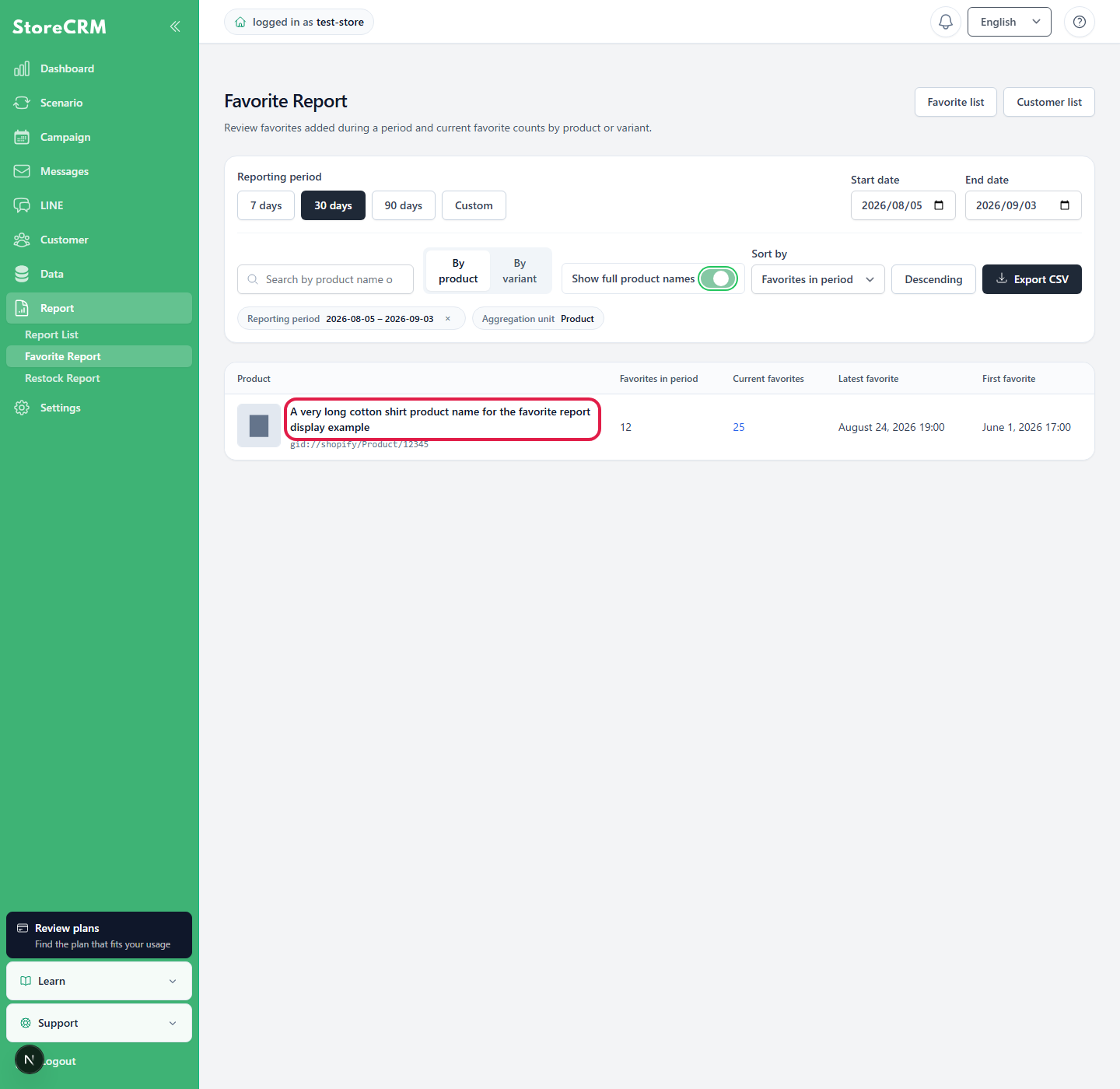
Review the product image, product name, and full-name display
Each product cell displays the product image, product name, and product ID together. Long product names are shortened by default; turn on [Show full product names] to view them in full. Use this option together with product name or ID search, aggregation settings, sorting, and CSV export.
Understand the metrics
- Favorites in the period: customers who currently have the item favorited and whose latest favorite date falls within the selected period
- Current favorites: customers who currently have the item favorited, regardless of the reporting period
- Latest favorite: the most recent date and time the item was favorited by a customer who still has it favorited
- First favorite: the earliest date and time the item was favorited by a customer who still has it favorited
Multiple favorite actions by the same customer for the same product are not counted more than once. Removed favorites are not included in the current favorite count.
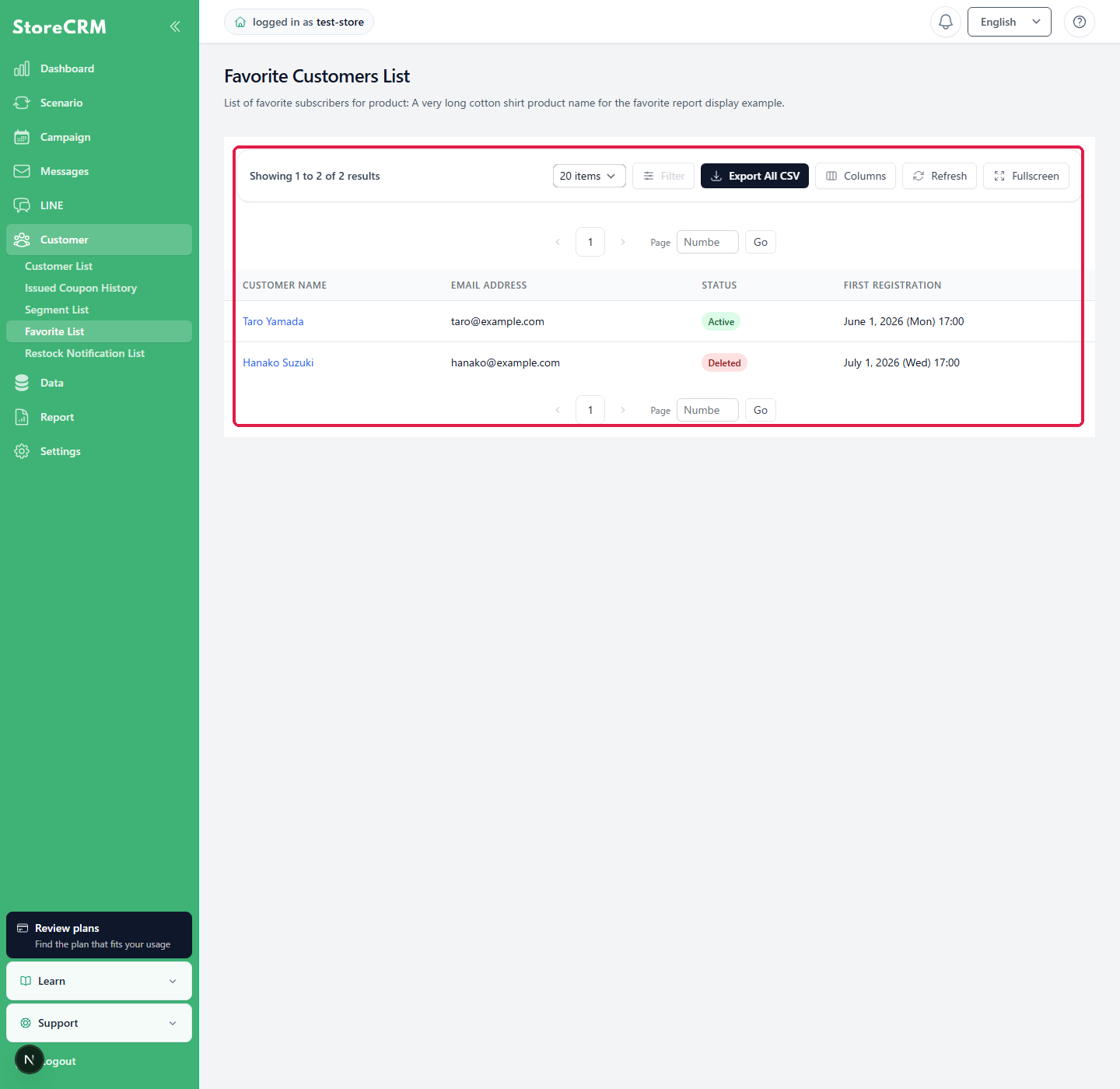
Review the customer list
Click the current favorite count to open a list of customers who currently have the product favorited. You can review each customer's name, email address, status, and first favorite date.
Export CSV
Export CSV to export a CSV containing all records that match the period, search, aggregation unit, and sort order selected on the screen. The export includes all matching data, not only the currently displayed page.
 English
  Japanese