

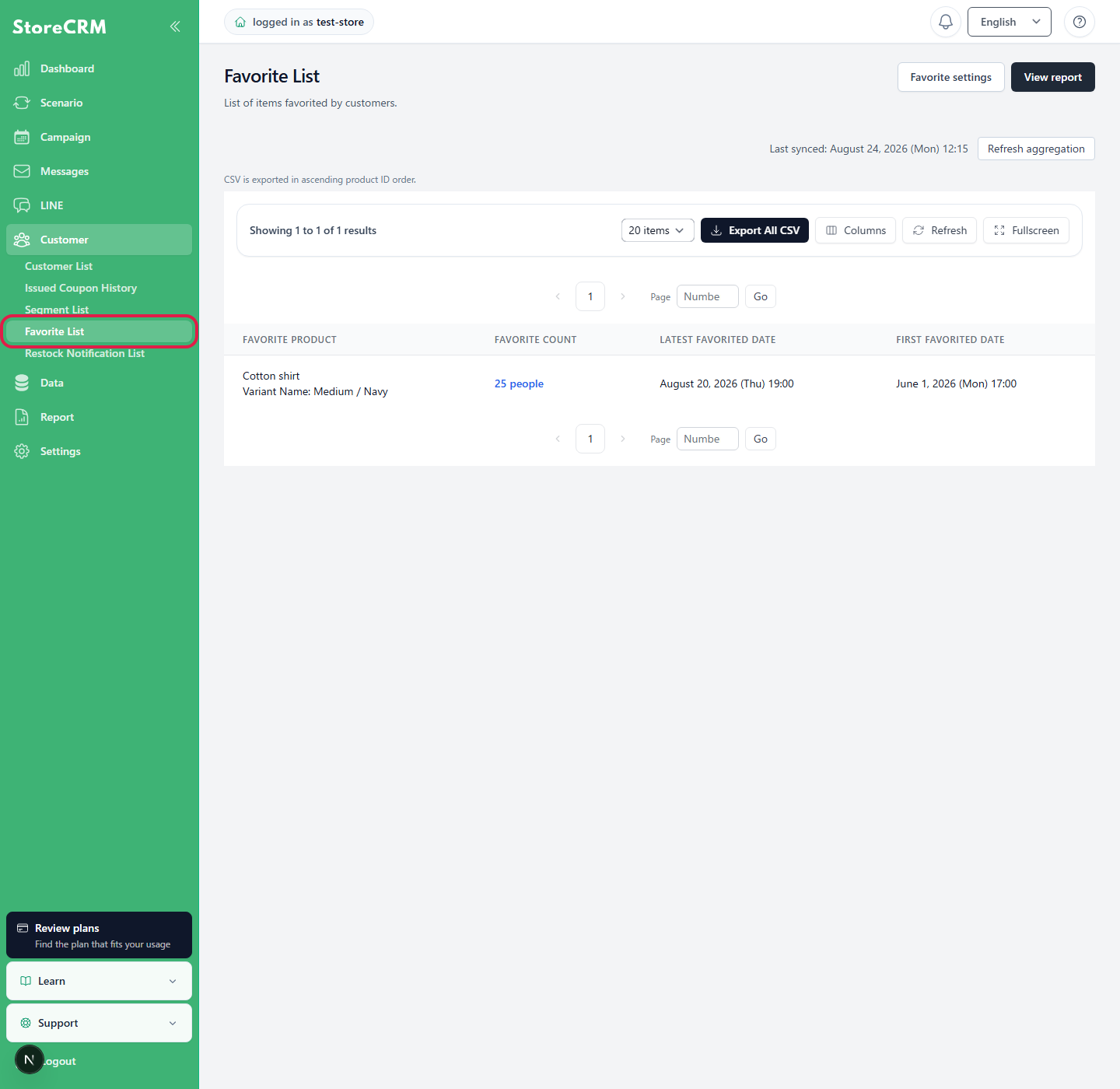
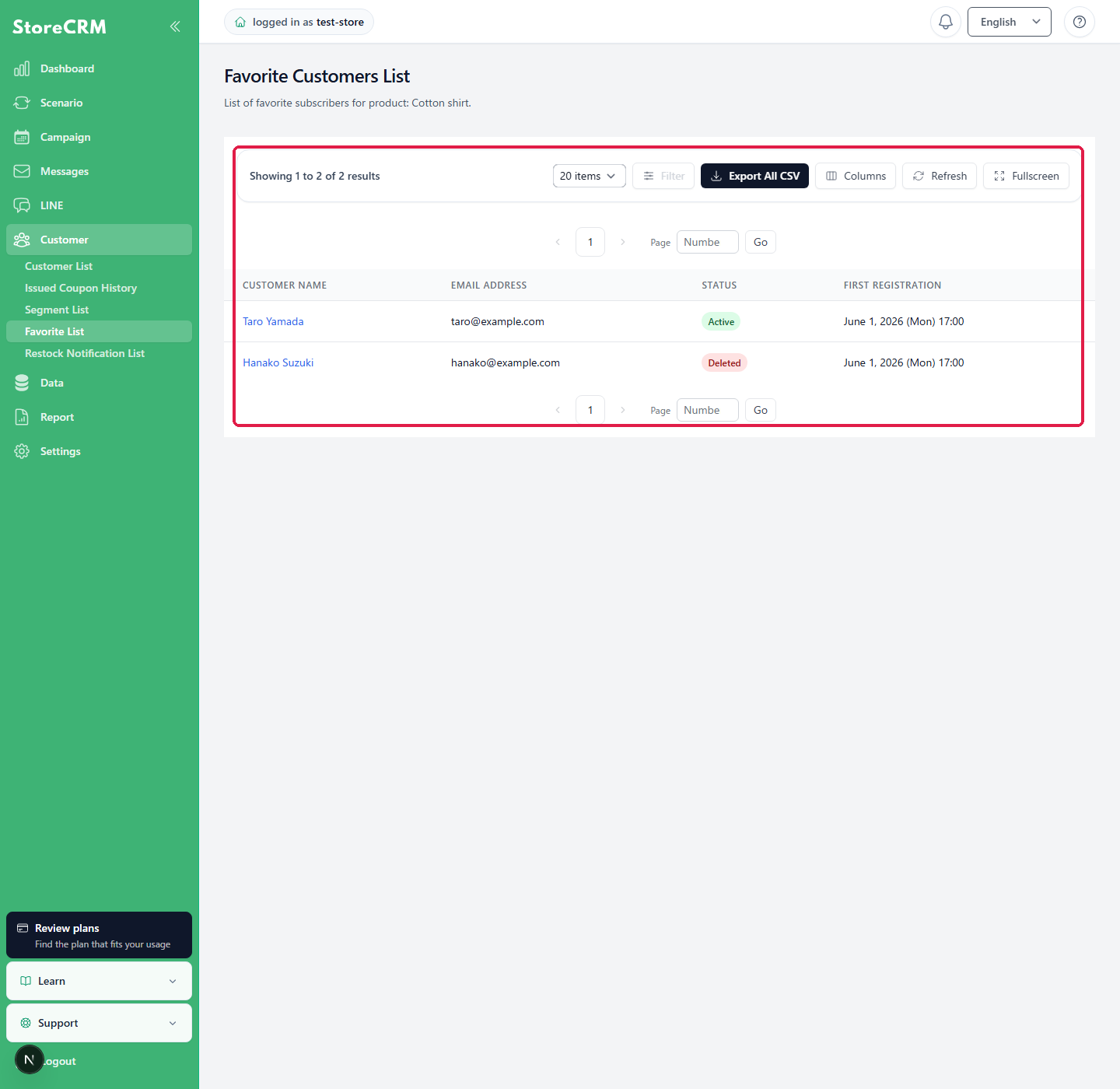
The StoreCRM Favorite List shows the products favorited in your store and the number of customers who favorited each product. Select a product to view its customers, email addresses, statuses, and first registration dates.
Difference between the Favorite List and Favorites Report
- Favorite List: View the current favorite registrations by product and customer.
- Favorites Report: Analyze registration counts and trends over a specified period.
Check favorite registrations
1. Open the Favorite List
StoreCRM管理画面の[お気に入り]→[お気に入り一覧]をクリックします。
2. Open the product's customer list
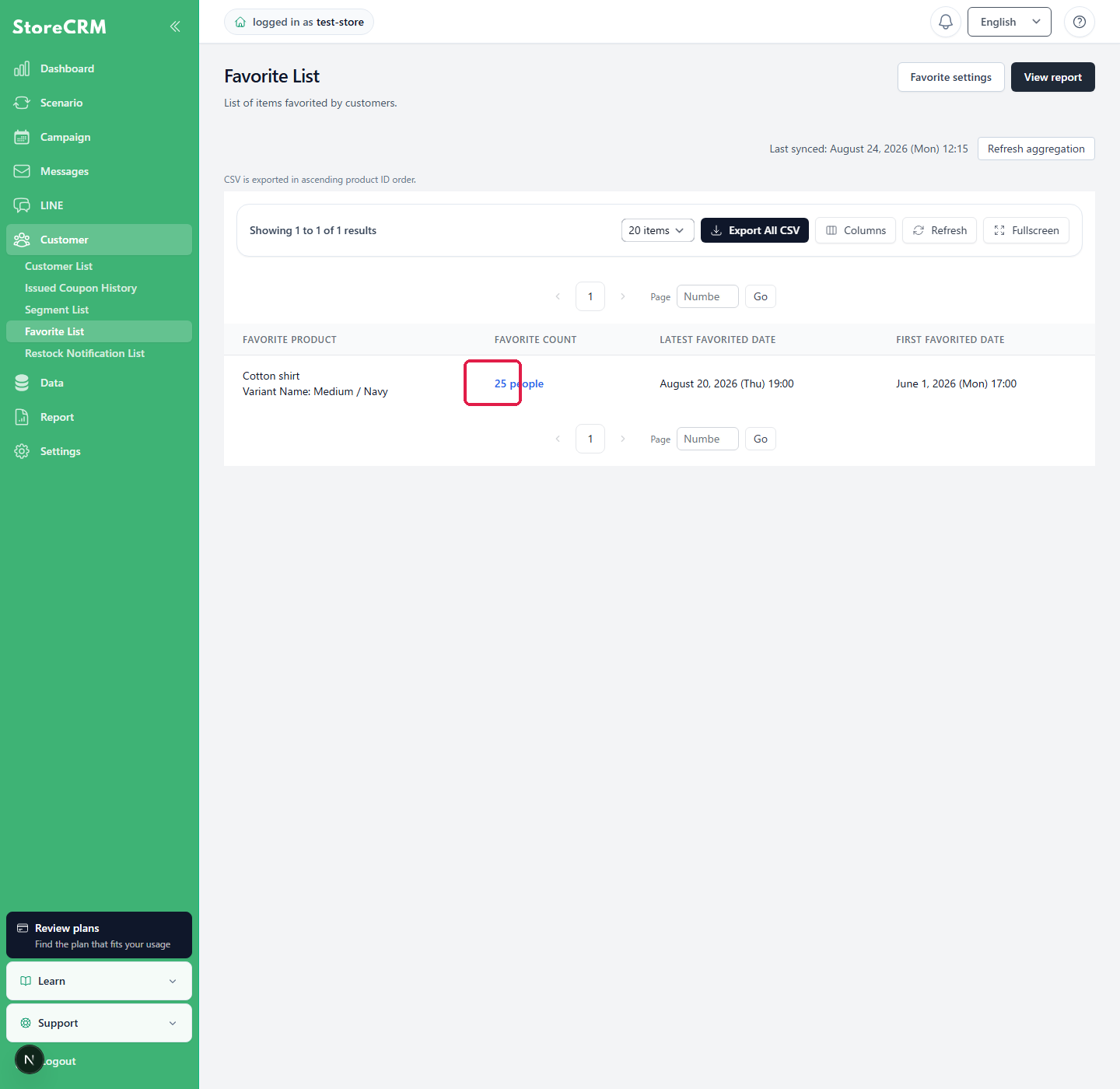
Each product row shows the favorited product, customer count, latest registration date, and first registration date. Click the [Favorite count] for the product you want to review.
3. Review the customers
The customer list for the selected product is displayed. You can review each customer's name, email address, current status, and first registration date. Registrations not linked to a customer record are shown as [Guest].
4. Open customer details
Click a customer name to open the customer details. No customer-details link is shown for [Guest] registrations.
 English
  Japanese