

- A favorite button can be added to the collection page.
- How to customize your favorite buttons,here for more information.
- お気に入りに登録した顧客の一覧は、StoreCRM→[お気に入り]→[お気に入り一覧]で確認できます。
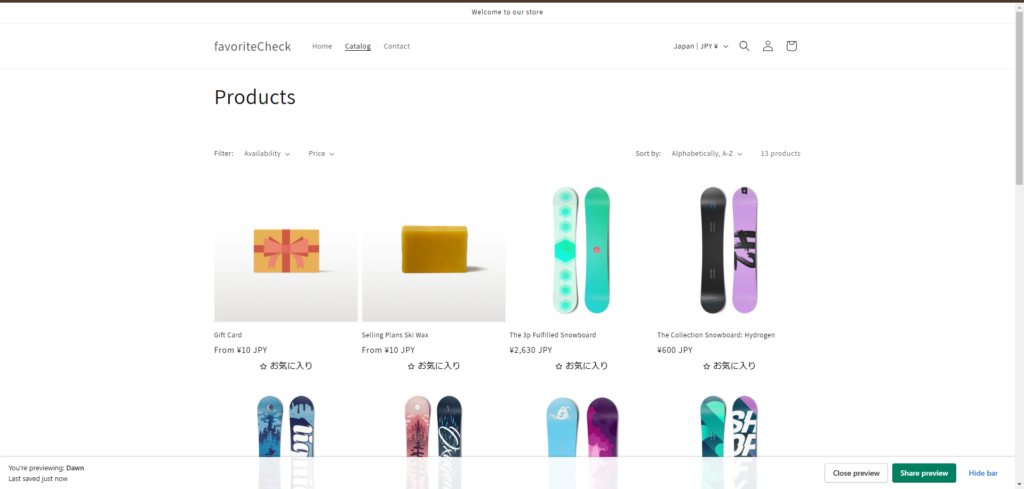
Add a favorite button on the collection page
- This manual is written using "Dawn ver. 15.2.0".
- If you are using a different theme or versionContact usPlease contact us with the name of the theme you are using.
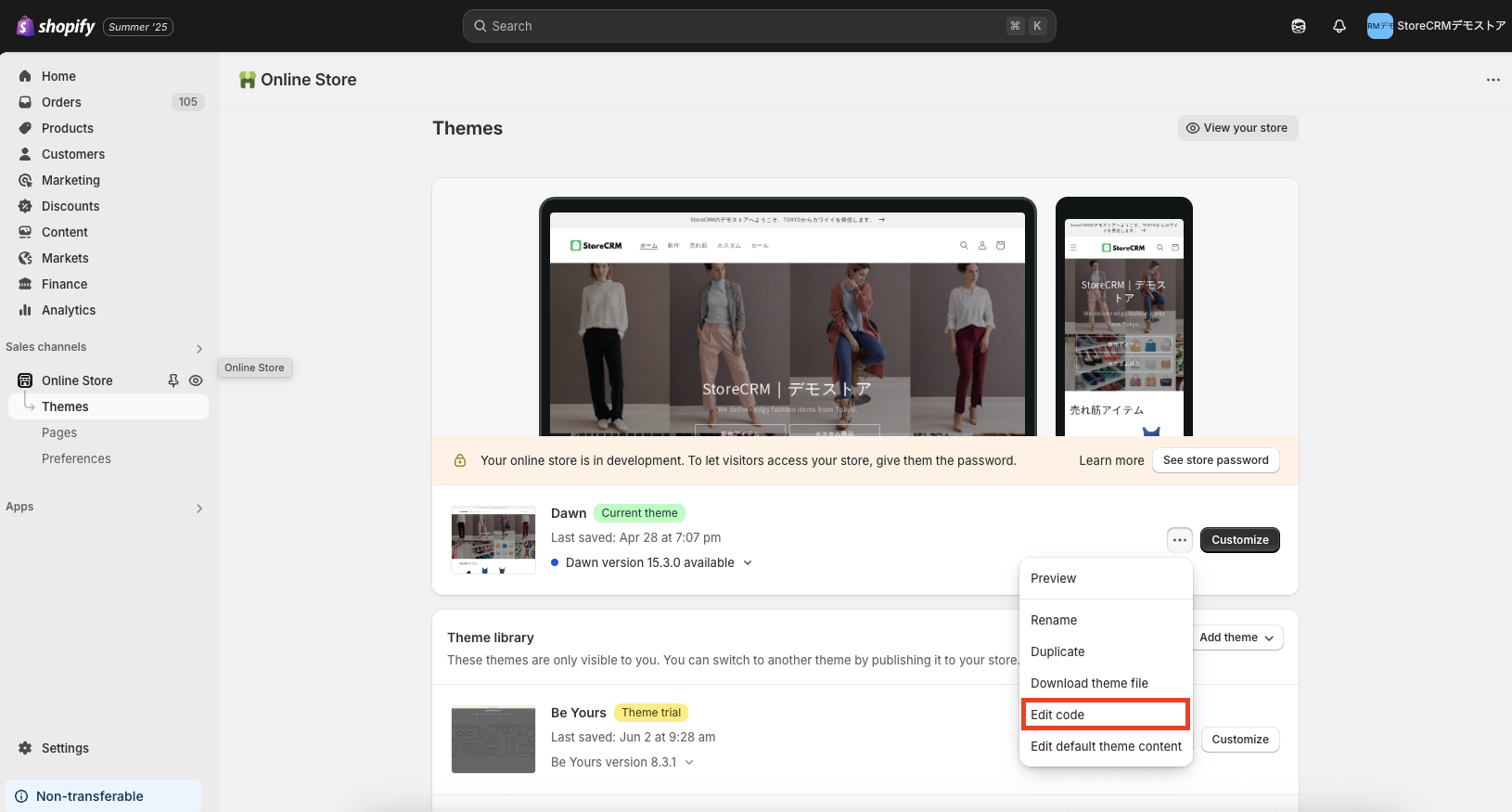
1. click on Themes -> Theme where you want to introduce your favorite -> [...] -> [Edit Code].
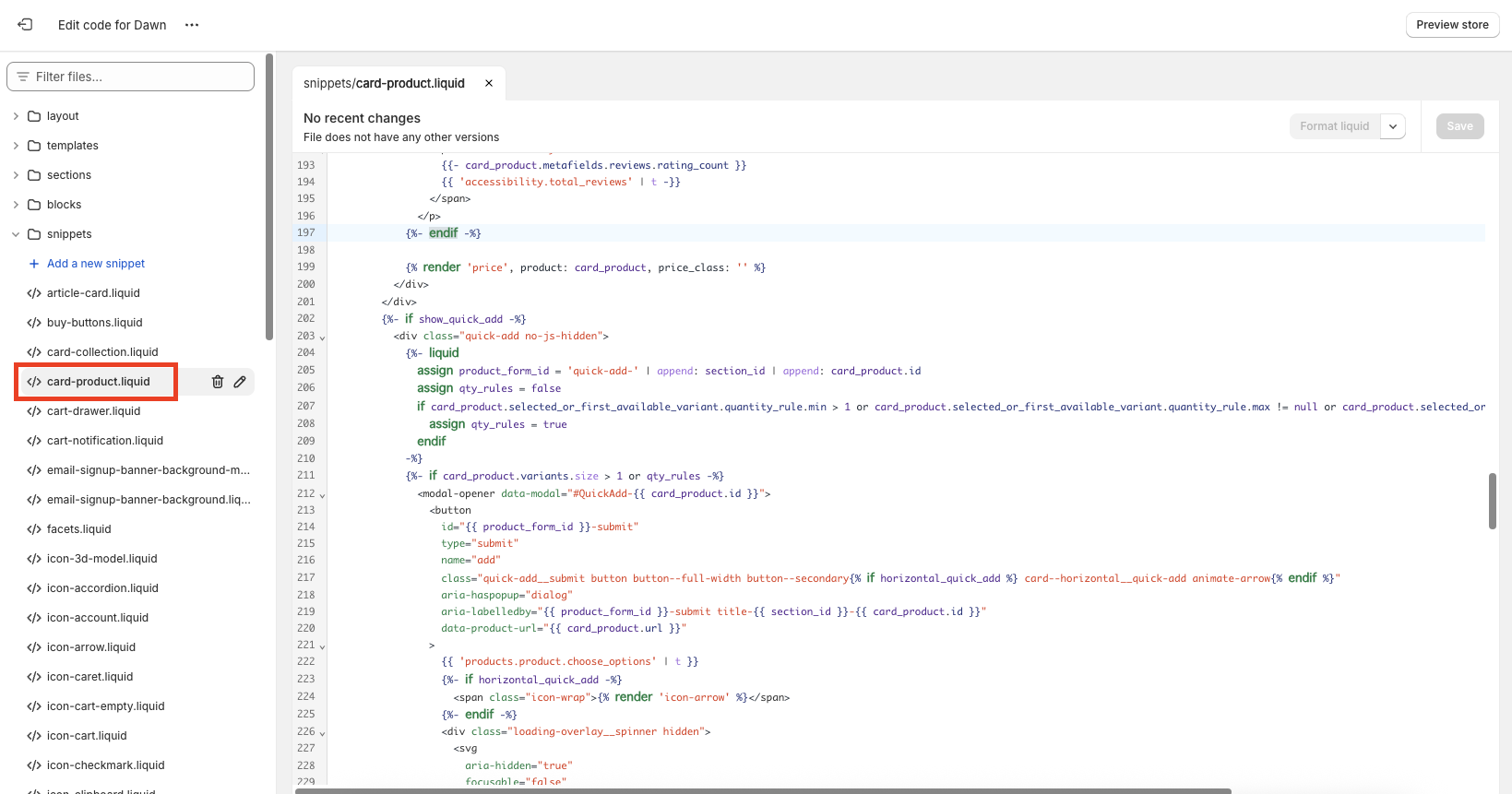
Open [snippets]->[card-product.liquid
3. line 207,{% render 'price', product: card_product, price_class: '', show_compare_at_price: true %}Paste the following code under the You can choose whether or not to add text to the favorite button, so choose according to your store.
Don't forget to save it, just in case.
HTML容量を抑えるため、data-variants は id(バリエーションID)と title(バリエーション名)の2項目だけを出力します。全項目を出力すると、価格・SKU・画像などの情報が商品カードごとに繰り返され、特にバリエーション数や表示商品数が多いページで表示速度に影響します。
以下はお気に入りボタン専用のコードです。メール・LINEの再入荷通知ボタンは在庫切れ判定に available も使用するため、同じ2項目への削減は適用しないでください。テーマの商品変数が product など別の名前の場合は、card_product をその変数名へ置き換えてください。引用符は半角の " を使用します。一覧用は data-variant-selector で選択するため、data-variant-id を指定しません。単一バリエーションは自動的に選択されます。
[Ver. with wording].
<div class="storecrm-favorite"
data-product-id="{{ card_product.id }}"
data-product-tags="{{ card_product.tags | json | escape }}"
data-variant-selector
data-variants="[{%- for v in card_product.variants -%}{"id":{{ v.id }},"title":{{ v.title | json | escape }}}{%- unless forloop.last -%},{%- endunless -%}{%- endfor -%}]"></div>[No wording ver].
<div class="storecrm-favorite"
data-product-id="{{ card_product.id }}"
data-product-tags="{{ card_product.tags | json | escape }}"
data-no-label
data-variant-selector
data-variants="[{%- for v in card_product.variants -%}{"id":{{ v.id }},"title":{{ v.title | json | escape }}}{%- unless forloop.last -%},{%- endunless -%}{%- endfor -%}]"></div>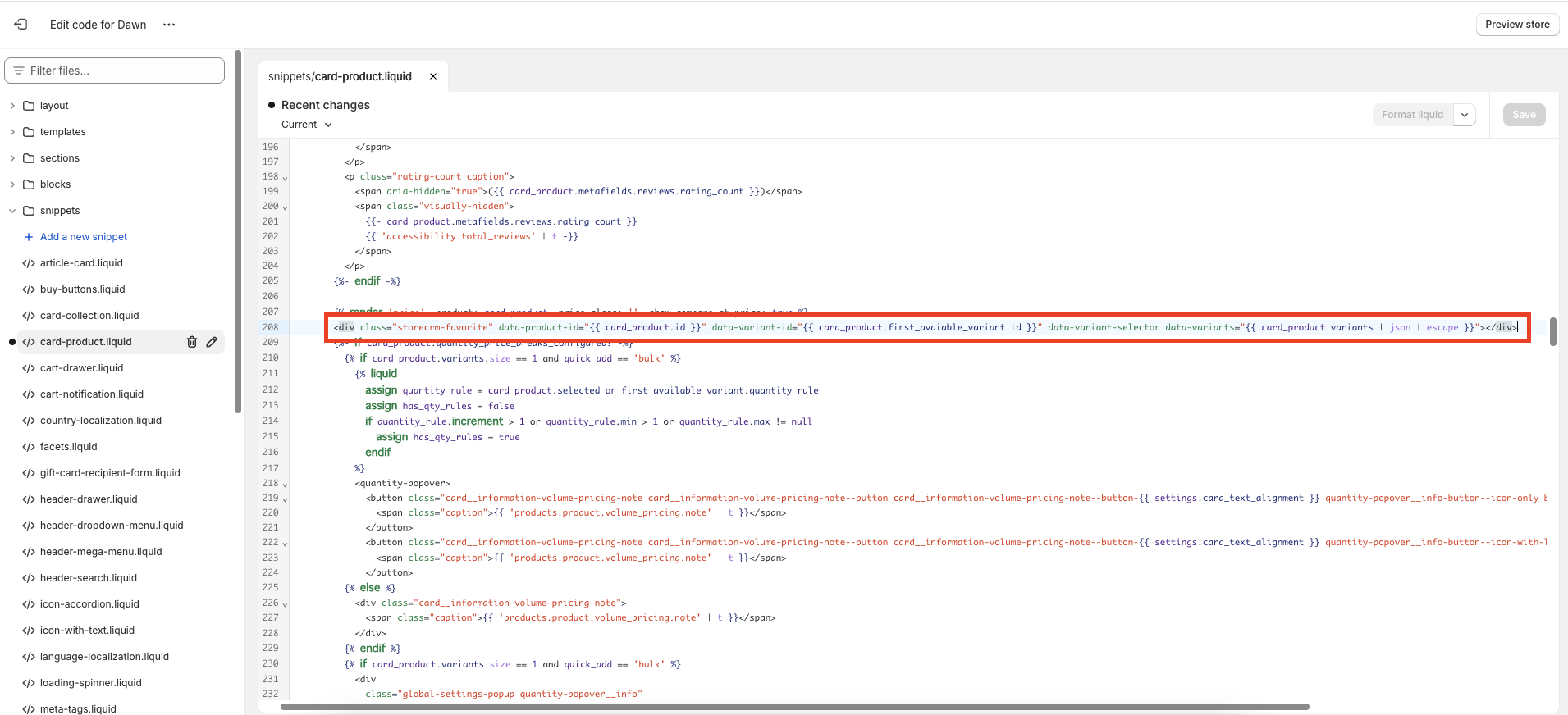
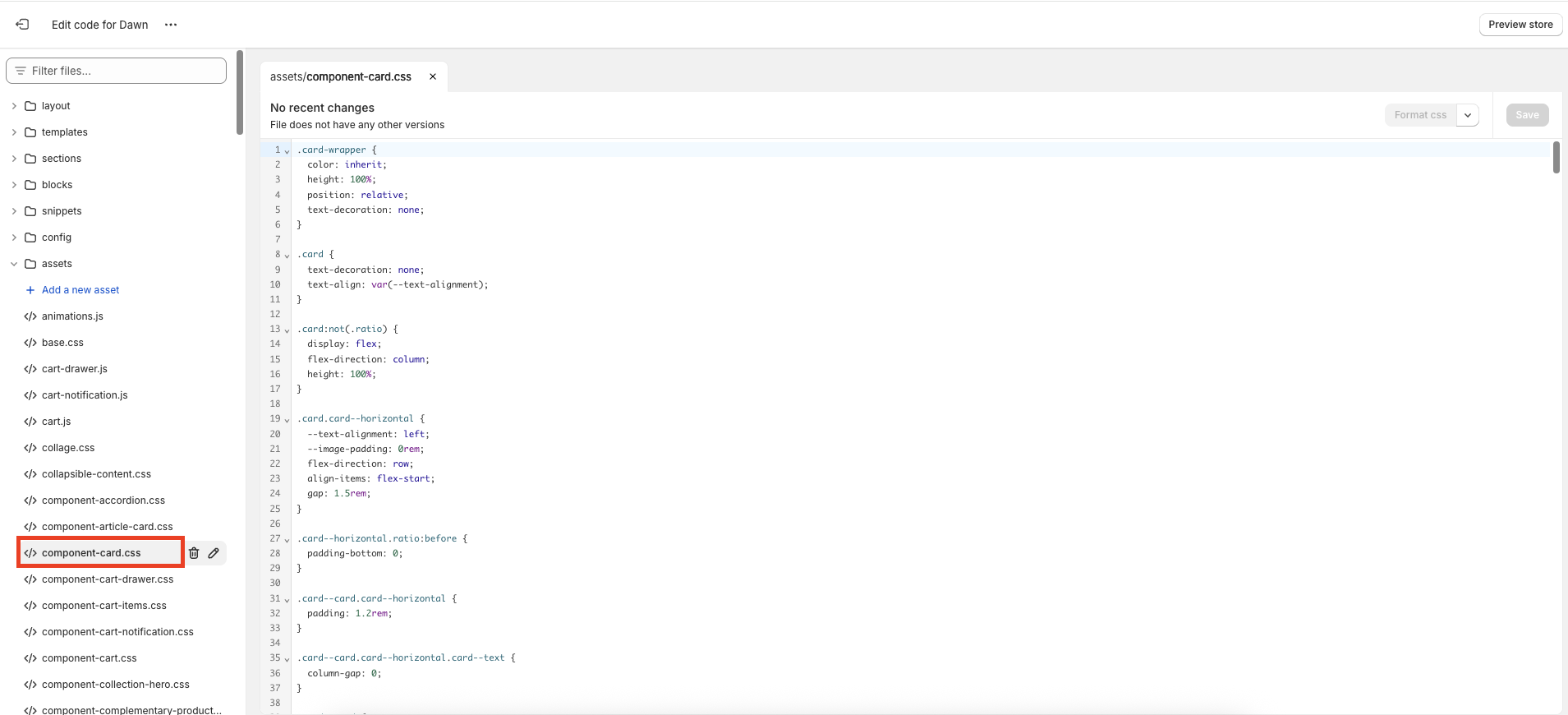
Open [asset]->[component-card.cssThe following is a list of the most common problems with the
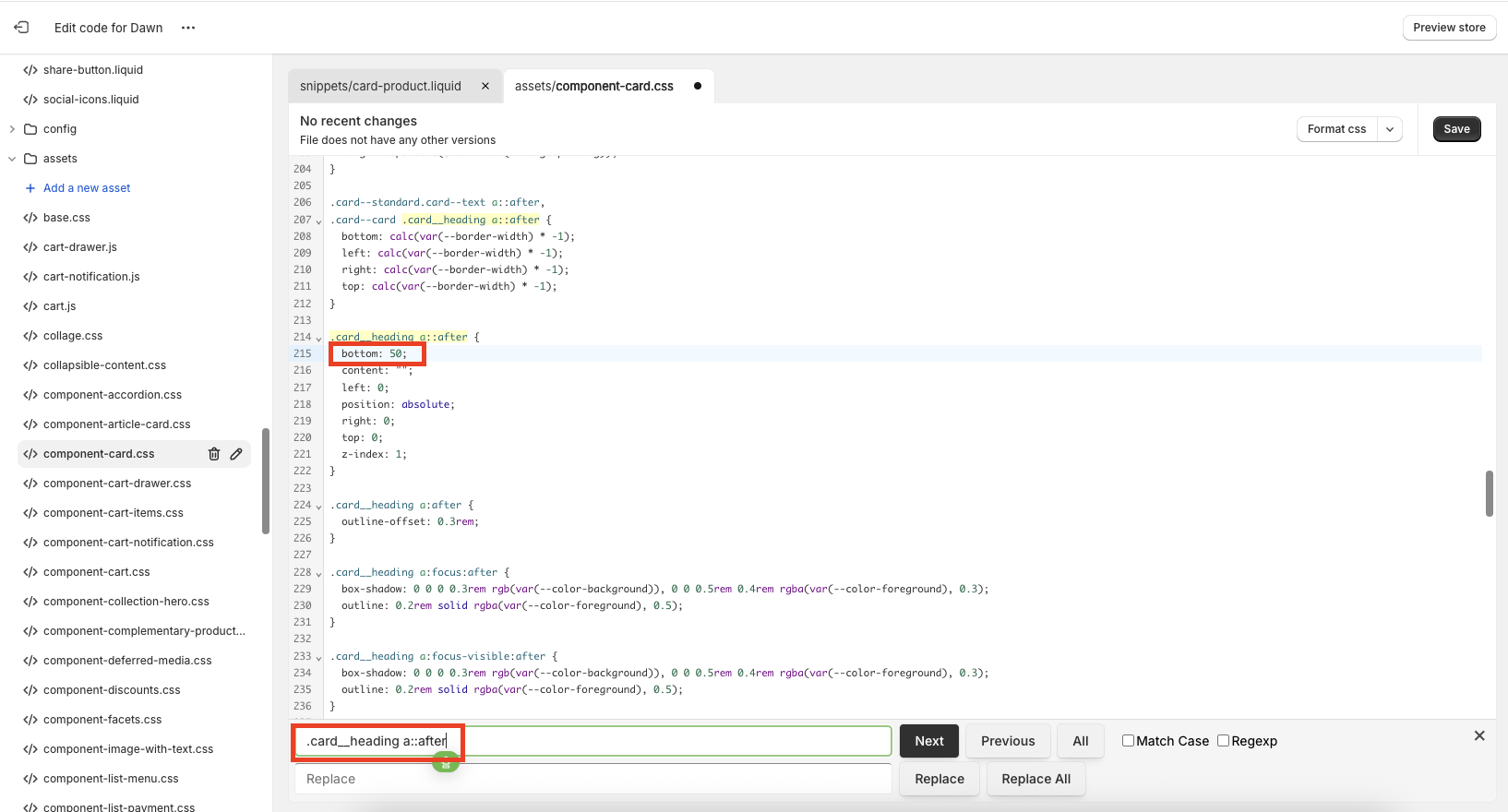
5. [.card__heading a::after].and perform a search on line 350.
bottom: 0; →directional marker or indicatorbottom: 50; to the following.
Don't forget to save it.
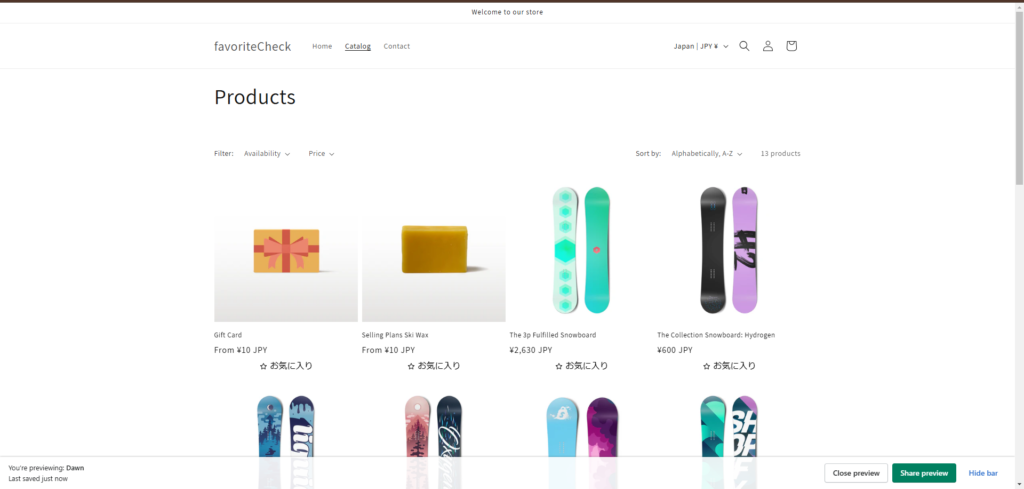
6. Check the collections page to make sure the favorites button is displayed correctly.
既存の全項目出力コードを変更する場合は、テーマを複製してから data-variants を上記の軽量版へ差し替えてください。アプリ更新だけでは、テーマへ手動で貼り付けたコードは変更されません。変更後は、ハートの表示、複数バリエーションの選択、単一バリエーション商品の登録、登録・解除、お気に入り一覧への反映を確認してください。
Related pages
 English
  Japanese