

This section explains how to set up a newsletter registration and LINE integration button to be added to the My Page of a new customer account in Shopify.
1. check your Shopify account settings
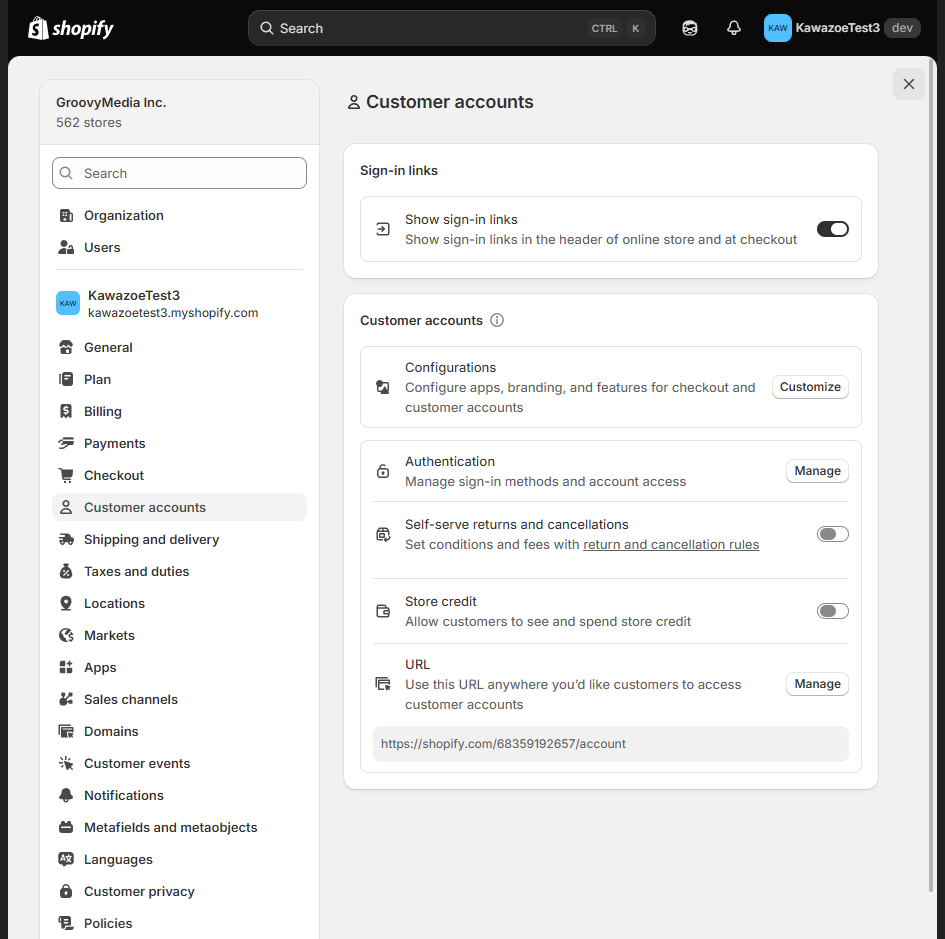
Check the customer account settings in the store settings. Verify that the version of your customer account is set to the newer version, not the previous version.
2. open checkout customization
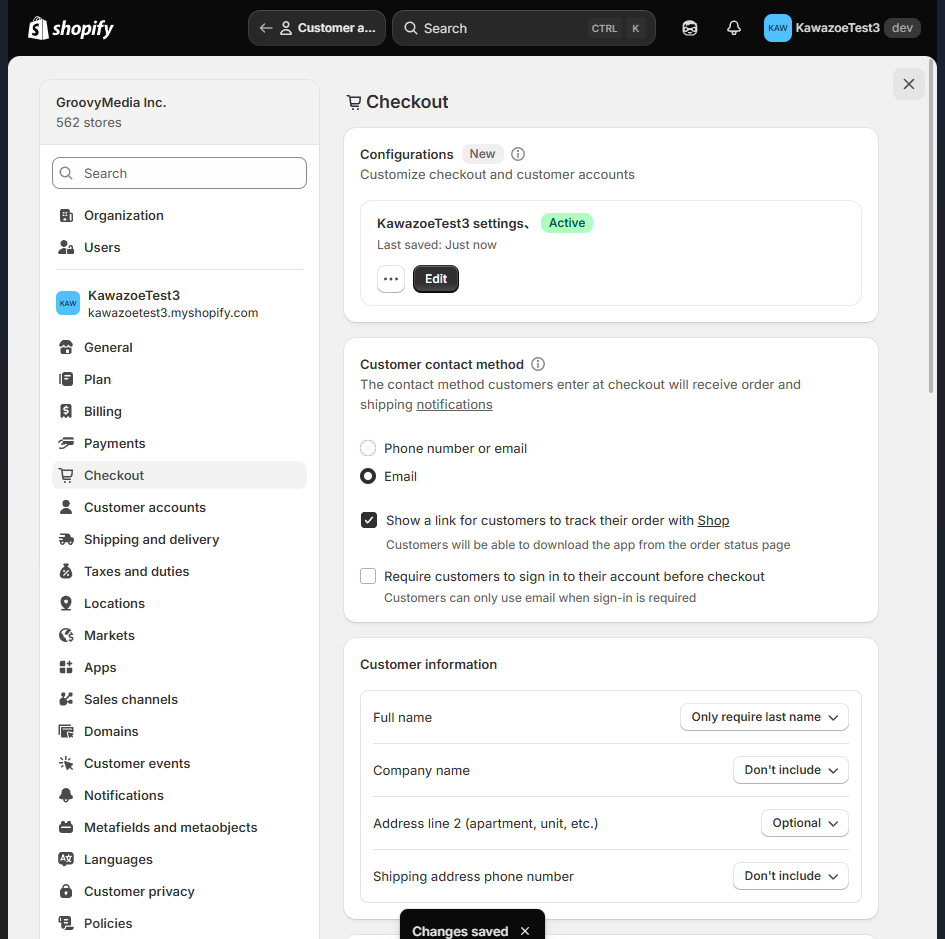
Go to the store checkout settings and open Customize.
Go to Customize Profile Screen
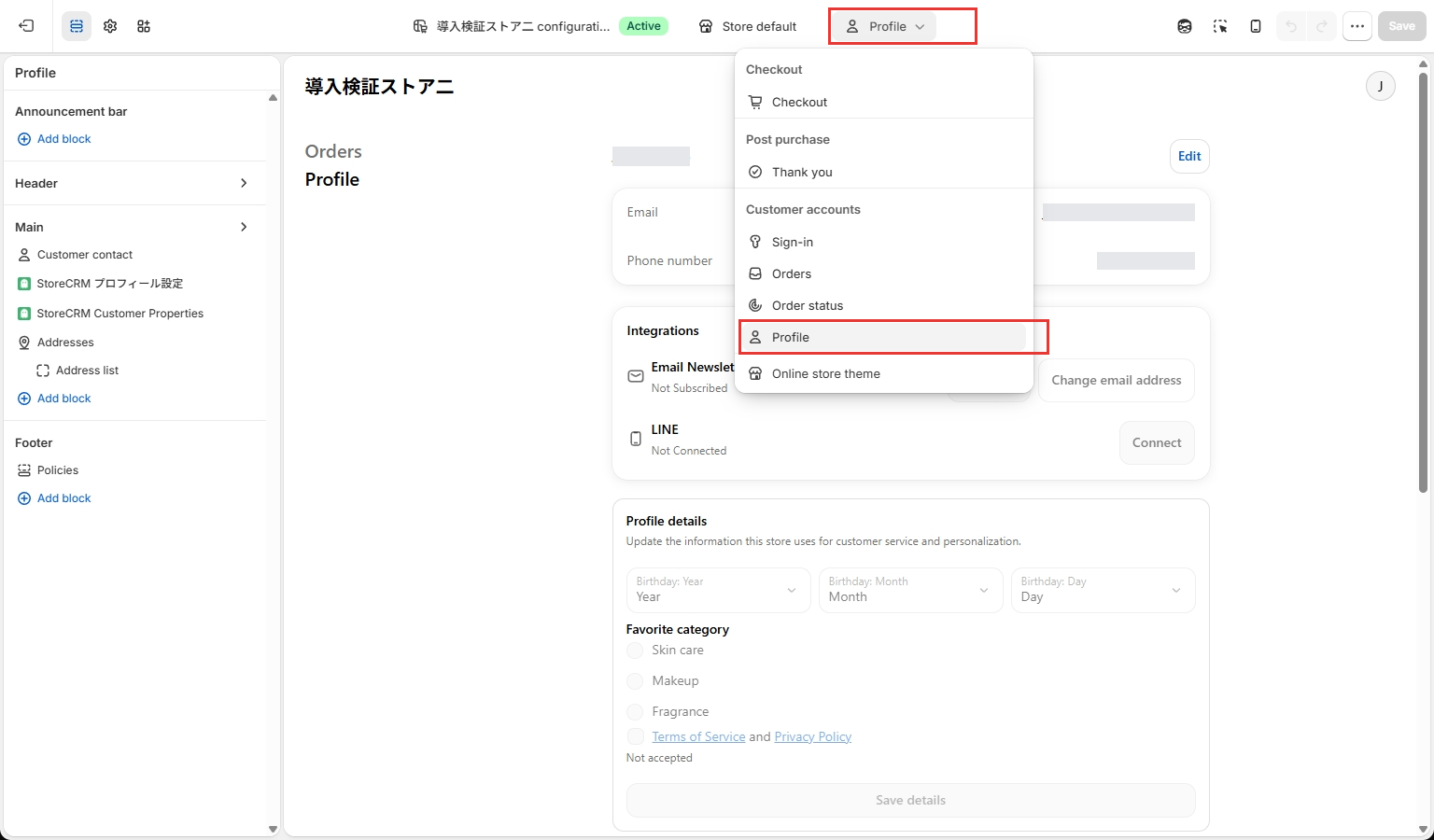
Open the page selector at the top and choose Profile under Customer accounts. The red boxes mark the selector and the destination.
4. add a block of StoreCRM profile settings from the app
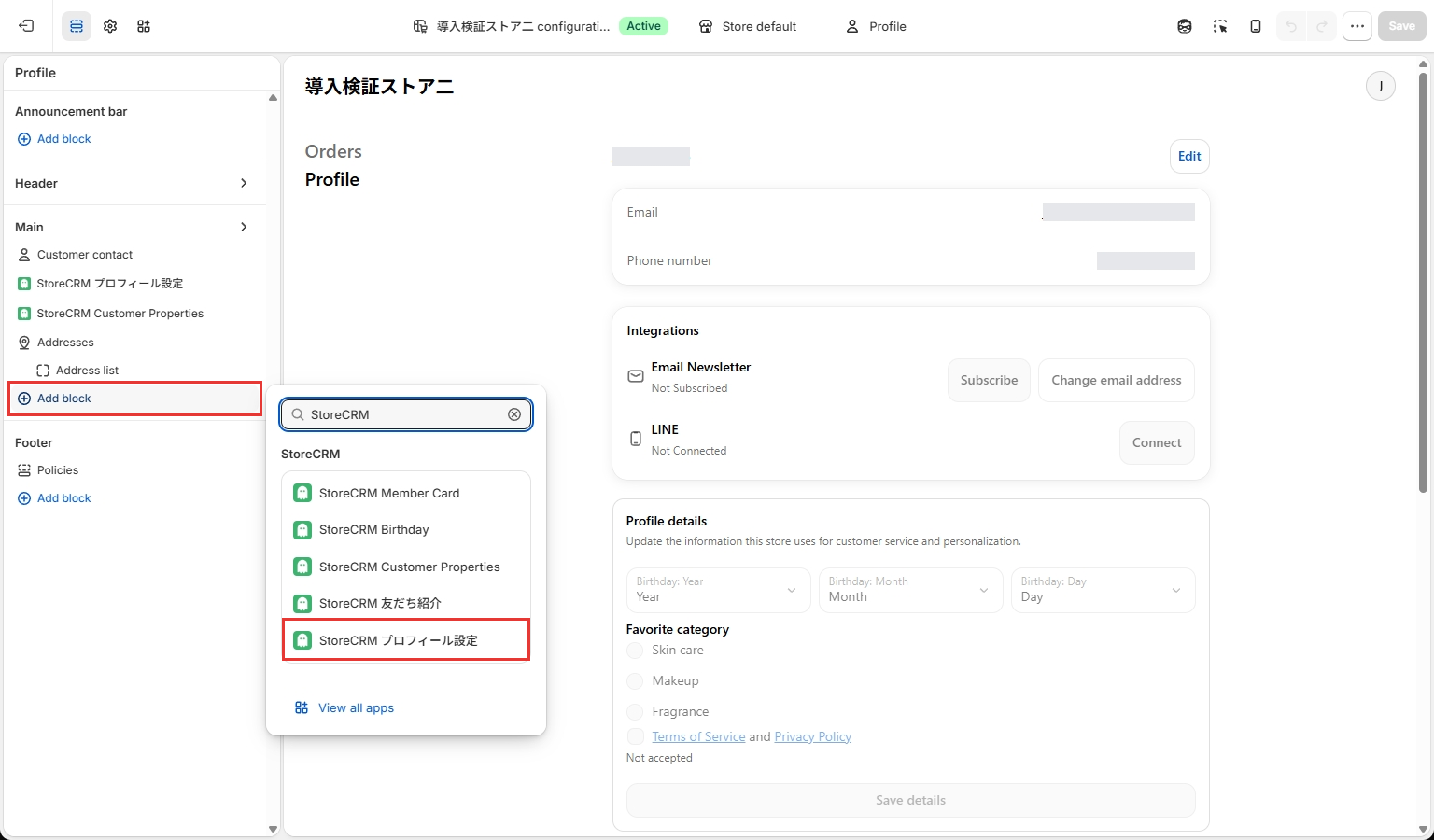
Under Main on the left, select Add block and choose the StoreCRM profile settings block marked in red. If it is already installed, select the existing block on the left to open its settings. The extension block name remains in Japanese in Shopify.
5. set whether or not to display each button
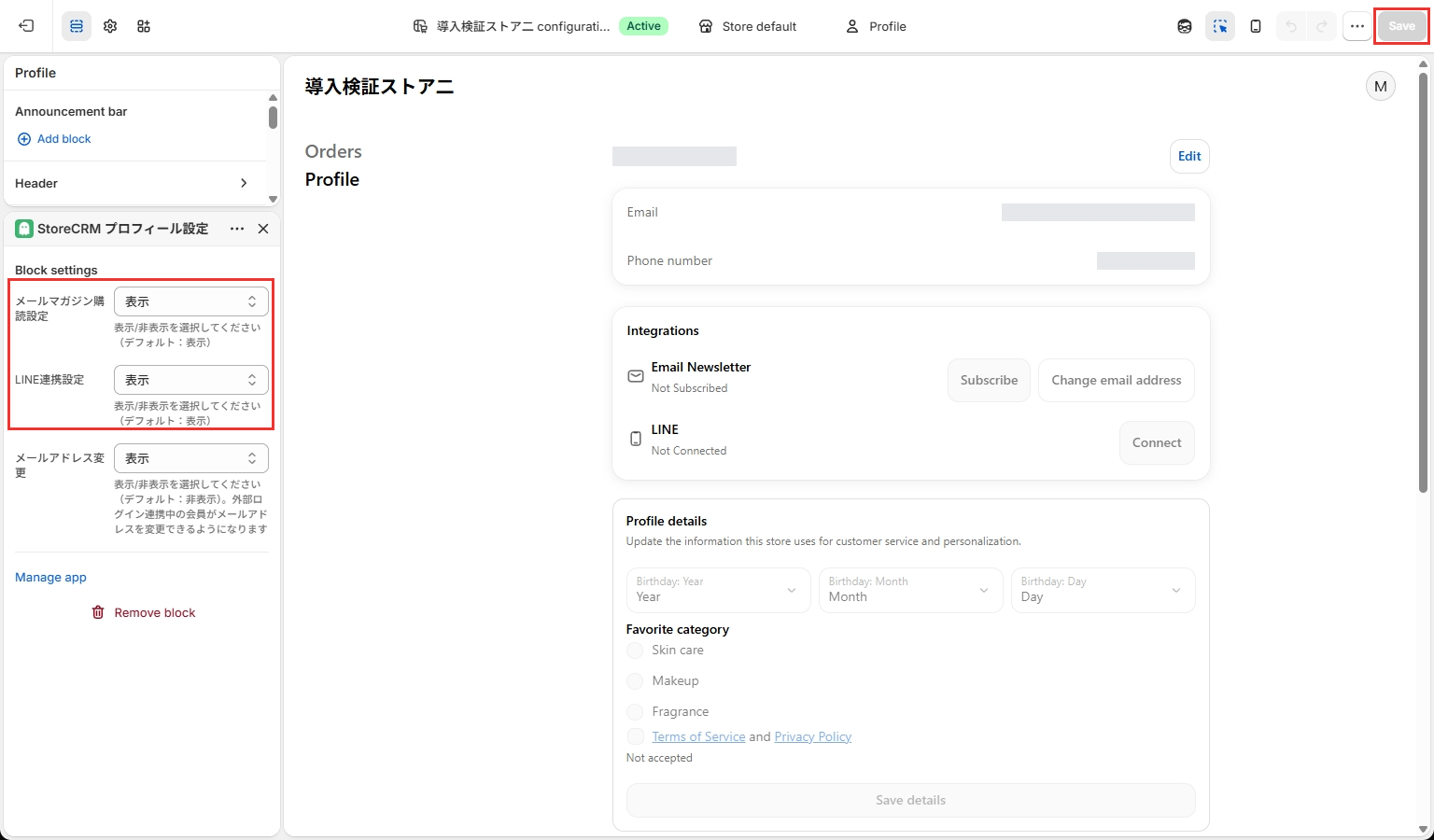
In the added block, use the two settings marked in red to show or hide newsletter subscription and LINE connection independently. Both are shown by default when no option is selected. These extension setting labels and option names remain in Japanese in Shopify. After changing the settings, select Save and reopen the editor to confirm your choices were retained.
Save the settings when complete.
6. it is recommended to check that it is displayed correctly
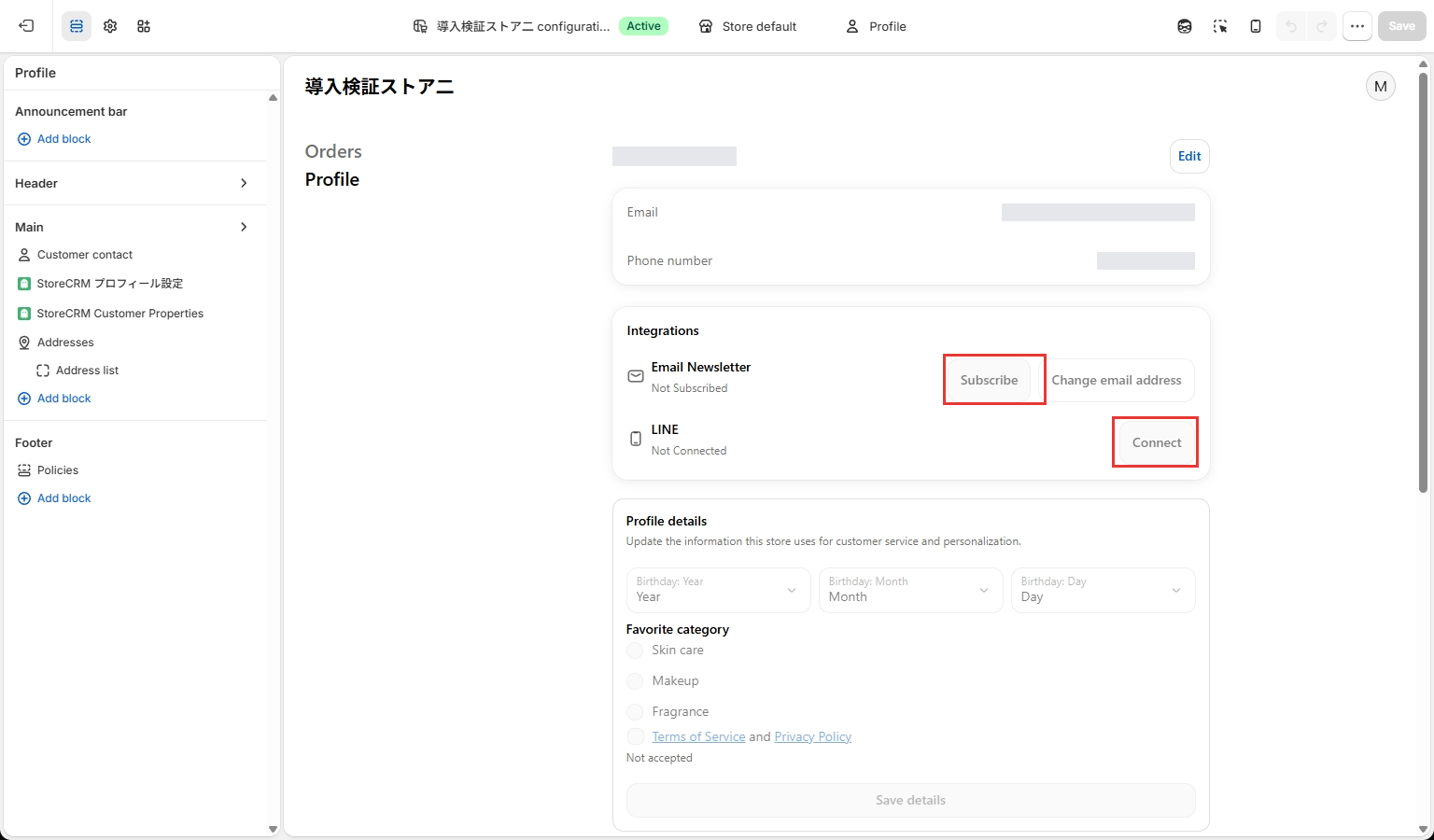
This editor preview shows a customer who has not subscribed to the newsletter or connected LINE. The red box marks the subscription and connection buttons. Preview actions are disabled, so after saving, check the display and the results in an actual customer account.
If the button is added correctly, it will appear as shown in the image above.
Related pages
Displaying the membership card on the profile page
To display a membership card barcode on the new customer account profile page, add the [StoreCRM Member Card] app block. For detailed setup instructions, seeSet up the LINE and profile membership cardsfor detailed instructions.
 English
  Japanese