

Configure the My page destination
For classic customer accounts, choose whether customers without a LINE connection are sent to login or registration when tapping a rich menu My page action. This selector is not shown for new customer accounts.
- Open the relevant rich menu under LINE → Rich menus and click the area to edit.
- Set the action type to My page and choose the destination for customers without a LINE connection.
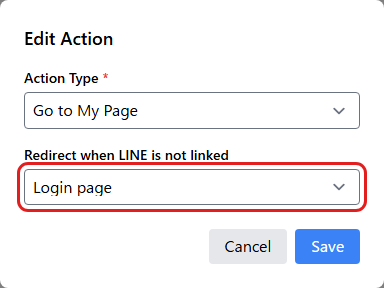
- Save the area settings and the rich menu draft. Reopen to confirm the value persists, then publish through the normal workflow.
Test the destination with an unlinked customer and confirm linked customers still open My page normally. After registration or login, wait for the LINE connection status to appear. This setting is not used if you switch to another action, such as opening a URL.
 English
  Japanese