

StoreCRM lets you insert recommendation blocks into email and LINE messages. Using Shopify purchase and browsing data, it automatically selects and displays suitable products for each customer.
Choose from eight recommendation patterns, including store sales rankings and personalized lists based on each recipient's browsing history.
Benefits of recommended products in email and LINE
Personalized email can perform better than general email delivery.
- Improve open rates: Products matching customer interests in the subject or preview encourage opens
- Improve click-through rate (CTR): Relevant products increase the likelihood of link clicks
- Improve conversion rate (CVR): Products matching customer needs increase purchase likelihood
- Improve customer lifetime value (LTV): Ongoing personalized suggestions encourage repeat purchases
Shopify stores can use accumulated purchase and browsing data to provide effective product recommendations.
Create a recommendation email
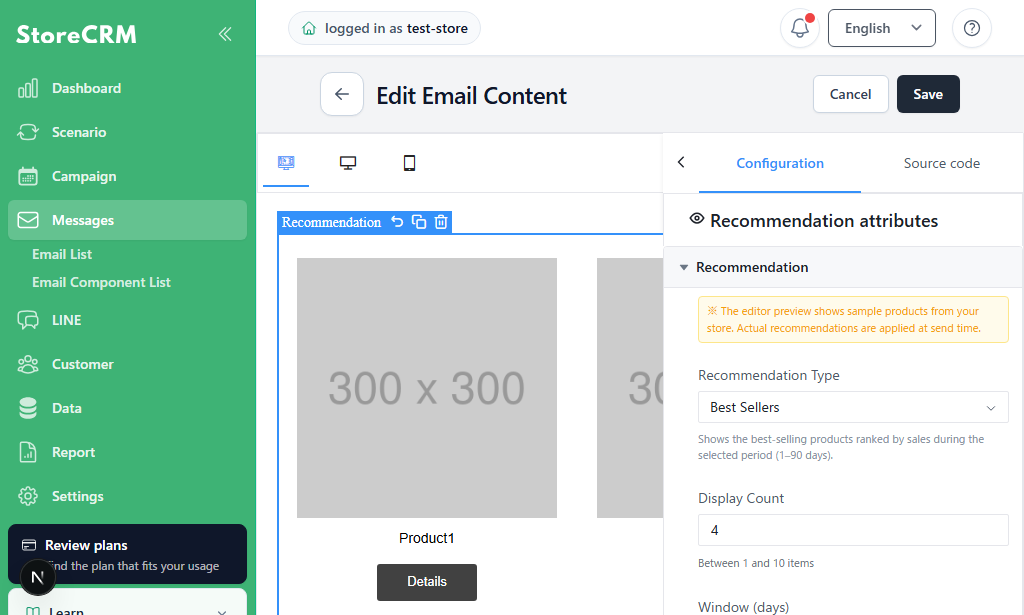
Drag and drop a recommendation block into an email in the StoreCRM email editor.
- Edit an existing or new email
- Drag Recommendation from the left panel into the email body
- Drop it at the desired position in the email body
Add recommendation blocks without writing code.
Configure recommendation settings after adding the block.
Create a recommendation LINE message
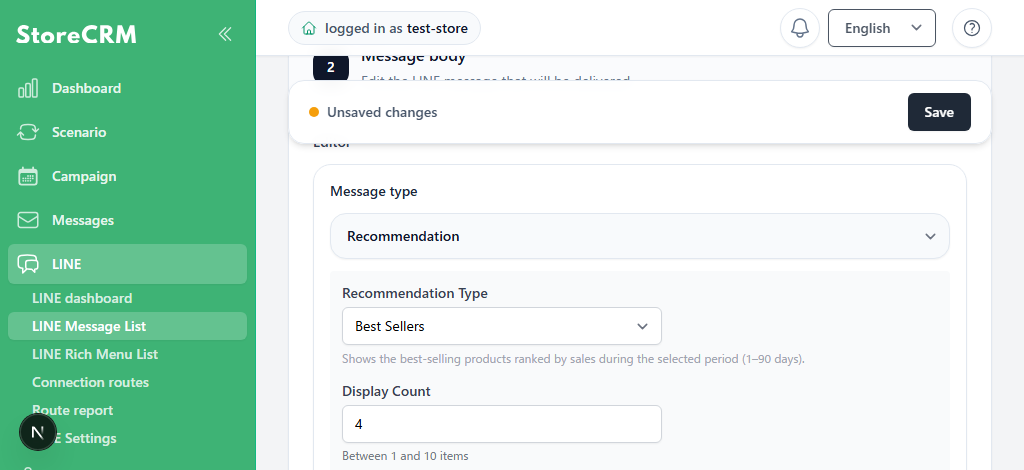
When creating a LINE message in StoreCRM, select Recommendation as the message type.
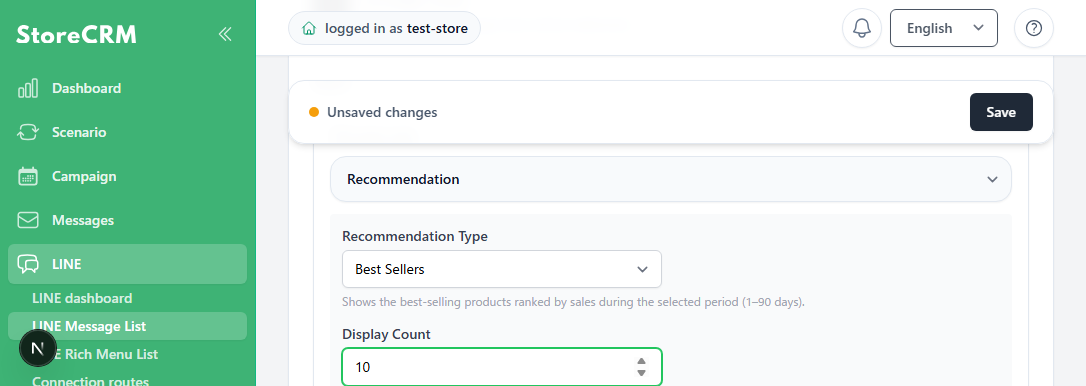
Selecting Recommendation displays its configuration options.
Recommendation settings
Recommendation type (Email / LINE)
StoreCRM provides eight recommendation algorithms divided into store-level recommendations shared by all customers and customer-level personalized recommendations.
Store-level recommendation types (same results for all customers)
| Recommendation type | Description | Suitable uses |
|---|---|---|
| Sales ranking | Products with the highest sales quantity during the selected period | First recommendations to new customers and welcome emails |
| View ranking | Products with the most views during the selected period | Trends and seasonal product suggestions |
| Combined score | Products ranked by a weighted score of sales and views | Balanced recommendations |
| New products | Newly added products | Re-engagement and recurring delivery |
Customer-level recommendation types (personalized for each customer)
| Recommendation type | Description | Suitable uses |
|---|---|---|
| Recently viewed | Products recently viewed by the customer | Checkout abandonment notifications |
| Added to cart | Products added to cart but not purchased | Checkout abandonment notifications |
| Similar products | Products related to items the customer viewed or purchased | Post-purchase cross-selling |
| Personalized | Uses machine learning across all customer purchases to predict products each customer is likely to buy | Highly targeted recommendations |
Choose among eight types to match product suggestions to the purpose of each automation.
DisplayItem count (Email / LINE)
Set the item count from 1 to 10.
For email, combine columns and item count. For LINE, adjust the count because more products make the message longer.
Input ranges
| Settings | Allowed range | Applies to |
|---|---|---|
| Item count | 1–10 | Email / LINE |
| Aggregation period | 1–90 days | Sales ranking, view ranking, combined score |
| View weight | 0 or greater | Combined score |
| Purchase weight | 0 or greater | Combined score |
| New-product period | 1–365 days | New products |
Out-of-range values show an error before saving.
Aggregation period (Email / LINE)
Specify the period of data used for recommendations.
The aggregation period strongly affects ranking-based recommendations.
- Short aggregation period (7–14 days): Reflects recent trends and suits seasonal or sale products
- Long aggregation period (30–90 days): Shows consistently popular products and suits standard items
Combined score lets you adjust sales and view weights for the store.
Fallback (Email / LINE)
Recommendation results can be empty. For example, Recently viewed cannot return products for a customer with no browsing history.
If the main recommendation type returns no results, StoreCRM automatically switches to an alternative type using itsfallback feature. For example, Recently viewed → Sales ranking shows popular products to customers without browsing history and prevents empty recommendation emails.
Layout (Email)
Select one to four columns.
For email, in addition to desktop columns, selectone or two columns on smartphones. Existing emails use one column. Two columns place products side by side, but some email apps might not reproduce the layout exactly, so verify with a test email.
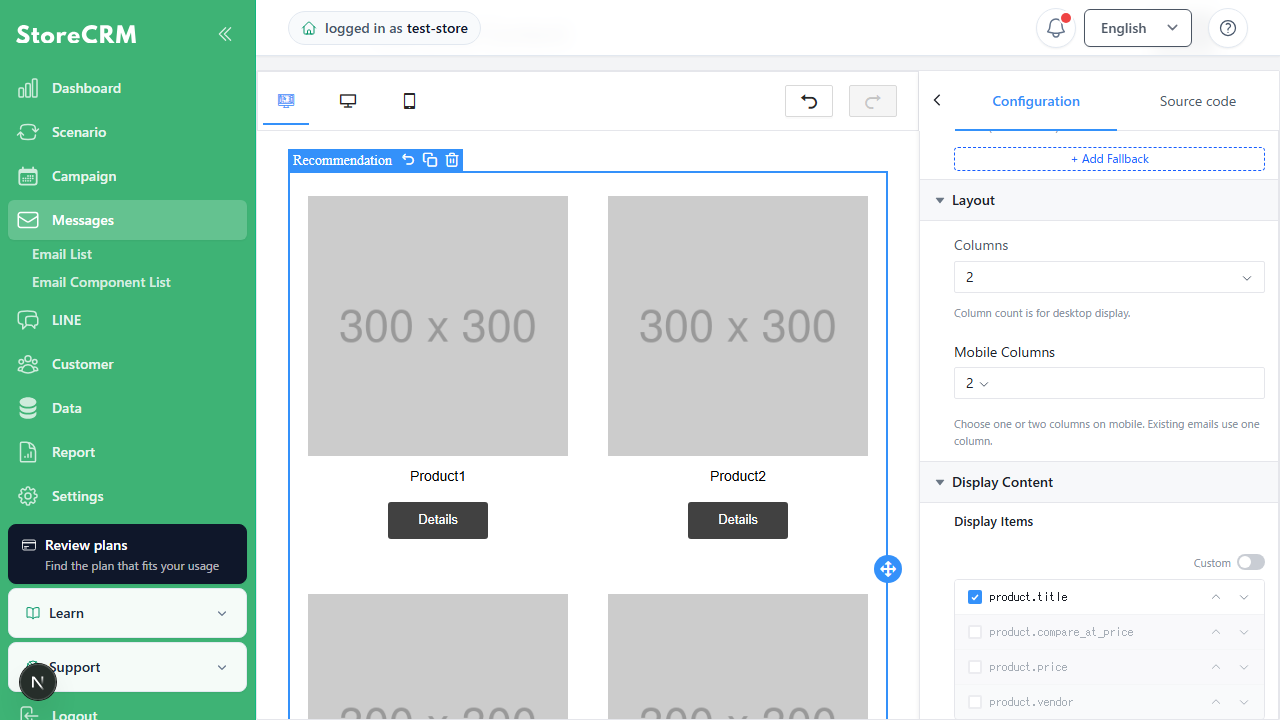
Display fields (Email)
- Product name: Displays the product title
- Price: Displays the product price
- Vendor: Displays the brand or manufacturer name
Toggle display fields with checkboxes to fit the email design and purpose.
Automatic coupon application (Email)
Email recommendation blocks can automatically apply an issued automation or campaign coupon to recommended product links.
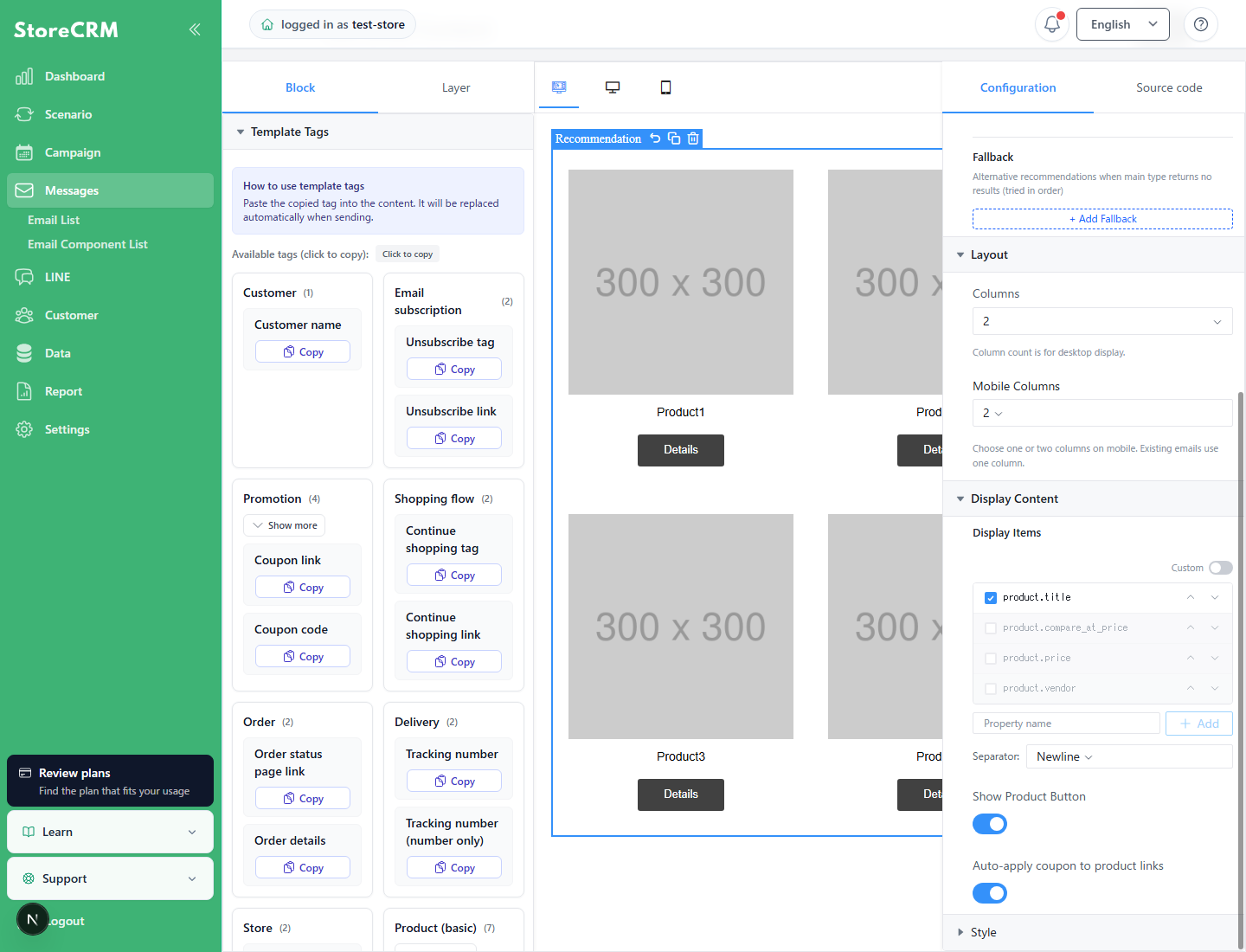
When "Automatically apply coupon to product links" is on, product links are converted to coupon URLs at delivery and then open the product page. Existing templates treat an unset value as on; turn it off per block when not needed.
Exclude products from recommendations
Add the following product tag to exclude items such as gift options from recommendations.
storecrm-recommendation-excludeAfter tagging, the product is excluded when the update synchronizes to StoreCRM. If needed immediately, open [Data] → [Data list] → [Products] and click [Force refresh].
Recommendation email patterns by automation
Recommendation emails work well with email automations. The following are four common patterns.
Welcome email × Sales ranking (encourage first purchase)
Purpose: Recommend popular products to newly registered customers and encourage a first purchase
New customers lack browsing and purchase history, so personalized types are unsuitable. Use store-level types such asSales rankingand ... andView ranking.
Example settings:
- Automation: Welcome email after registration
- Recommendation type: Sales ranking (period: 30 days)
- Fallback: New products
- Items: 4 (2 columns × 2 rows)
Show sales rankings as popular products alongside the brand introduction to encourage a first purchase.
Checkout abandonment × Recently viewed / Added to cart (recover abandoned customers)
Purpose: Reintroduce considered products to customers who abandoned checkout
Checkout abandonment email is an effective recovery measure. StoreCRM can automatically insert products in which the customer showed interest.
Example settings:
- Automation: Email customers who did not purchase after adding to cart
- Recommendation type: Added to cart (unpurchased products)
- Fallback: Recently viewed
- Items: 3 (3 columns × 1 row)
Display them as products left in the cart to encourage purchase.
Post-purchase follow-up × Similar / Personalized (cross-sell)
Purpose: Suggest related products to existing customers and encourage another purchase
Combine recommendations with post-purchase email to automate cross-selling and upselling. Based on purchased products, useSimilar productsor the more precisePersonalizedrecommendation type.
Example settings:
- Automation: Follow-up email seven days after purchase
- Recommendation type: Similar products (cosine similarity)
- Fallback: Personalized → Sales ranking
- Items: 4 (2 columns × 2 rows)
Flow editor branches can apply different recommendation types based on purchased category or amount.
Dormant customer email × New products / Sales ranking (win-back)
Purpose: Encourage dormant customers to revisit the store
Recommendations make win-back email more specific by including product suggestions.
For long-dormant customers whose behavioral data can be outdated, useNew productsand ... andSales rankingto show the latest products.
Example settings:
- Automation: Email customers 60 days after their last purchase
- Recommendation type: New products
- Fallback: Sales ranking (period: 30 days)
- Items: 6 (3 columns × 2 rows)
Combining a coupon code can improve reactivation.
summary
Recommendation email can improve ecommerce revenue through personalized suggestions based on customer behavior, improving opens, clicks, and conversions.
StoreCRM provides eight algorithms, support for email and LINE, and fallbacks. Configure it without code and add it to existing automations to start personalized recommendations.
Start with effective use cases such as welcome email and checkout abandonment notifications.
 English
  Japanese