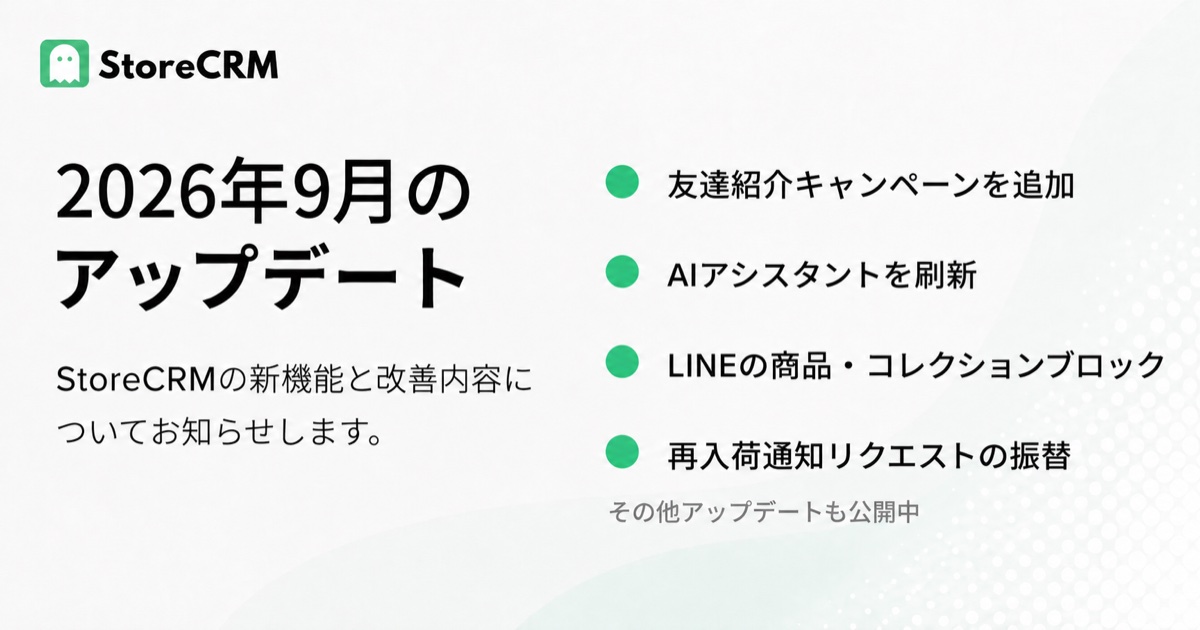
In September 2026, StoreCRM expanded features for friend referrals, campaign preparation with AI Assistant, product promotion through LINE, and customers waiting for restocks. Image selection, separate email reply addresses, and multilingual product information also support work from content creation through customer follow-up.
Turn customer recommendations into purchases with friend referrals
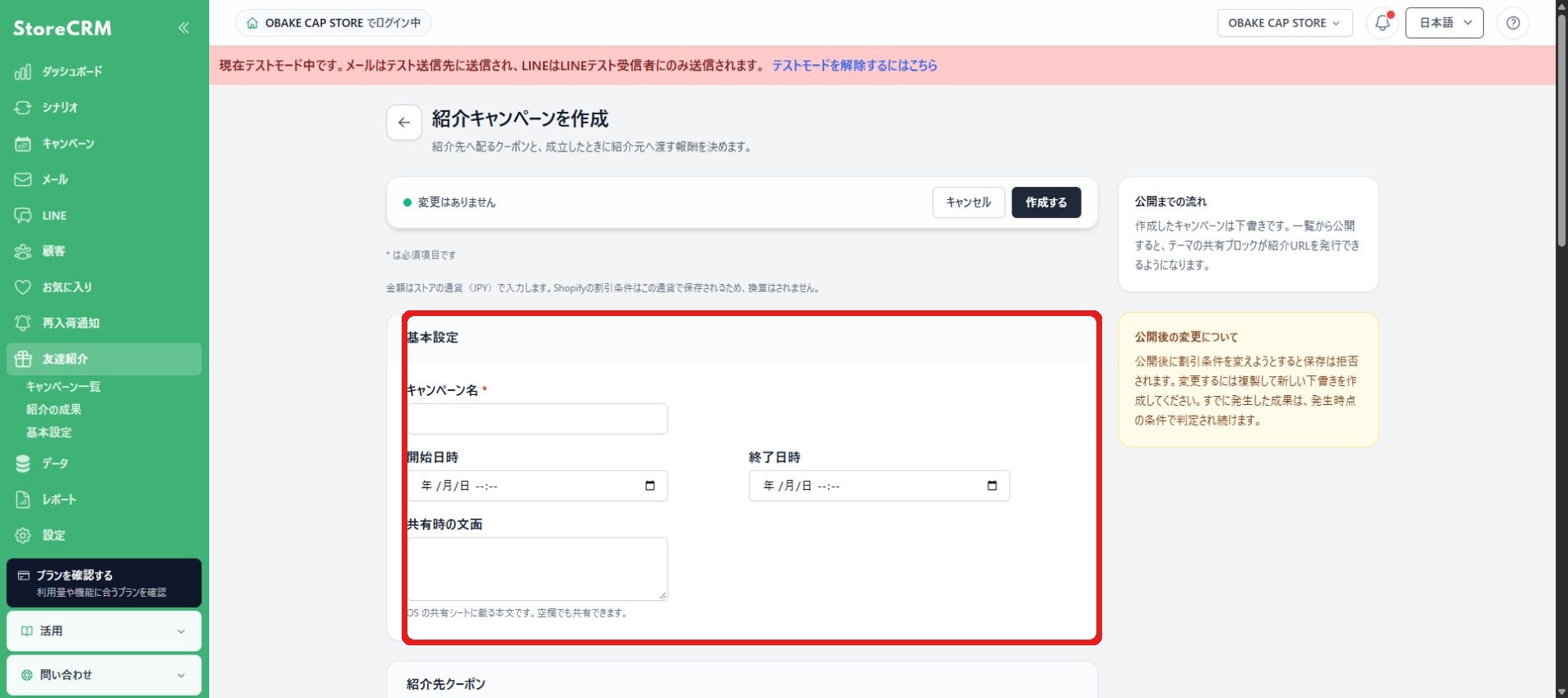
The new friend-referral feature lets existing customers share a referral link or QR code. Configure a coupon for the referred customer and a reward for the referrer when the campaign's conversion conditions are met. Tailor who can refer and what counts as a conversion to your store, helping you attract new customers or encourage dormant customers to return. StoreCRM manages campaign creation, conversion review, and reward issuance together.
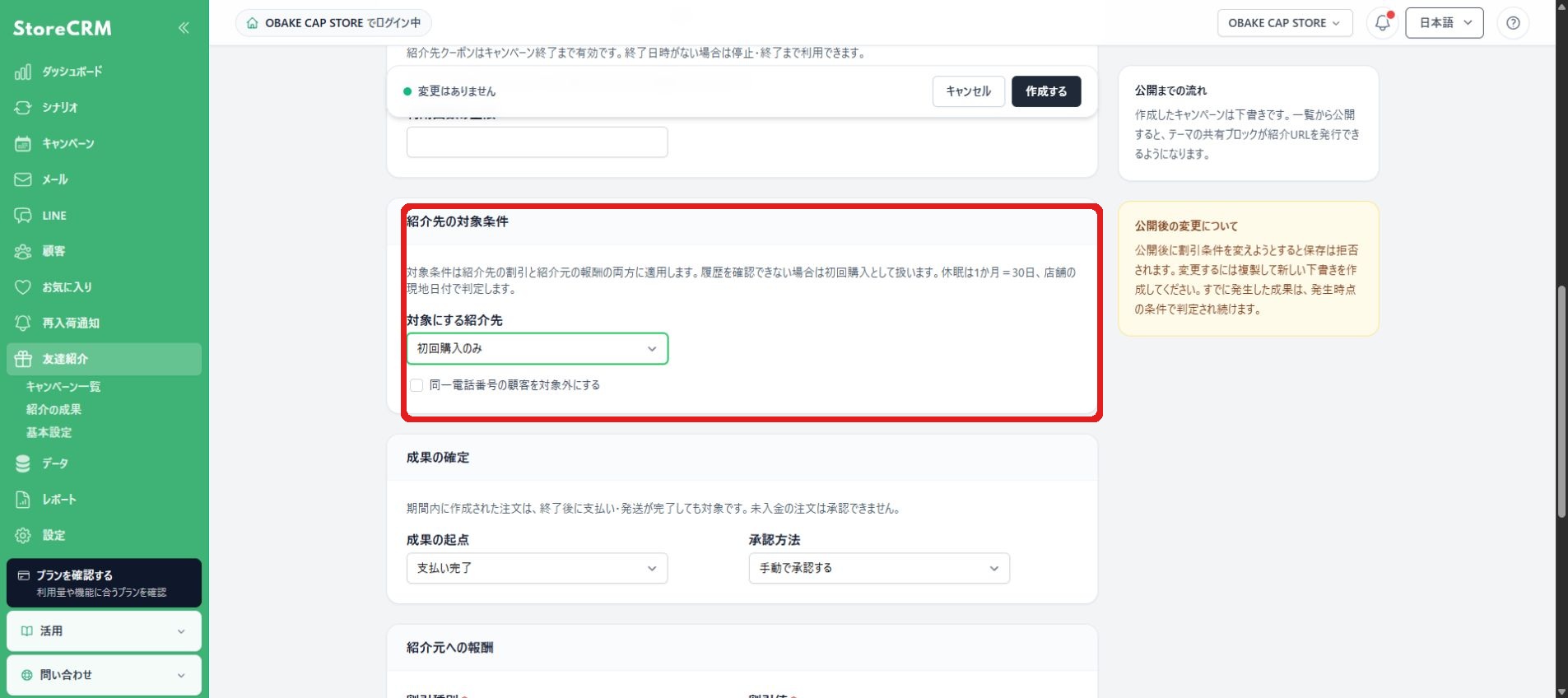
Feature details
- A paid add-on subscription is required. Install the relevant display in your store so customers can share referral links or QR codes.
- Referred customers can be first-time buyers, or first-time buyers and customers who have not purchased for a specified period. Use payment completion or fulfillment completion as the conversion starting point, with manual or automatic approval.
- Coupons for referred customers apply to all products and one-time purchases. They cannot be combined with other discounts or subscriptions.
Recommended for stores that
- Want to turn existing customers' recommendations into purchases.
- Want to manage referral conditions and results together.
See friend-referral campaign settings for details.
Use the refreshed AI Assistant to move from conversation to campaign drafts
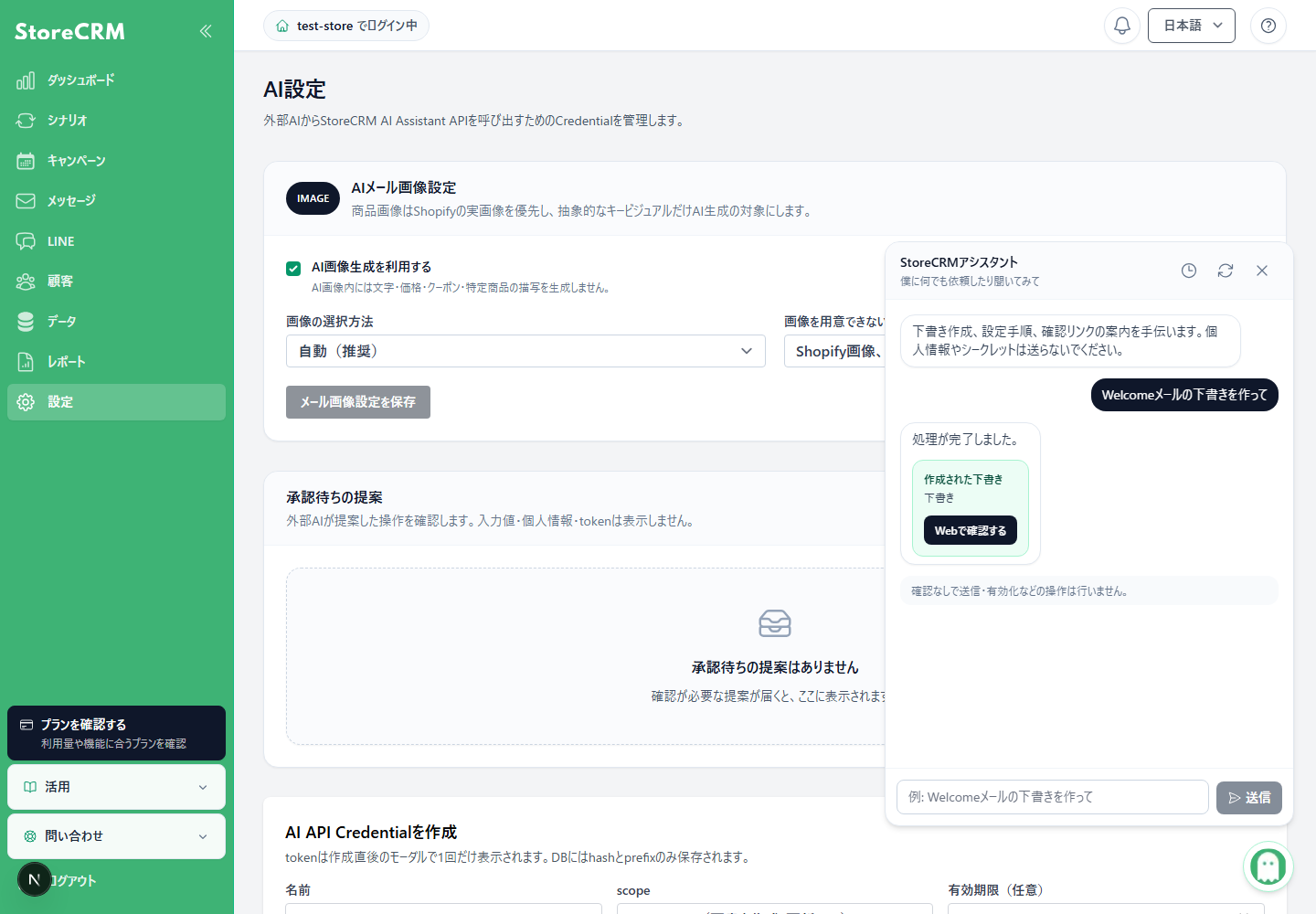
AI Assistant has been refreshed to help you move from a conversation into campaign drafts and editing screens. In addition to asking how to perform an operation, describe the email, LINE message, or scenario you want to create and review the proposed content as you prepare it. Find the resulting assets through the conversation and adjust them in the usual editor. This helps store teams turn ideas into settings and gives agencies a way to explore campaign drafts.
Feature details
- Answers about operations include help references. You can also continue conversations from the last 30 days.
- Review generated drafts and adjust them in the usual editor as needed. Check the content and recipients before sending, scheduling, or activating anything.
- Available to stores where AI Assistant is enabled. Contact StoreCRM support if it is not displayed or to confirm availability.
Recommended for stores that
- Want to turn campaign ideas into email or scenario drafts.
- Want help with setup instructions while creating content.
See AI Assistant for details.
Add product and collection slots to LINE messages
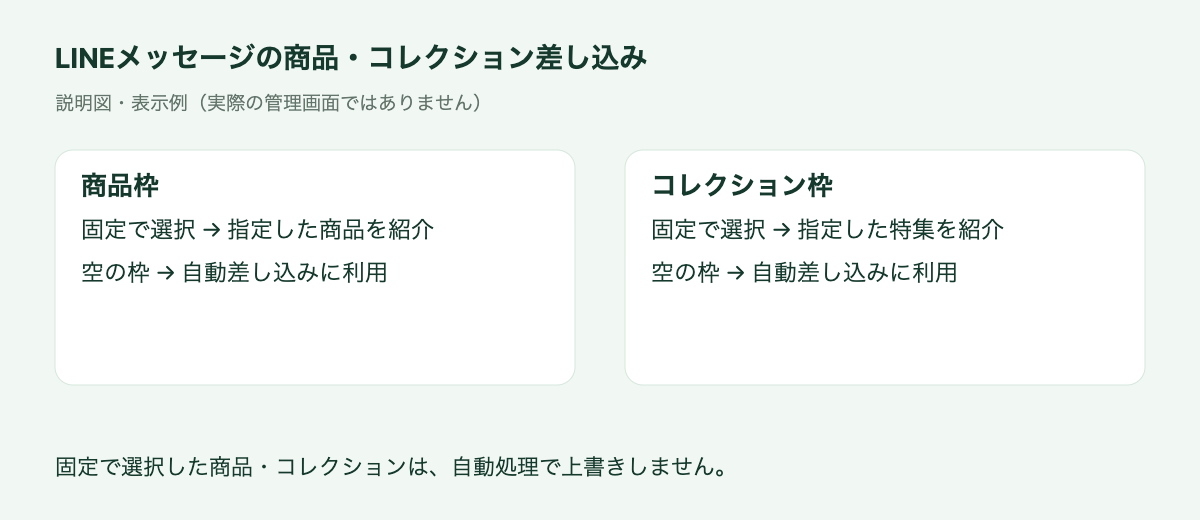
A concept diagram of product and collection insertion.
The LINE editor now lets you place slots for products and collections. Configure fixed selections separately from empty slots used for automatic insertion. Reusing the same message structure for announcements such as new product launches reduces repetitive content preparation. Combined with automated LINE campaign creation introduced in August, these slots let you prepare templates with clearly defined insertion positions.
Feature details
- Add product or collection slots, save them, and edit them again.
- Automatic insertion uses empty slots and does not replace fixed product or collection selections.
- Available in ordinary LINE editing, test sends, campaigns, and automated campaign creation.
Recommended for stores that
- Regularly promote new products or collections through LINE.
- Want to reuse product-promotion templates across campaigns.
Transfer restock requests to a new product variant
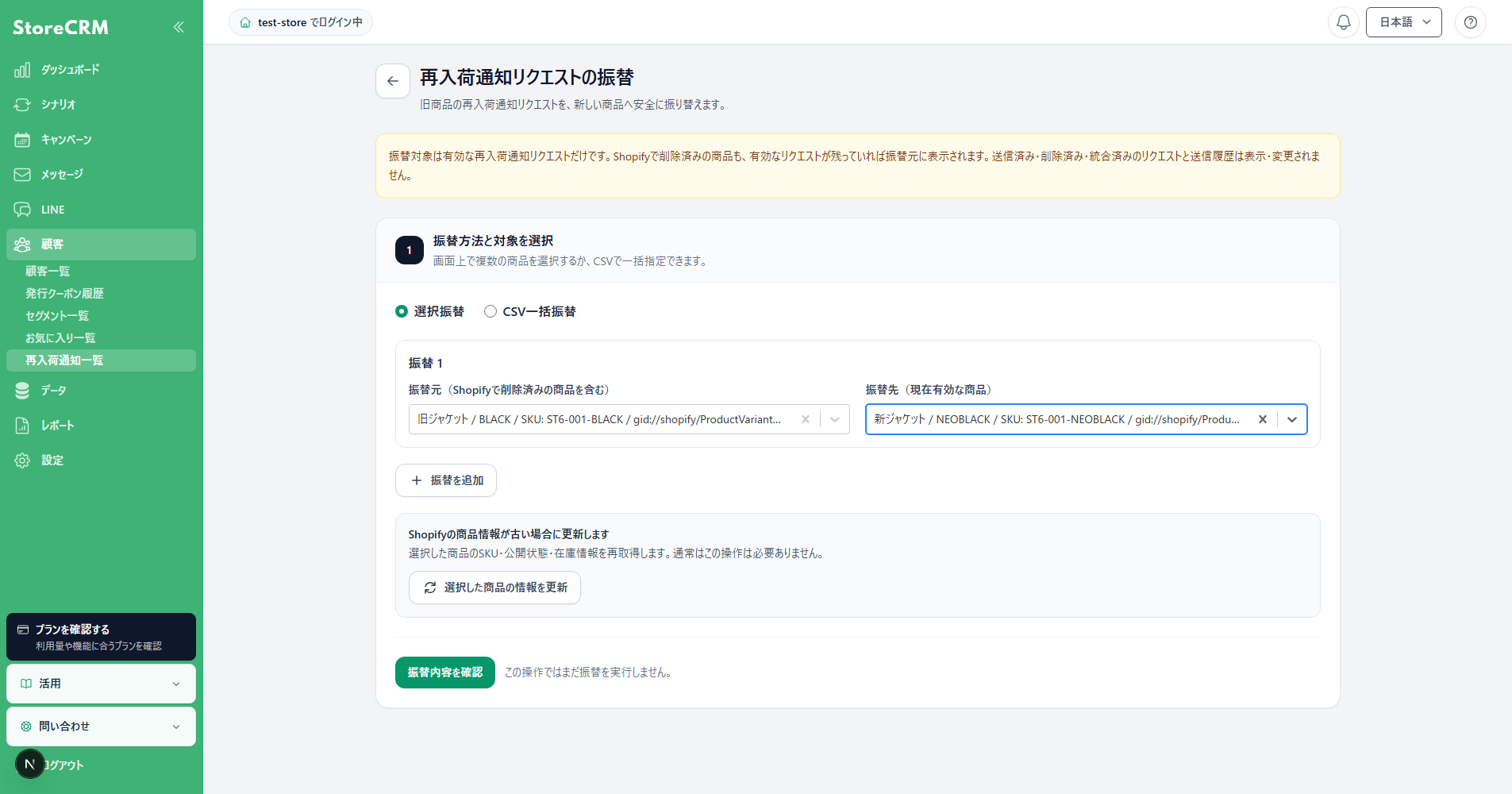
When you recreate a product or SKU, you can now transfer restock notification requests from the old product to a new variant. This lets you retain registrations from customers waiting for a restock when colors are refreshed or product pages are rebuilt. Choose the source and destination on screen, or specify multiple pairs with a CSV file. Store staff can organize registrations around product replacements with less individual administrative work.
Feature details
- Only active, unsent requests are transferred. Sent history remains unchanged, and transferring a request does not itself send a notification.
- CSV files can use SKUs or Shopify variant IDs. September also increased the limit to 100 transfer pairs per CSV file.
- Available to store owners or staff with the required permissions in enabled stores. Contact support if the option is not displayed.
Recommended for stores that
- Replace products, colors, or SKUs.
- Want to carry old product registrations over to a new selling product.
See restock request transfers for details.
Exclude Shopify locations from restock checks
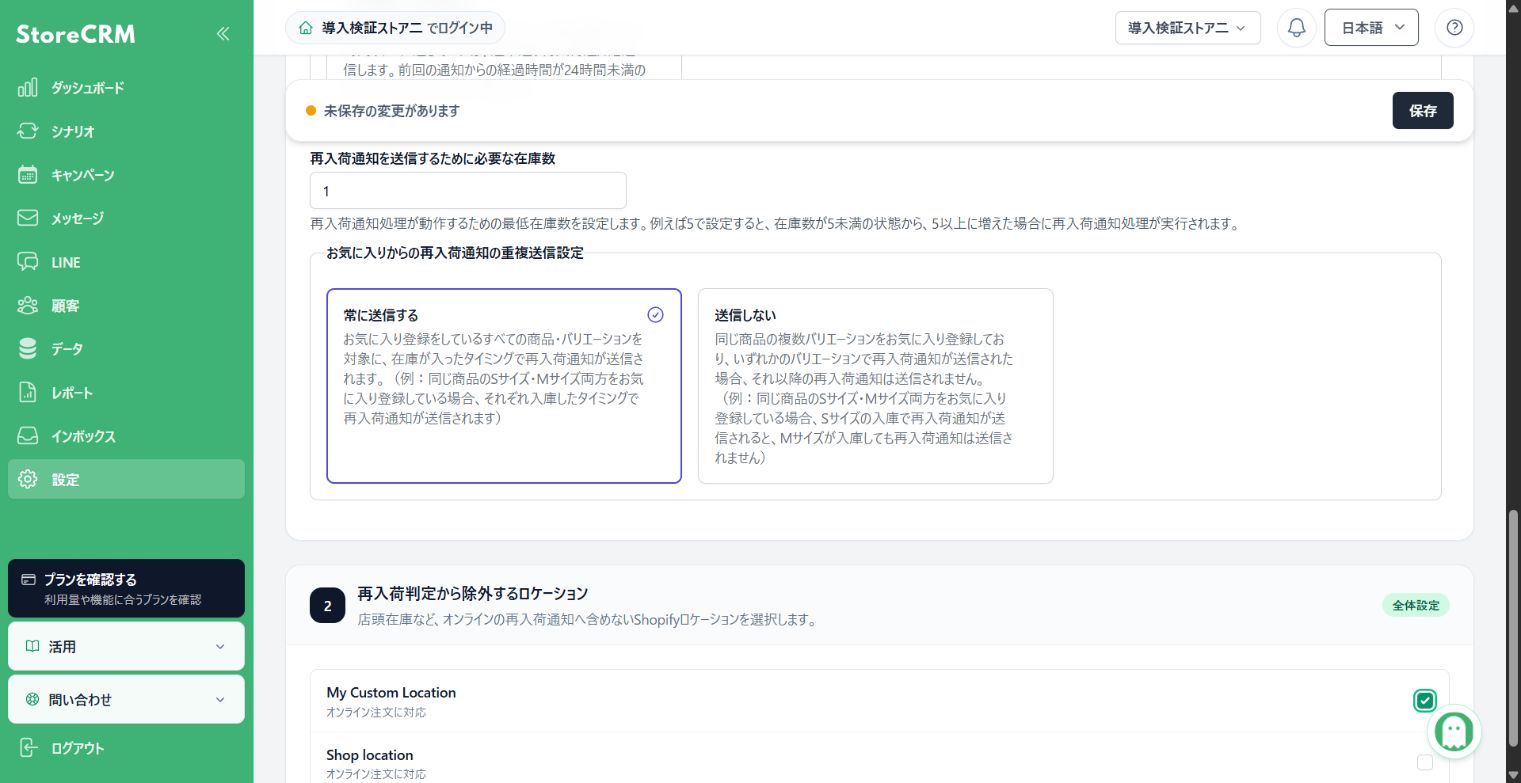
You can now exclude selected Shopify locations from restock inventory checks. Decide how to treat inventory reserved for physical stores or other purposes that should not trigger online restock notifications. Stores with several warehouses or retail locations can align notifications with inventory used for online sales, without changing how they manage the inventory itself.
Feature details
- Inventory at excluded locations is not added to the restock check.
- While additional Shopify permissions or inventory synchronization are being prepared, checks continue to use the previous total inventory until preparation is complete.
Recommended for stores that
- Allocate inventory differently for retail and online sales.
- Manage inventory across multiple Shopify locations.
See restock notification settings for details.
Select Shopify images when creating emails and LINE messages
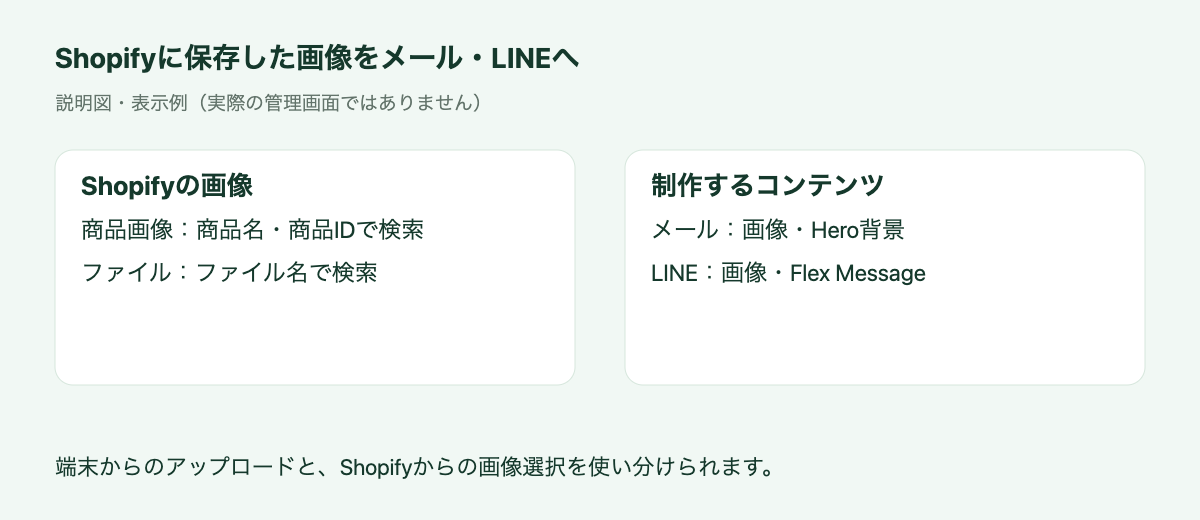
A concept diagram of using images stored in Shopify.
You can now select Shopify product images and files while creating email and LINE content. Reduce the steps of downloading an existing image to your device and uploading it again. Search by product name, file name, or other supported identifiers to find suitable images, making it easier to prepare email and LINE campaigns using the same assets. Local uploads remain available alongside this option.
Feature details
- Supported in email image blocks and Hero backgrounds, LINE image messages, and images within Flex Messages.
- Switch between Product Images and Shopify Files to search. Images larger than 10 MB are not listed.
- When first using Shopify Files, follow the on-screen instructions to grant file-reading permission.
Recommended for stores that
- Want to reuse Shopify product photography in email and LINE.
- Want to avoid uploading the same images repeatedly.
See email editing tools for details.
Configure separate email sender and reply addresses
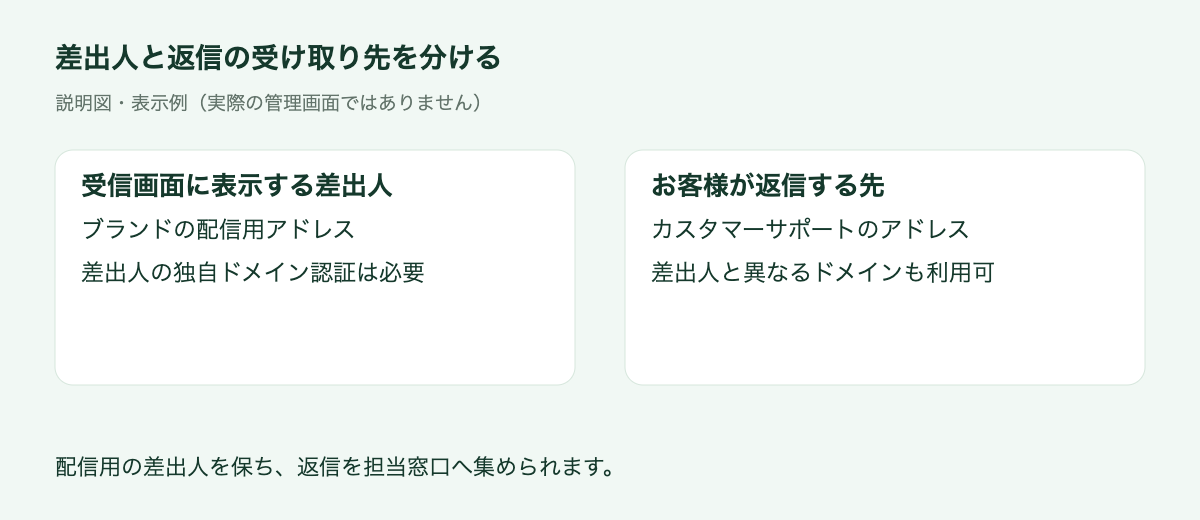
You can now configure the sender address separately from the address that receives customer replies. Send marketing messages from your brand's designated address while directing replies to customer support. This preserves the sender customers recognize and aligns responses with your team structure, particularly when content preparation and customer support are handled by different teams.
Feature details
- Enable the option to configure sender and reply addresses separately, then enter a reply address.
- The reply address can use a different domain. Authentication for a custom sender domain is still required separately.
- The reply setting applies to campaign, scenario, and test emails, among other email delivery paths.
Recommended for stores that
- Use separate marketing and support mailboxes.
- Want support staff to receive replies while preserving the brand's sender address.
See email information settings for details.
Branch scenarios by the number of items in an order
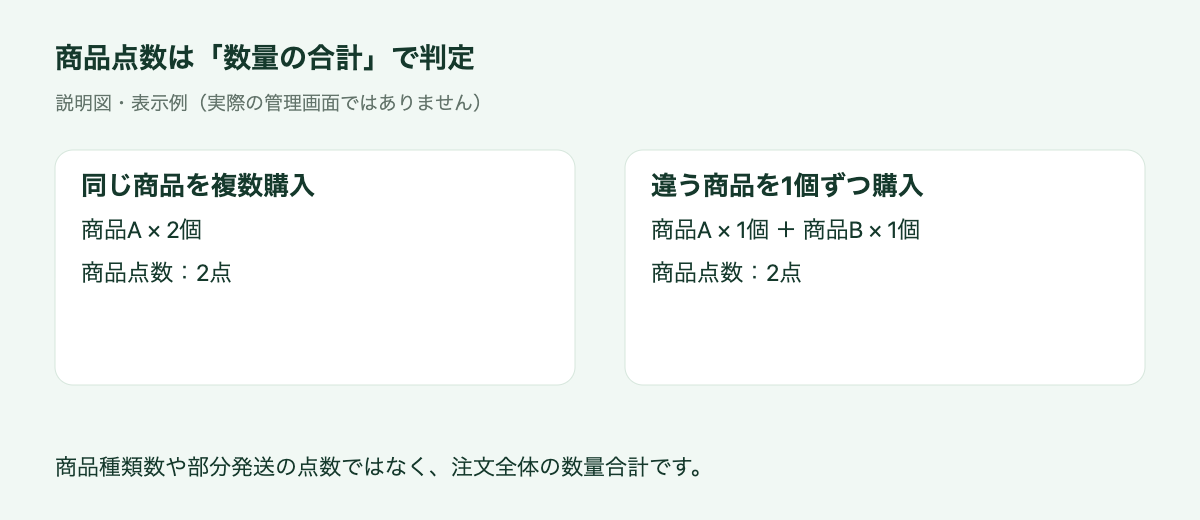
Item count is the sum of quantities, rather than the number of distinct products.
Scenario order conditions now include total item quantity. For example, tailor post-purchase messages to customers buying one item versus two or more. Recommend related products to customers making larger purchases, or encourage an additional purchase after a single-item order. This enables segmentation that purchase amount alone cannot provide and also counts multiple units of the same product.
Feature details
- Two units of product A and one unit each of products A and B both count as two items.
- Numeric comparisons are available in supported scenarios that evaluate orders, including purchase and fulfillment completion. The count covers the whole order, rather than a partial shipment.
Recommended for stores that
- Want to tailor post-purchase follow-up by quantity.
- Want different suggestions for single-item and larger orders.
See scenario conditions for details.
Use Translate & Adapt translations for email variant information
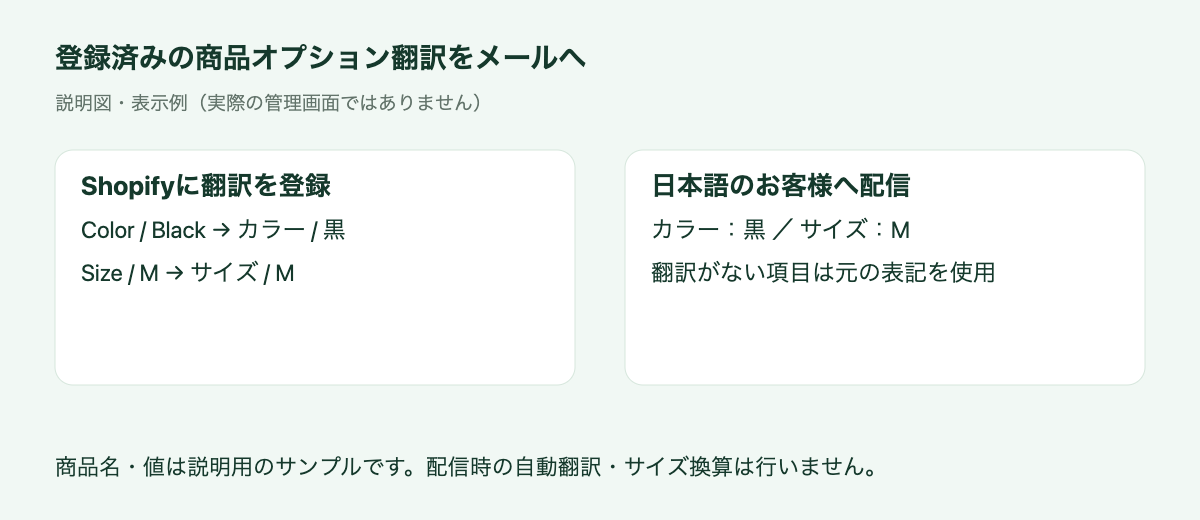
An example using registered translations. It does not represent automatic translation or size conversion.
Shopify Translate & Adapt product option translations can now appear in email variant information. Adapt color and size labels as well as product names to the recipient's language. Together with the option-name display introduced in August, this helps customers understand the choices in their order. Stores selling in multiple languages can reuse wording already prepared in Shopify rather than rebuilding that information in each email.
Feature details
- Registered option names and values are used in cart and order product blocks and order details.
- Options without translations use their original wording. No automatic translation or size conversion takes place during delivery.
- Check the result in a scenario test containing product or order information, or in a received email. A normal template test email alone cannot verify a specific product's translation.
Recommended for stores that
- Manage multilingual product information in Shopify.
- Want to describe purchased sizes and colors in each recipient's language.
See email product option translations for details.
Let customers using LINE login change their email address
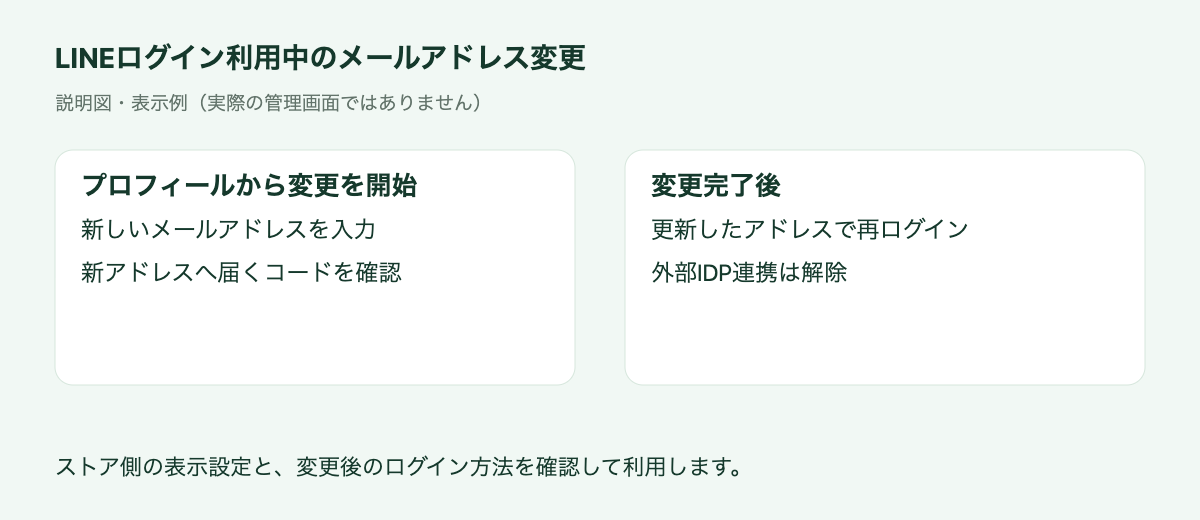
Customers using an external identity provider such as LINE can now change their email address from their profile. After the store configures the display, customers can complete the change using a verification code sent to the new address. This provides a way to keep contact details up to date without a support request and makes member information easier to maintain after purchase.
Feature details
- Check the Shopify customer account display settings and external authentication requirements before setup.
- A verification code is sent to the new address. Customers must log in again after the change is complete.
- The external identity provider connection is removed during the change, so review the customer's subsequent login method as part of your setup.
Recommended for stores that
- Use LINE login.
- Want customers to update their own contact details.
See email changes with an external identity provider for details.
Other updates
- LINE display names are now shown in customer details.
- The flow editor's wait action now supports seconds for short tests.
- Birthday entry in new customer accounts now uses separate year, month, and day selectors.
- Management menus have been reorganized to make email, LINE, wishlist, and restock features easier to find.
StoreCRM will continue expanding features that support sales campaigns and day-to-day store operations.
Please contact us if you have questions about any feature or how to use it.