Shopify Customer Accounts back-in-stock notification We updated product blocks and template tags that can be used for mail and LINE delivery. This time, we will introduce updates that will help improve customer experience, increase sales opportunities, and reduce operational hours for daily production and delivery operations.
LINErate easyPoints information to LINE membership card
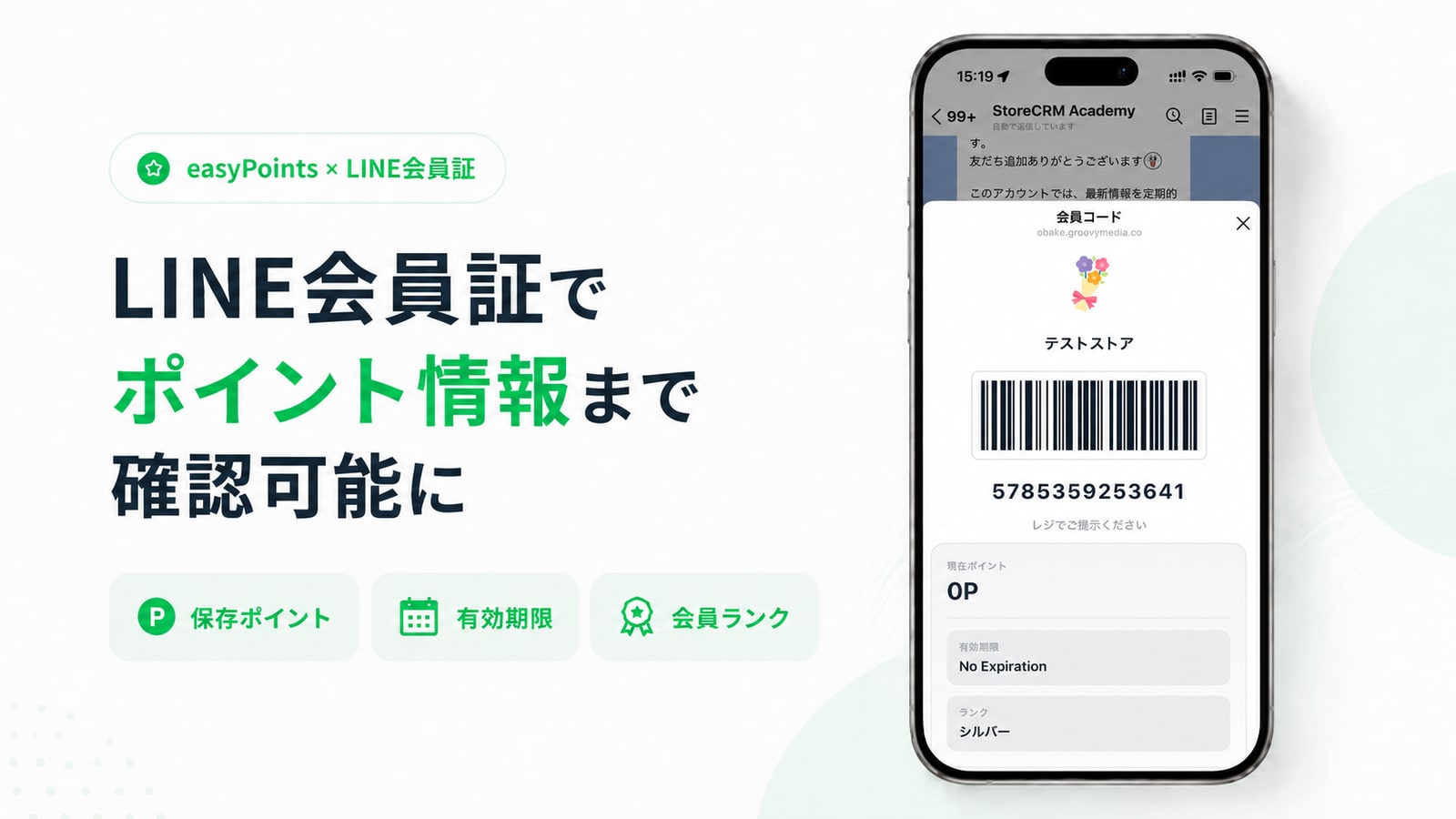
In addition to the membership code, you can check the points, expiration dates and membership ranks of easyPoints. Customers can understand the status of points only with the membership card on LINE. ecommerce Make it easier to design a member experience. For Shopify agency, it is easy to propose repeat promotion with point app and LINE membership card to improve customer experience.
Features Details
- Point balance, expiration date and membership rank can be displayed in the linked display of the LINE Membership Card.
- You can use the saved easyPoints related data and present it together with the member code display.
Recommended for this store
- Stores that want to guide point measures on LINE
- Shop ecommerce Stores that want to connect your experience
Shopify New Customer Accounts Profile Page
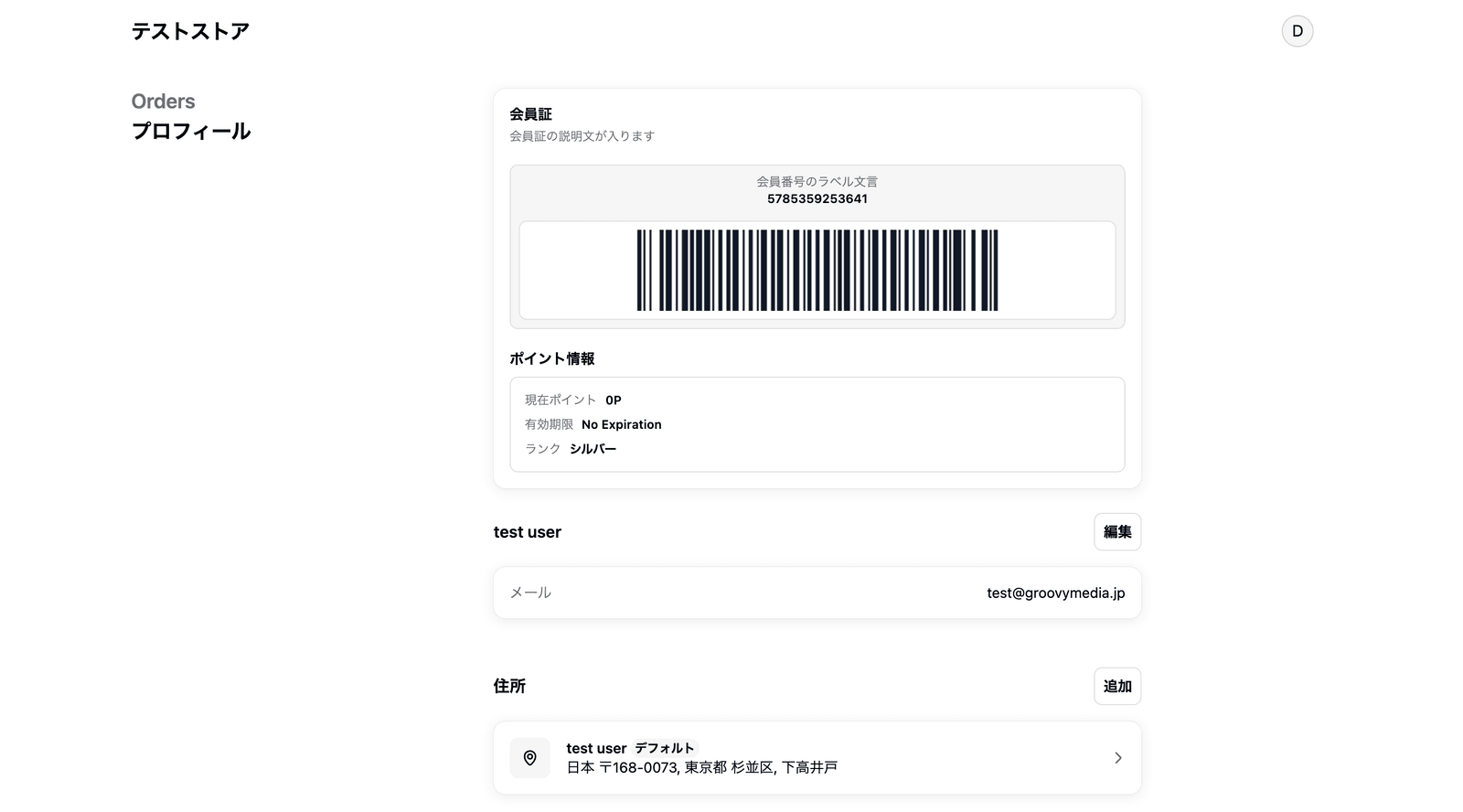
StoreCRM membership card barcodes can now be displayed on Shopify's new Customer Accounts profile page. Even customers who do not open LINE can present their membership code from the account screen after logging in, making it easier to connect online membership information with in-store customer service and membership verification. Because the display content can be configured separately from the LINE membership card, this helps stores design a customer experience suited to their membership operations.
Features Details
- You can display your membership card on your profile page as a dedicated app block for Customer Account.
- You can set the reference source for barcode values such as member number and Suma register number.
- You can adjust the display contents for the profile screen, such as the display position and description of the member number
Recommended for this store
- New Customer Accounts Store
- Stores that want to check member barcodes at stores
back-in-stock notification Login required LINE integration Supports after automatic registration line
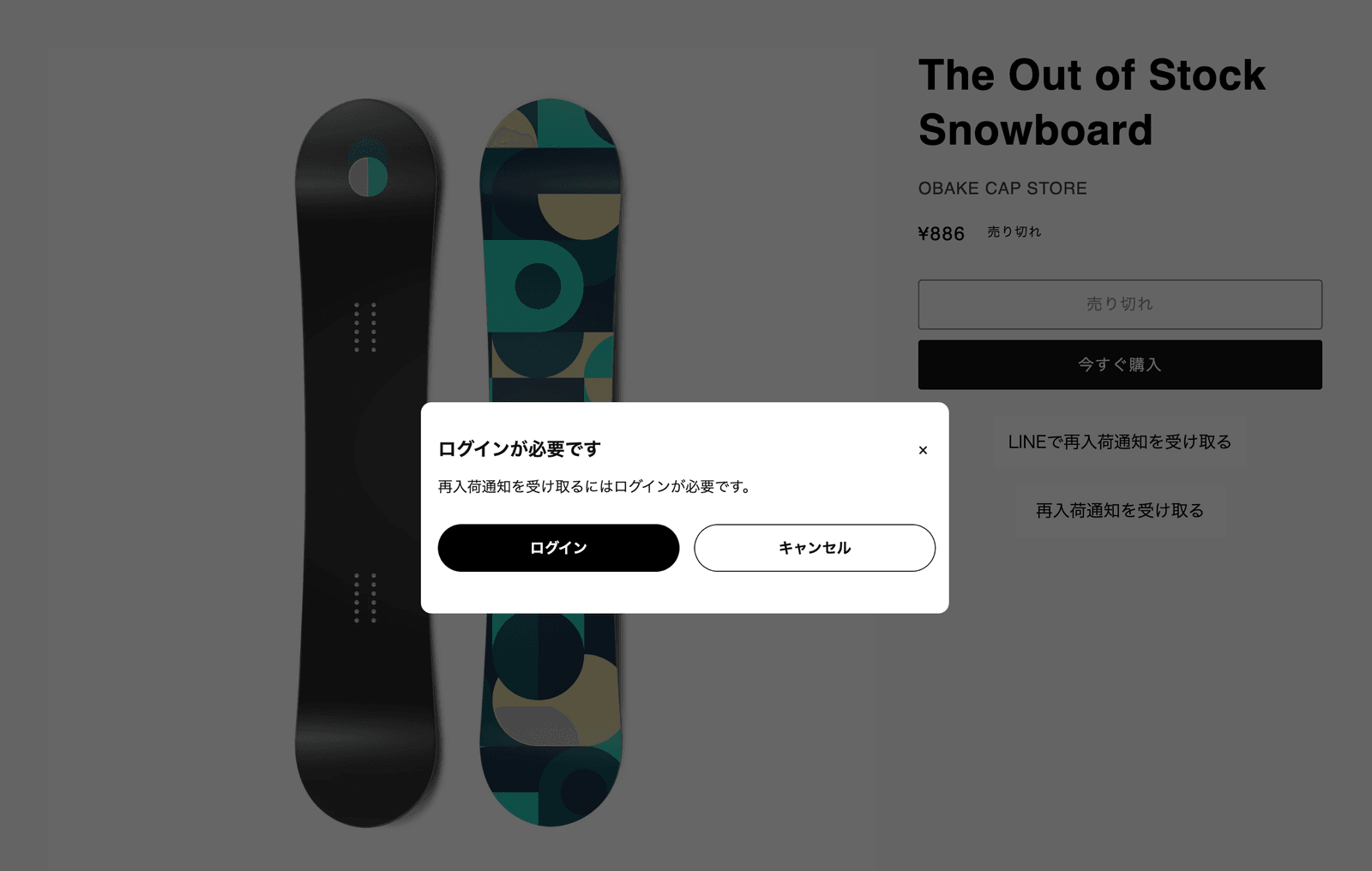
back-in-stock notification You can now set up a line to connect to the notification registration after returning to your account. LINE back-in-stock notification But after login LINE integration Home back-in-stock notification You can connect to the registration naturally. Because customers waiting for re-stocking of popular products are difficult to spill, it helps to improve sales opportunities at re-stocking and improve membership experience.
Features Details
- If you do not log in, you can return to the product page after logging in or registering.
- Email after login according to settings back-in-stock notification Complete registration automatically
- If LINE is not linked, LINE integration Close back-in-stock notification You can prepare a lead wire for registration
Recommended for this store
- Stores with many items waiting for re-stocking
- Register LINE integration Stores that want to increase
Register and register customer information (metafield) customer data Add or modify pages
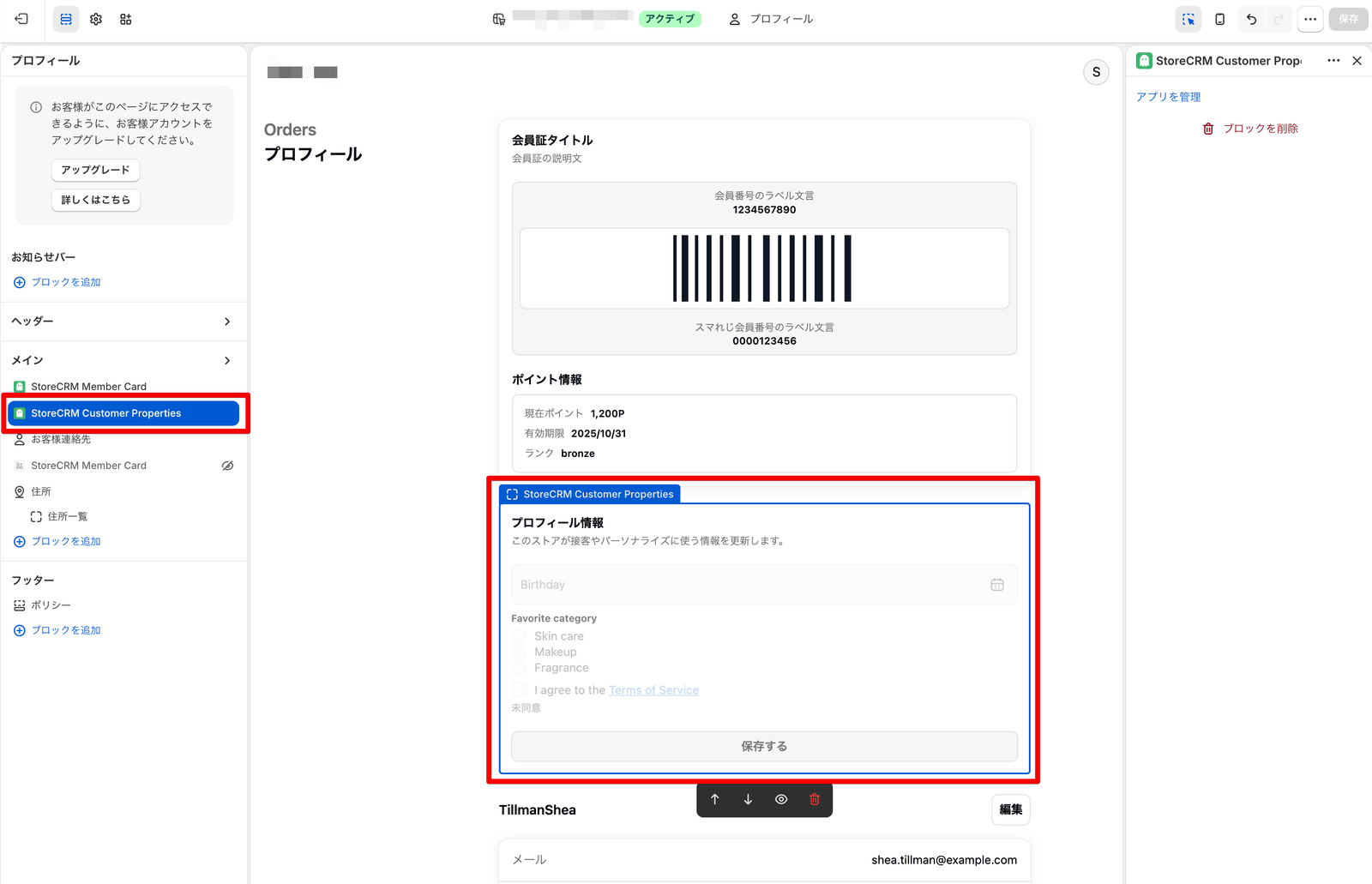
You can now add and modify meta fields to your information on Shopify’s Customer Account and related pages. In addition to free input, it also supports information acquisition such as selective items and agreement of the terms and conditions, making it easy to enter and update information required by the customer. It is easy to design CRM measures according to customer attributes and information gathering after membership registration, leading to reduction of operational man-hours and improvement of customer experience.
Features Details
- customer data You can display and store Shopify customer meta fields on extension blocks such as pages
- Set options and consent items and answers customer data can be retained as
- Wording, links, and required settings can be adjusted to match the information the store wants to collect
Recommended for this store
- Stores that want to utilize member attributes for CRM measures
- After registration customer data Stores that want to promote updates
Added a block that can display Shopify products together in the mail editor
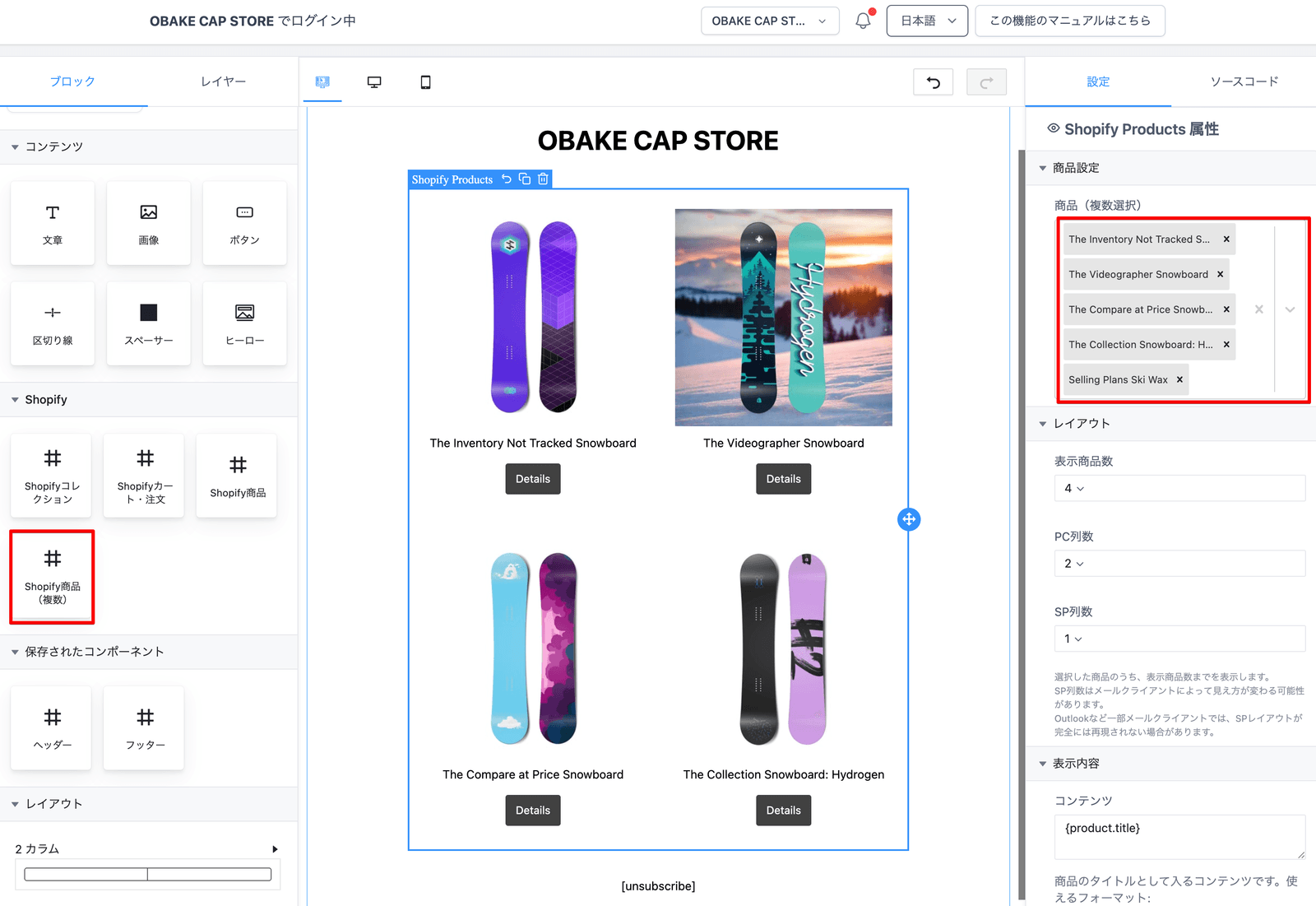
Added a product block that can be arranged together multiple Shopify products in the mail editor. In addition to the non-consolidated product block, you can choose multiple products and view them within the email content, making it easier to create new product introductions, set proposals, and ranking styles. The product image, name, price, and buttons can be easily appealed, which helps reduce the number of operators in mail production and increase sales opportunities.
Features Details
- You can add multiple product blocks from the Shopify category in the email editor
- You can select multiple items and display them together in the mail body.
- Even if the product is not selected, it is adjusted so that it is easy to handle on the editing screen
Recommended for this store
- Stores that want to make special mails for multiple products
- Stores that want to make set sales and related product proposals
Enable order meta fields as mail and LINE order template tags
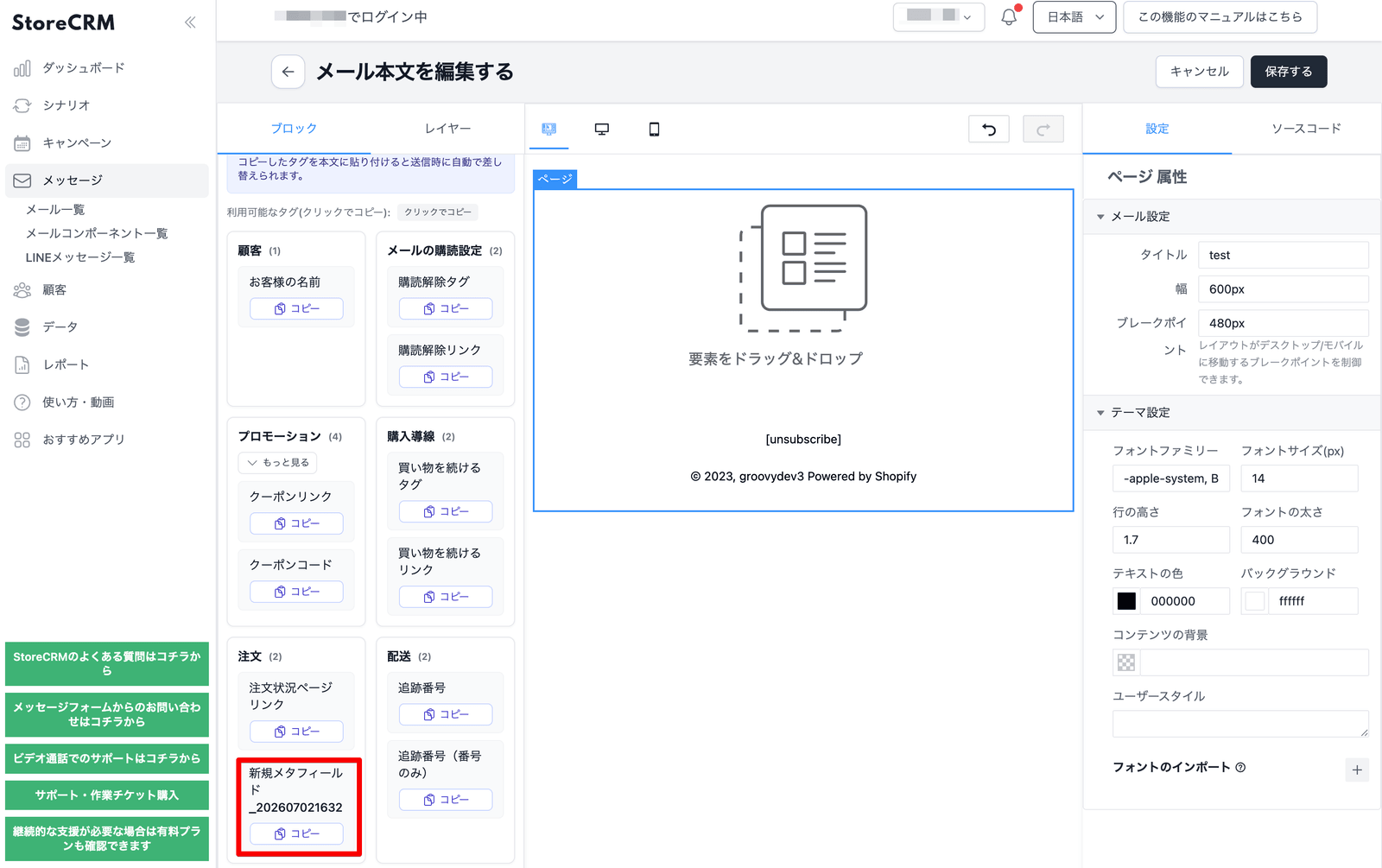
You can now use the meta field linked to the order as an order template tag for mail and LINE. Check the order meta field registered by data management from the list of template tags and send it to the delivery body. It is easy to reflect additional information for each order, such as delivery, receiving, and gift handling, to improve customer experience while reducing the number of individual information creation.
Features Details
- You can display the registered order meta field in the order template tag category
- Mail body and LINE message body.
- Flexible integration of additional information with existing custom template tags
Recommended for this store
- Stores that want to guide supplementary information per order
- Stores that want to convey gifts and shipping specifications
Add a shipping number raw tag for LINE Flex URI
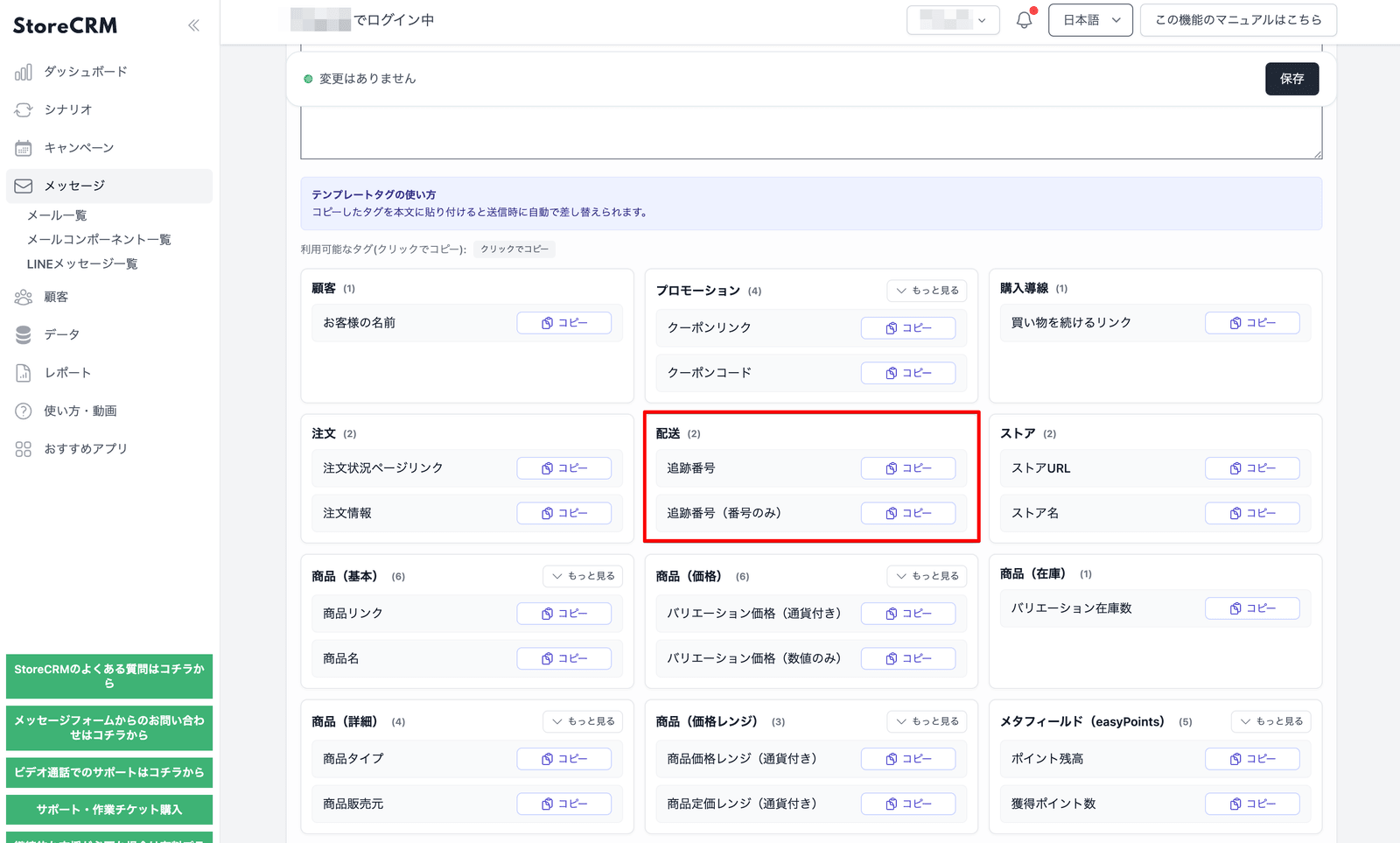
LINE Flex Message's URI has been added only the shipping number. You can use the traditional display tag as it is, and you can choose the number only tag if you insert it into the URL such as the tracking page. Easy to embed the delivery status check line within the LINE message, leading to reduced purchase inquiries and improved customer experience. Even for agents who make a notification template after purchase, it is easier to propose designs that naturally guide the shipping company's tracking URL.
Features Details
- Aside from the shipping number tag for display, you can use tags for URL only to return the number
- Even if you have multiple shipping numbers, you can convert it to a convenient format with the LINE Flex URI
Recommended for this store
- LINE mailing notifications
- Stores that want to make a line to the delivery tracking page
Added recommended app page for StoreCRM
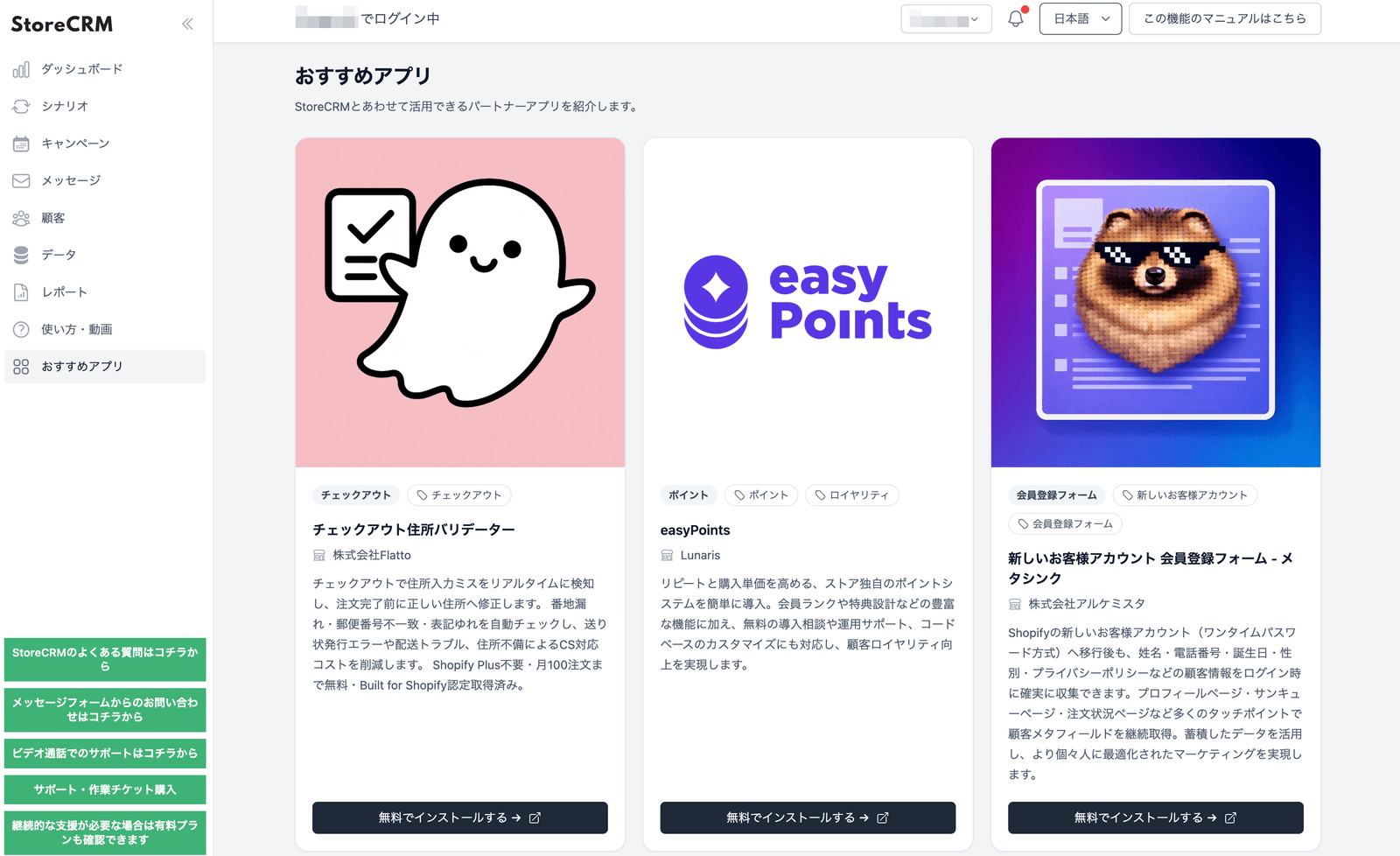
Added recommended app page to introduce partner apps that can be used according to StoreCRM management screen. Not only features of StoreCRM, but also easy to see the operation image combined with the surrounding app. In order to help you build a Shopify agency, you can easily find candidates for additional proposals to expand your CRM and membership experience, and you will be able to expand your usage after introduction.
Features Details
- You can list recommended apps on the user screen
- Depending on the display language, you can introduce Japanese and English.
- App name, vendor name, description, category, navigation button, and other details can be reviewed
Recommended for this store
- Stores that want to combine StoreCRM with related apps
- Agents that want to find candidates for additional proposals
Other Updates
- You can set the destination of the link button to any URL such as login, registration, description page, etc. on the unlinked screen of the LINE membership card.
- Shopify products, collections, and recommended product links used by e-mails and LINEs are automatically applied.
- Customer property widgets provide answers from choices and consent to the terms and conditions customer data can be retrieved and saved.
- This is a recommended product (recommended) block for e-mail and LINE body. It complements the candidate product so that the number of displayed items will be changed even after。.
StoreCRM ecommerce businesses We will continue to improve sales growth and daily operational efficiency.
Please feel free to contact us if you have any questions or concerns about each feature.