In August 2026, StoreCRM added features that support campaign preparation and delivery, including follow-up flows after LINE account linking, automated LINE campaign creation, and scenario testing. Product browsing segments and additional product display options for emails also make it easier to design CRM campaigns around your store's operations.
Track LINE linking sources and run source-specific follow-up flows
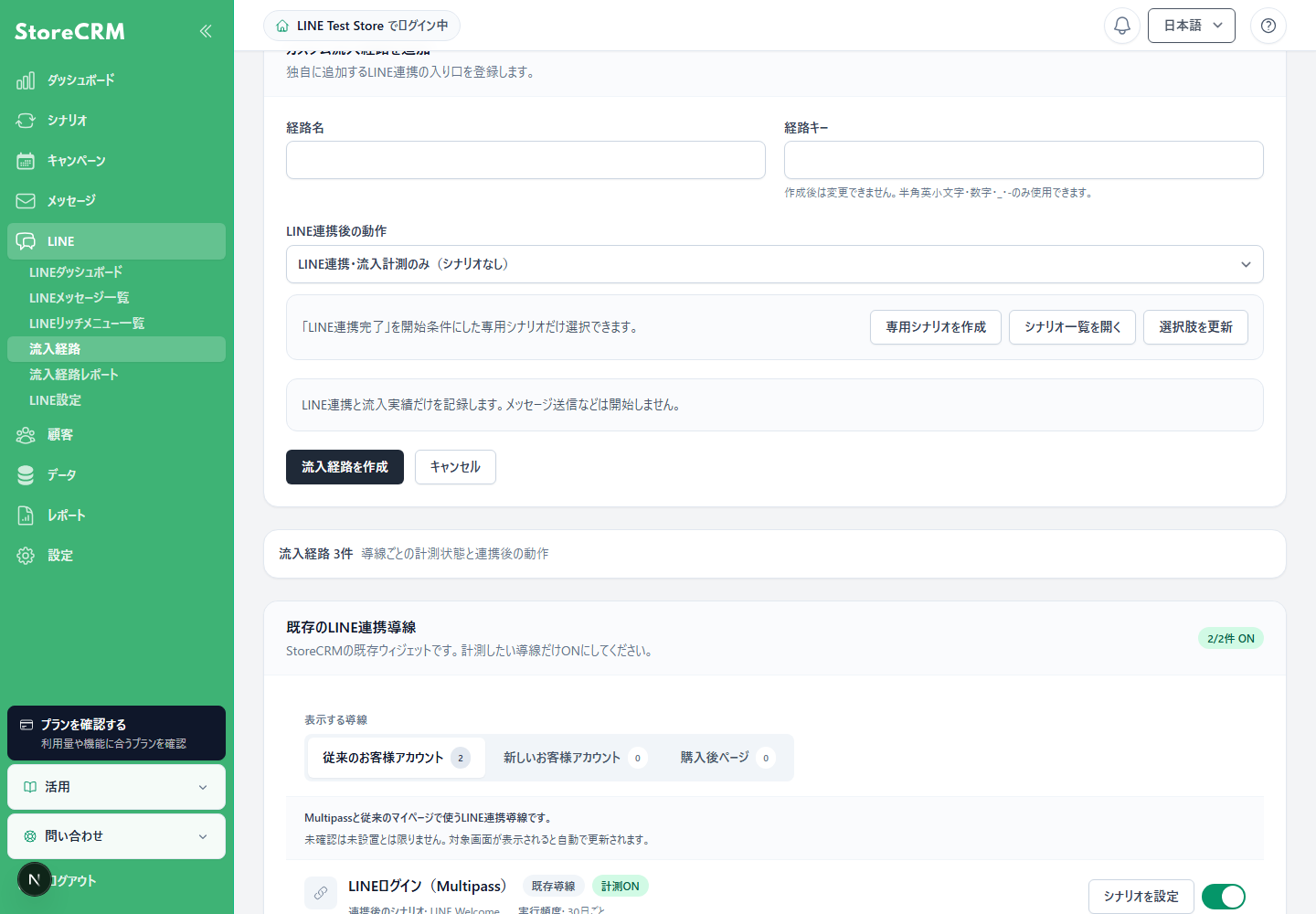
Configure the source name, source key, and action to run after LINE account linking.
You can now track which entry point a customer used to link their LINE account and start a dedicated scenario for that source. Tailor your follow-up messages to entry points such as product pages or campaign pages. For example, customers who link from a campaign page can receive related product recommendations, while customers who link through a members-only entry point can receive benefit information. Comparing linking and scenario start rates across sources also helps you review the paths that encourage LINE account linking.
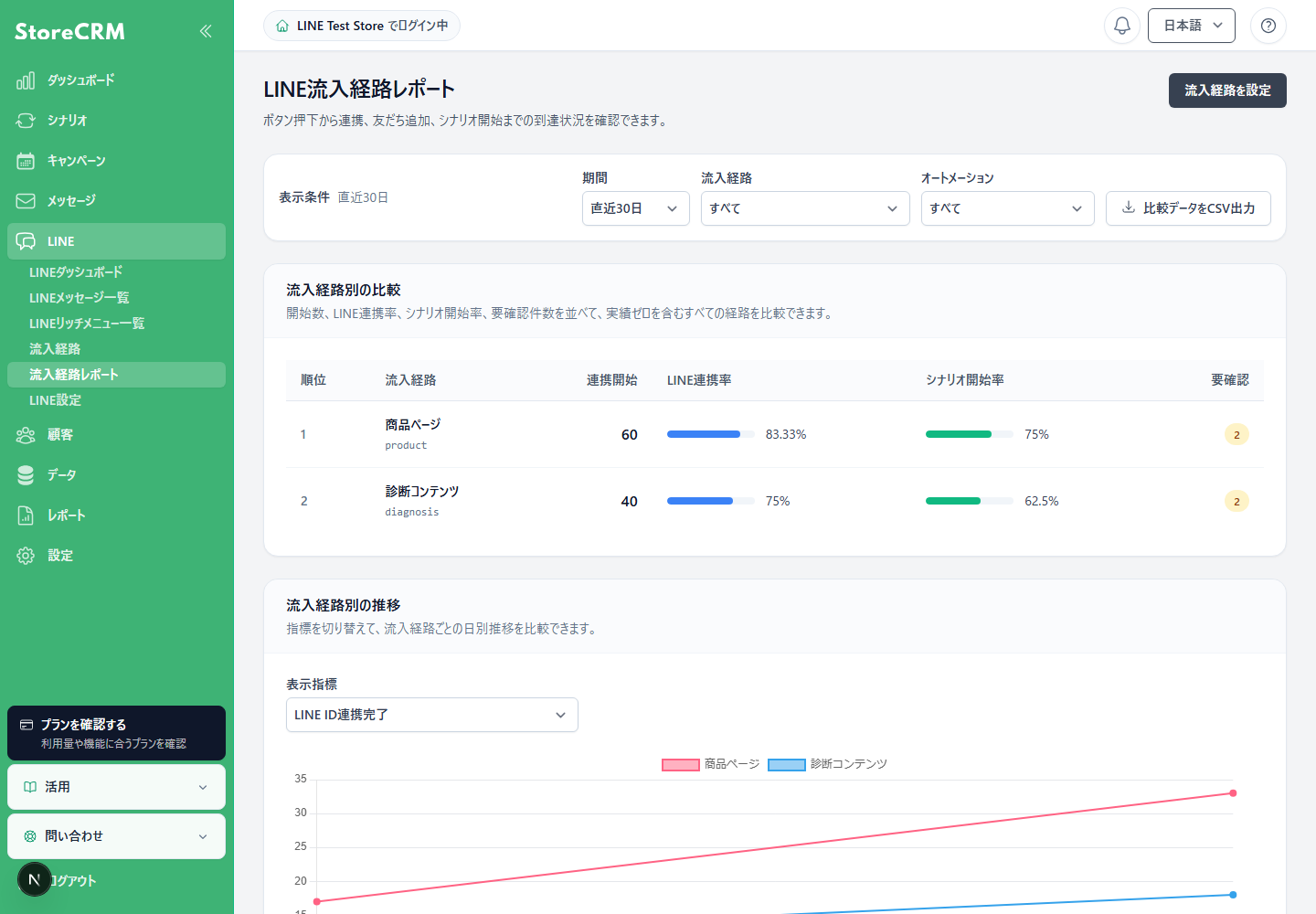
Compare linking and scenario start rates across sources, including product pages and quiz content.
Feature details
- In addition to existing LINE linking entry points, you can configure custom sources for your own buttons.
- Choose tracking only or start an active dedicated scenario after LINE account linking is complete. Enable tracking for the relevant source before using it.
- The source report shows account linking starts, completed links, and scenario starts by source.
Recommended for stores that
- Promote LINE account linking from multiple pages.
- Want to tailor follow-up flows to the customer's reason for linking.
See LINE source settings and analysis for details.
Automated campaign creation now supports LINE
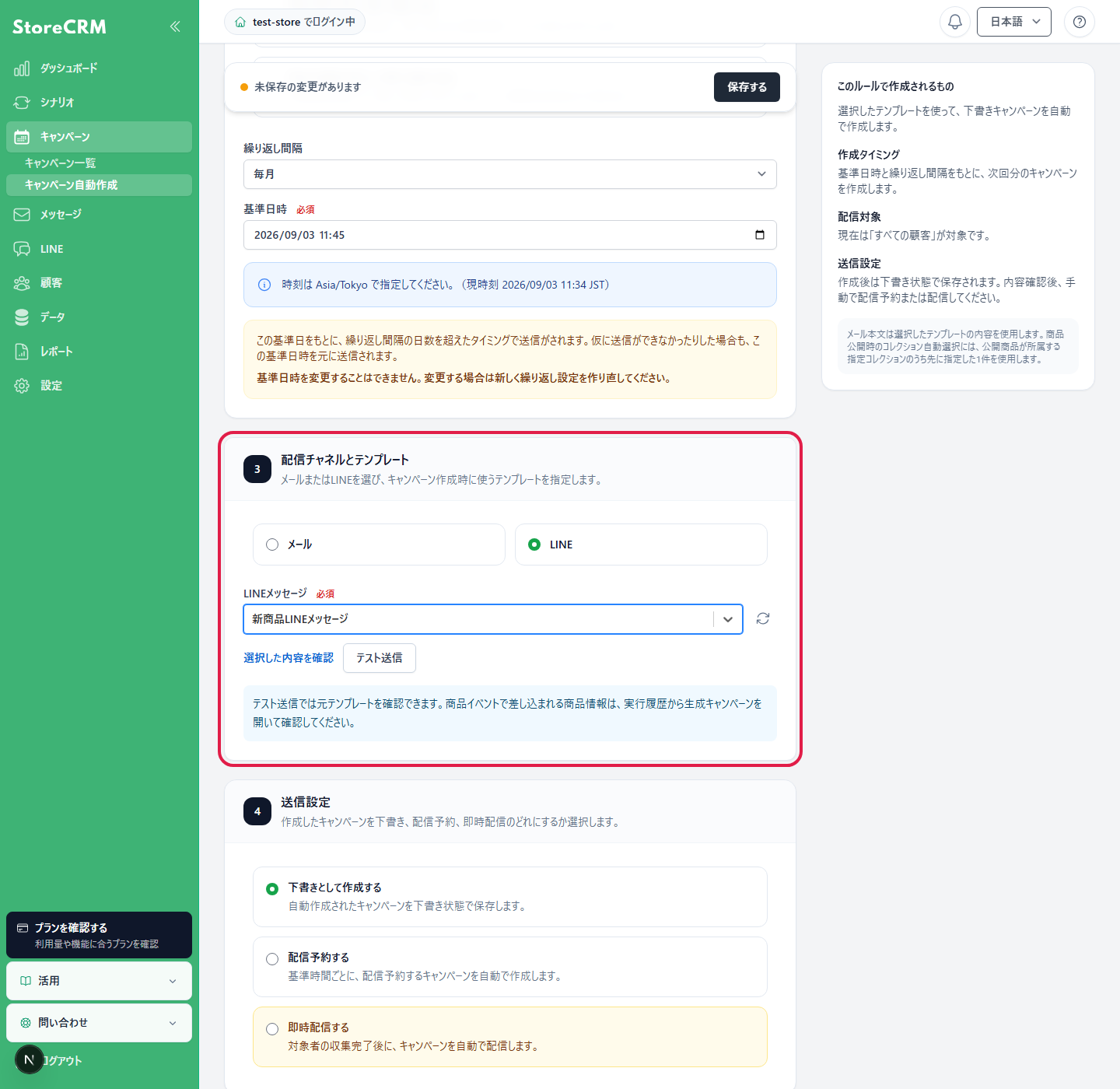
Choose LINE as the delivery channel and select the message to use.
Automated campaign creation now supports LINE as well as email. Events such as a product becoming available or coming back in stock can trigger the creation of a campaign using a prepared LINE message. This reduces the work required to prepare campaigns for each update and makes it easier to turn timely announcements into campaigns. Choose whether the resulting campaign is saved as a draft, scheduled, or sent immediately, so you can also have a team member review the content before delivery.
Feature details
- Select LINE as the delivery channel and choose the LINE message to use.
- Preview the content and send a test message before use. Execution history also shows the triggering product, recipients, and generated campaign.
- LINE delivery requires a connected LINE Official Account and customers who are eligible to receive messages.
Recommended for stores that
- Want to announce new products or restocks through LINE.
- Want to automate LINE campaign creation alongside email campaigns.
See automated campaign settings for details.
Test scenarios before activating them
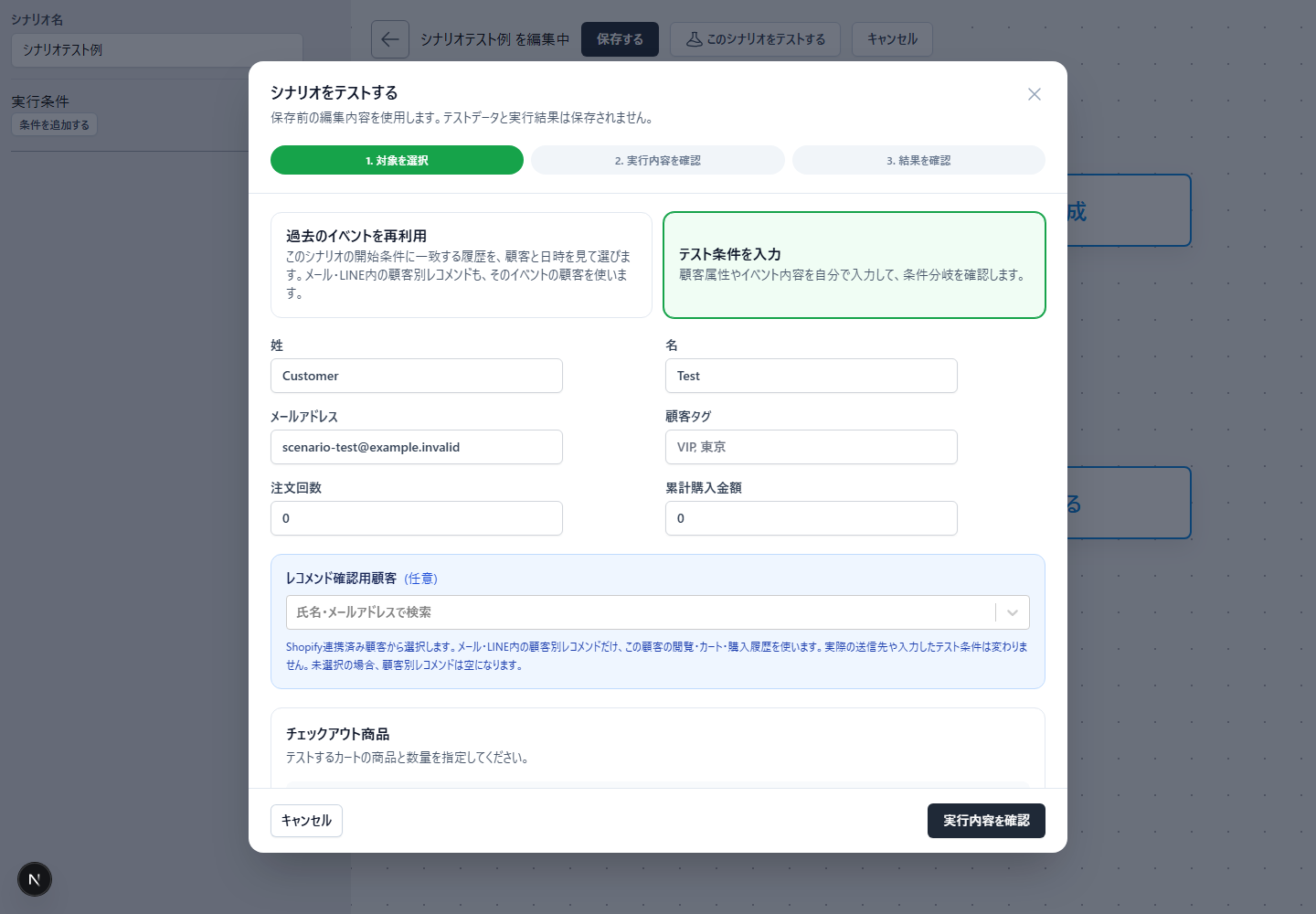
Reuse a past event or enter test conditions to choose what to test.
The new scenario testing feature lets you try conditions and execution paths before putting a scenario into operation. Enter customer attributes and product information manually, or reuse a past event to test the conditions you have in mind. By changing values such as purchase count or total purchase amount, you can check which branch the scenario follows and prepare scenarios with multiple paths more easily. Agencies creating campaigns for client stores can also use this feature to review their settings.
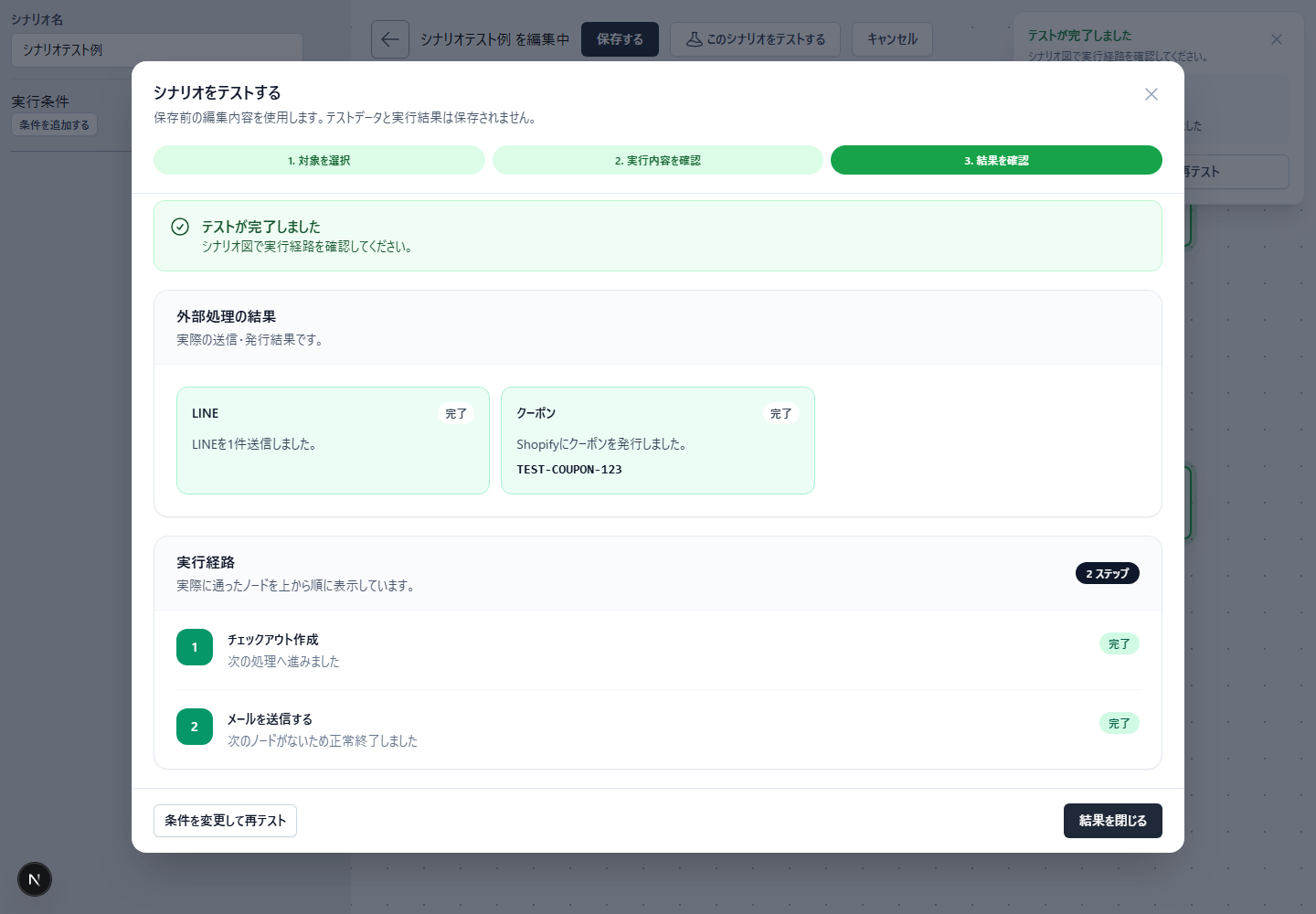
Review the nodes and results, then change the conditions and test again.
Feature details
- Choose manual test conditions or reuse a past event.
- Review the nodes and branches followed in the test results, then test again with different conditions.
- If you choose an external operation such as an actual test send, check the registered test recipient and the operation to be performed.
Recommended for stores that
- Use multiple branches based on customer attributes.
- Want to reduce the work required to configure and review scenarios.
See scenario testing for details.
Create customer segments based on product browsing
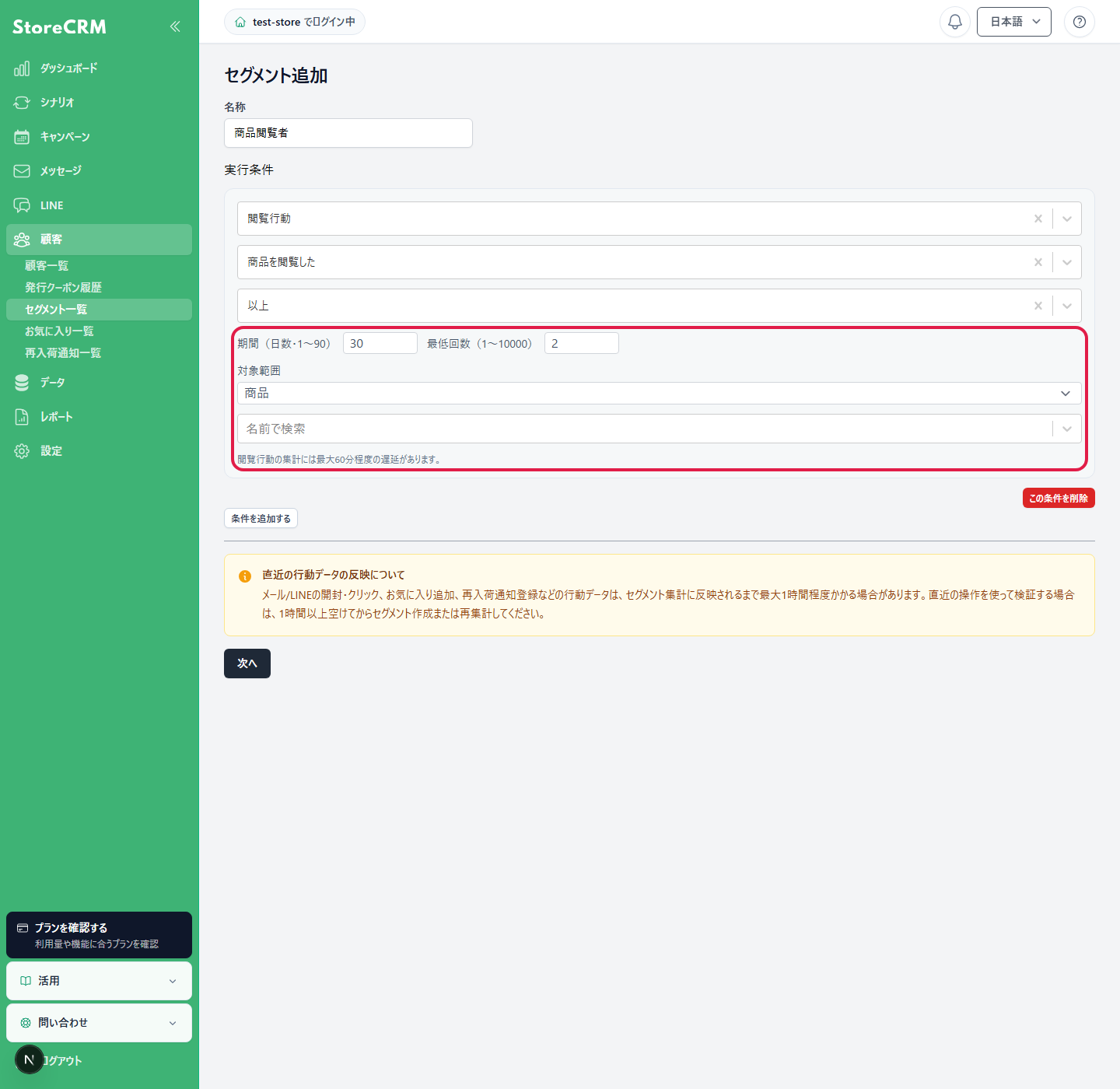
Use product browsing as a condition when creating a customer segment.
You can now create customer segments based on product browsing behavior. This adds information about product interest that purchase history alone cannot provide when considering campaign recipients. Using browsed products alongside purchased products helps you plan campaigns around a broader view of each customer's relationship with your products. Combine browsing-based segments with existing campaigns, such as post-purchase follow-ups, to organize audiences around your store's goals.
See segment conditions for details.
Recommended for stores that
- Want to use product interest as well as purchase history in campaigns.
- Want to consider customer behavior when selecting recipients.
Show compare-at and current prices in email product blocks
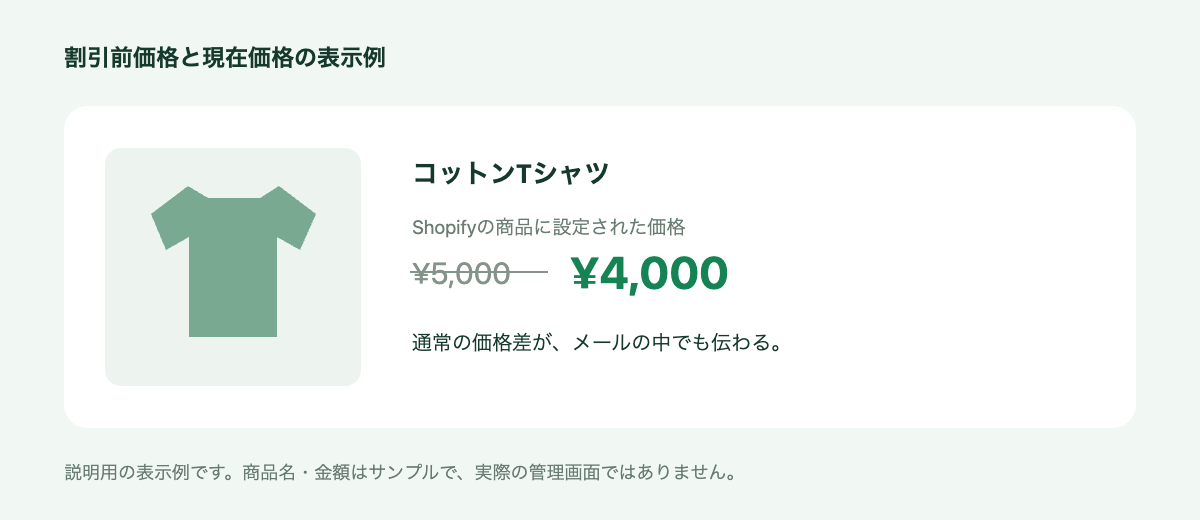
An illustrative example using sample product names and prices.
Email product displays can now show Shopify compare-at prices alongside current prices. The same price information is available when featuring a single product, multiple products, collections, or recommendations. This makes it easier to communicate price differences for sale products within the email, giving customers useful information before they visit the product page. You can build emails using Shopify product information when you want to include those price differences in your product presentation.
Feature details
- Supported blocks are Shopify Product, Shopify Products (Multiple), Shopify Collection, and Recommendations.
- This uses the compare-at price set on the Shopify product. It is separate from discounts applied at checkout through coupons or automatic discounts.
Recommended for stores that
- Want to highlight sale price differences in emails.
- Create feature emails with multiple products.
Display variant option names in email and LINE messages
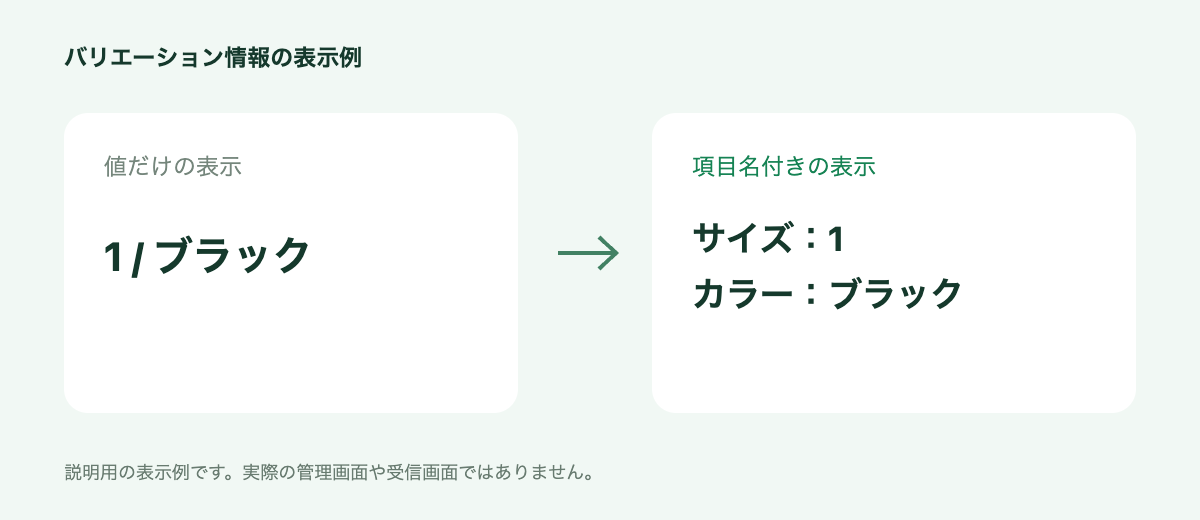
Adding option names makes it easier to understand values such as size and color. This is an illustrative display example.
New template tags let you display Shopify variant option names together with their selected values, such as size and color. Instead of showing values alone, you can present them as "Size: 1 / Color: Black." Customers can understand the variant they purchased more easily, even when products have different types of options. This is useful when creating order-related email and LINE messages that need to convey specific product information.
Feature details
- Available in email bodies, email subject lines, and LINE messages.
- Combines the variant option names configured in Shopify with their selected values.
Recommended for stores that
- Sell products with multiple options, such as size and color.
- Want to explain order details clearly through email and LINE.
Return customers to the original store page after registration or login
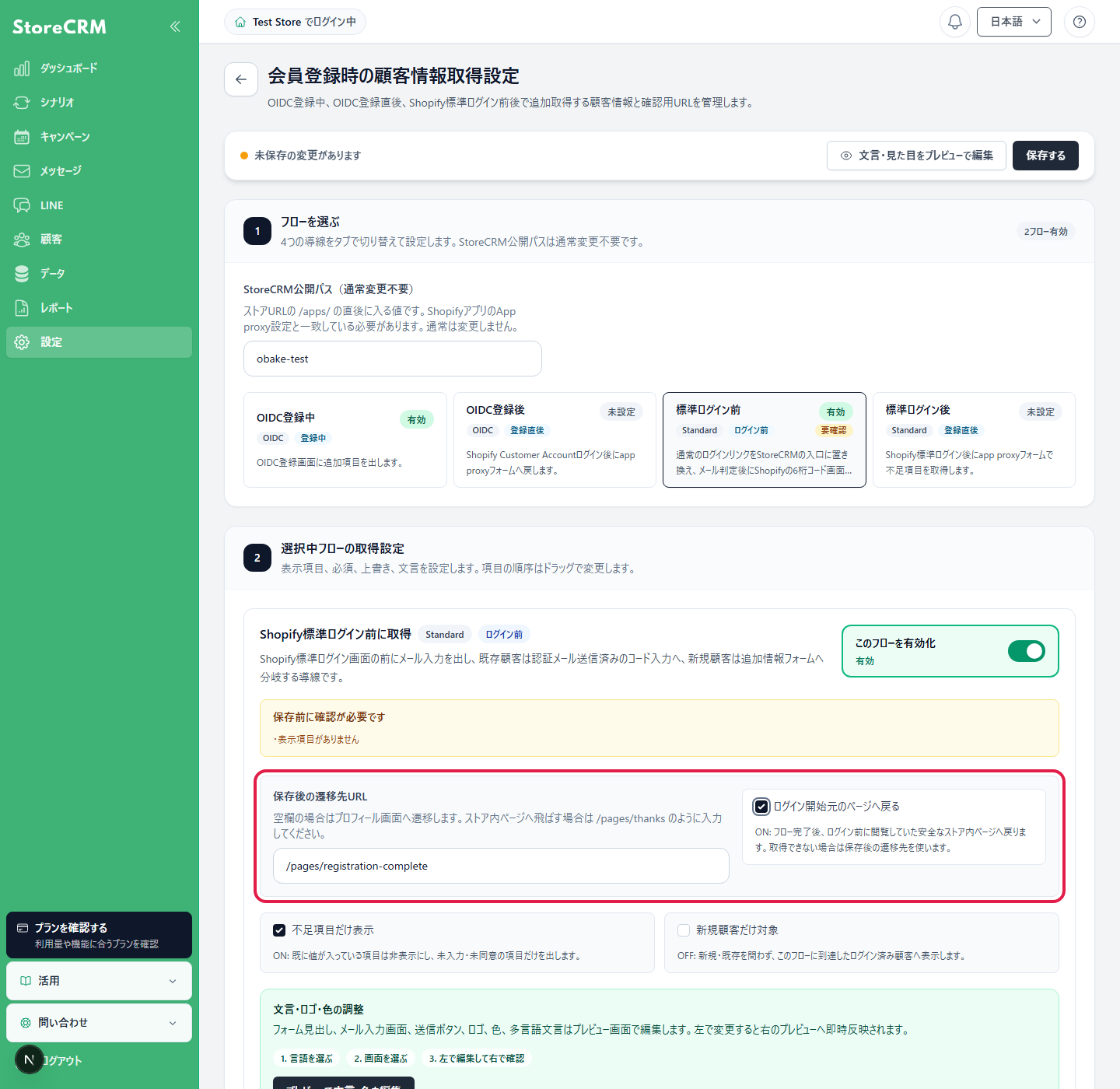
Choose to return customers to the page where they started logging in.
After the customer information collection flow during registration is complete, you can now choose to return customers to the product page or other page they were viewing before logging in. Customers who register or log in while shopping no longer need to find the same product again. You can collect member information while designing an experience that makes it easier to continue shopping. This is useful for stores that invite customers to register from product pages and want to tailor the destination after registration to their operations.
Recommended for stores that
- Invite customers to register or log in while shopping.
- Want customers to continue considering products after providing their information.
Other updates
- Improved full product name display, search, and CSV export in wishlist reports.
- Wishlist and back-in-stock notification button widths can be set from 1% to 100%.
- Scenario email and LINE templates can be searched by name.
- Product buttons in emails can be shown or hidden.
- Recommendation emails can use a one-column or two-column layout on smartphones.
StoreCRM will continue expanding features that support sales campaigns and day-to-day store operations.
Please contact us if you have questions about any feature or how to use it.