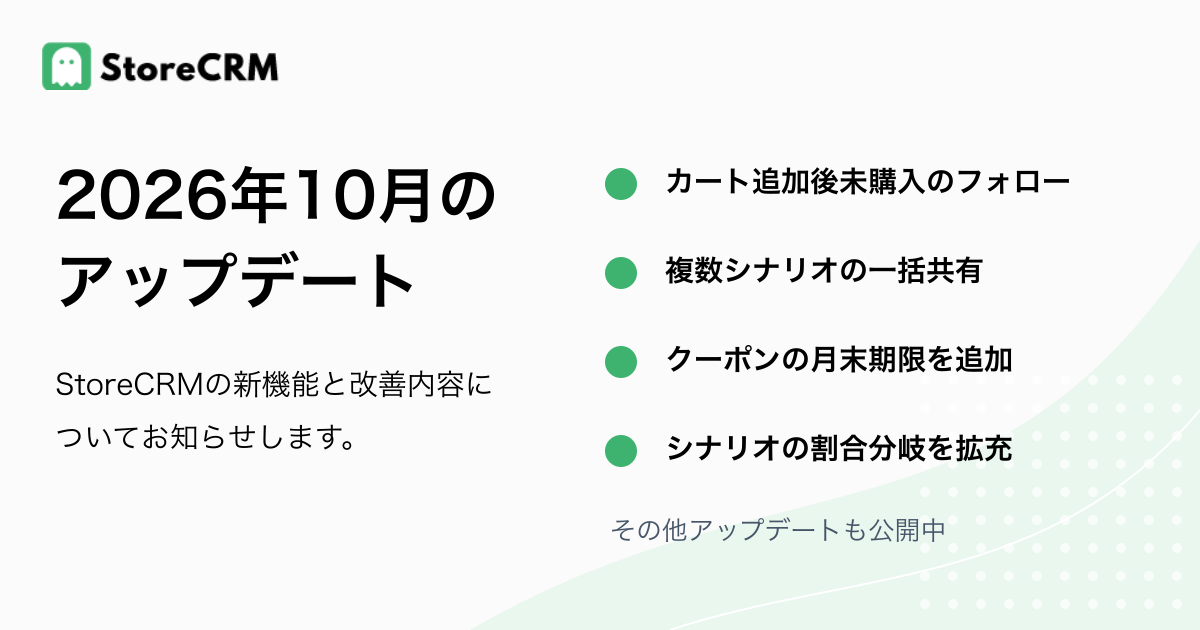
In October 2026, StoreCRM added ways to follow up with customers who added products to their carts and to reuse scenarios across stores. Coupon expiry, scenario branches, and restock notification targets can also be tailored to your operations. Here are the updates supporting purchase follow-ups and everyday content creation.
Follow up by email or LINE after products are added to the cart
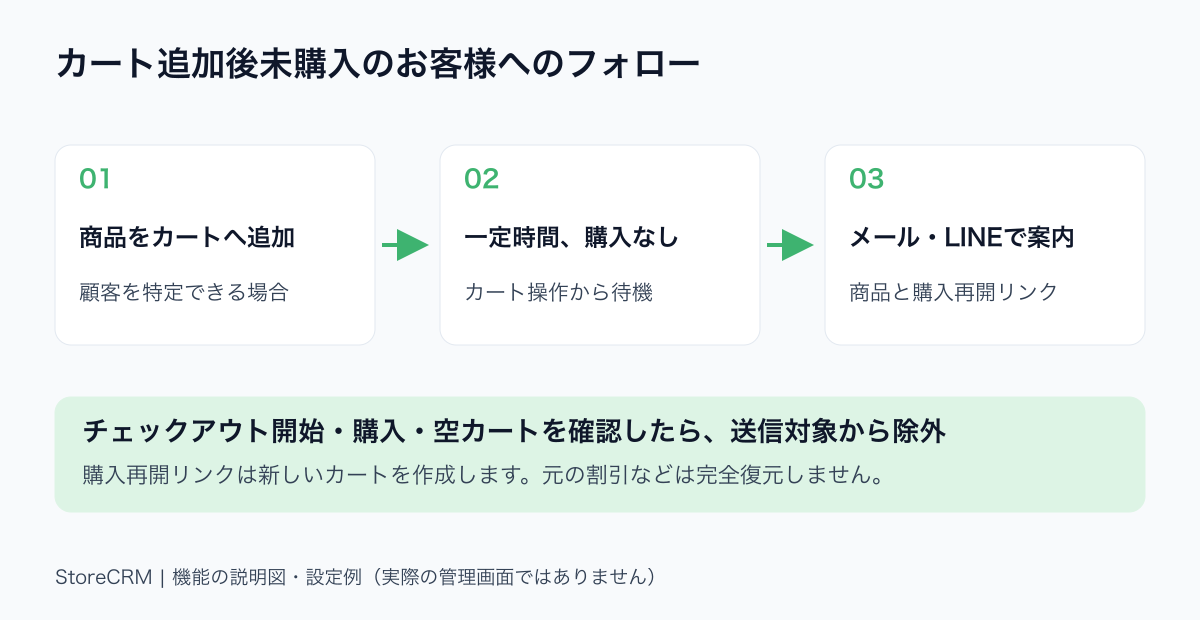
An explanatory diagram, not a screenshot of the admin interface.
The new cart-add abandonment scenario reaches identified customers who added products to a cart but left before starting checkout. It complements checkout-abandonment scenarios by covering an earlier stage. Messages can show the relevant products and provide a link to resume shopping. You can use email, LINE, or both.
Feature details
- Store activity must be linked to an identifiable customer. Anonymous visitors cannot receive these messages. Email eligibility and LINE linking and contactability also apply.
- The scenario waits after cart activity. A detected checkout, purchase, or empty cart removes the customer from sending eligibility.
- The shopping link builds a new cart from the selected products and quantities. It does not fully restore original discounts, cart attributes, or entered shipping details. A product's base price may be used when its country or market cannot be determined; check received messages against the storefront.
- LINE product cards are generated at delivery. If the editor or detail page does not show a sample, send to your designated test recipient to check products and links.
Recommended for
- Stores that want to reach customers who leave before starting checkout
- Stores adding product-based follow-ups through email or LINE
See how to configure cart-add abandonment scenarios (Japanese).
Share multiple scenarios with another store in one package
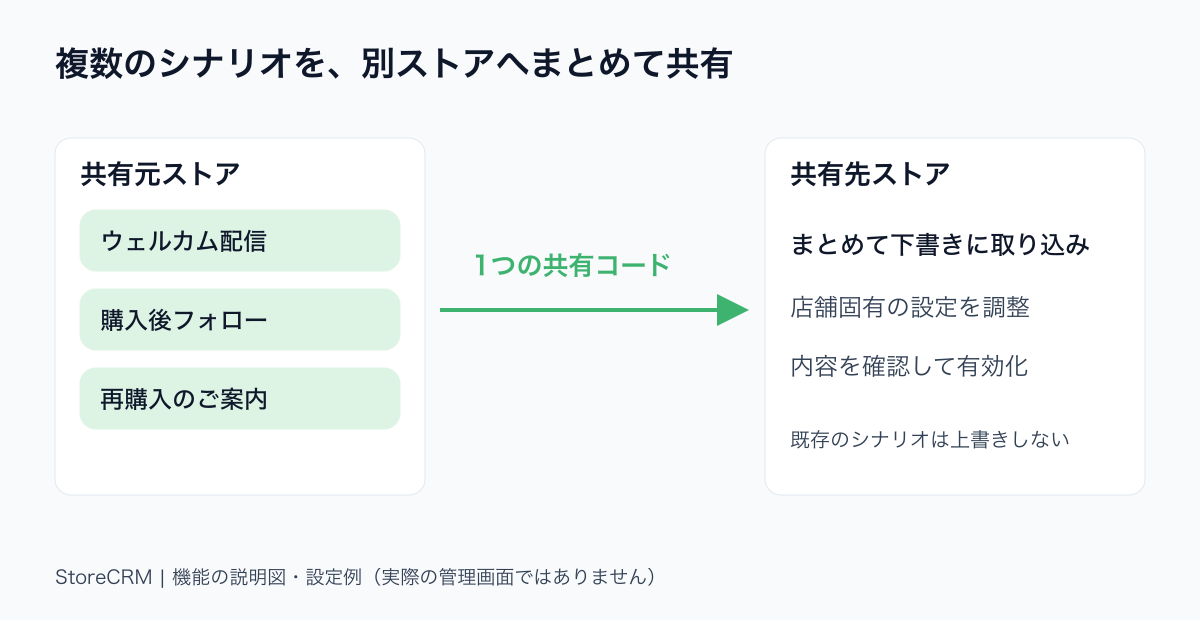
An explanation of scenario sharing. This feature does not migrate customers or delivery history.
Combine multiple scenarios into one sharing code and import them together into another store. A set of welcome or post-purchase follow-ups can become a starting point for another brand, reducing repeated setup. Agencies can prepare common scenarios and adapt them for each client. After import, adjust store-specific settings and content before enabling them.
Feature details
- Share scenarios and related content such as email and LINE messages. Existing scenarios are not overwritten; duplicate names are saved with distinguishable names.
- Imported scenarios are drafts. Check product, collection, segment, and other store-specific references before enabling them.
- Customer data, delivery and execution history, and credentials are excluded. Appropriate permissions are required to issue and import codes.
Recommended for
- Businesses rolling out common scenarios across brands
- Agencies transferring prepared scenarios into client stores
See how to share scenarios with another store (Japanese).
Set scenario coupons to expire at month-end
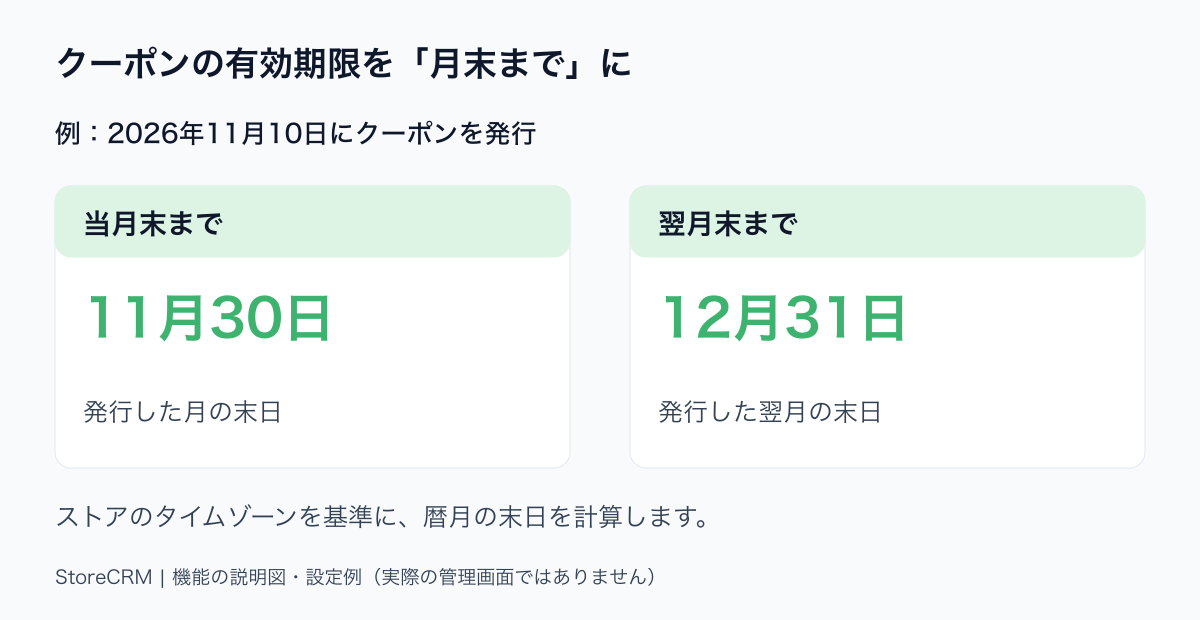
An illustrative expiry example, not an admin screenshot.
Coupons issued by scenarios can now expire at the end of the current or following month. This helps with birthday offers and benefits managed by calendar month. Issue a coupon during the birthday month with current month-end expiry, or issue it beforehand with next month-end expiry. You no longer need to recalculate a day count for months of different lengths.
Feature details
- Choose month-end expiry and select the issue month or following month. Calculations use the store's time zone.
- Both standard discount and free-shipping coupons are supported in standard and flow scenarios.
- Day-based expiry remains available. This feature does not bulk-update coupons already issued.
Recommended for
- Stores offering coupons valid through the birthday month
- Stores communicating benefits with calendar-based expiry dates
Configure scenario branch percentages from 1 to 99%
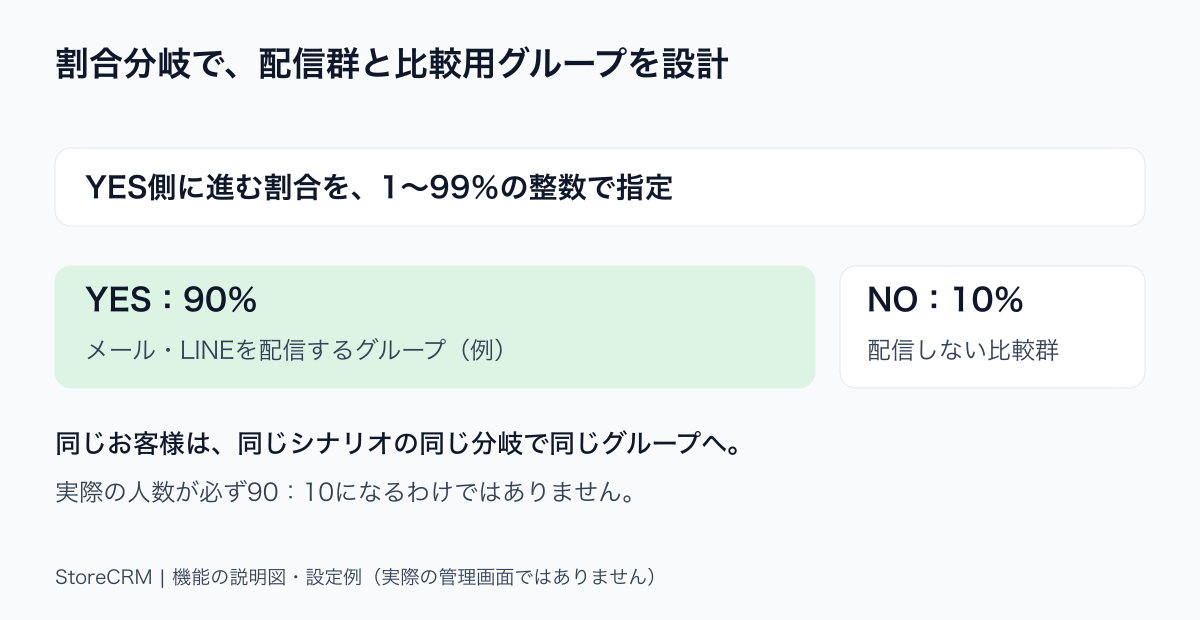
An example configuration. Actual headcounts are not guaranteed to match these percentages exactly.
Set the percentage taking the YES path to any integer from 1 to 99. For example, send to 90% while keeping 10% as a comparison group. This offers more flexibility than an equal split, letting you retain most customers in the delivery group while planning a comparison. It supports preparation for evaluating a scenario's impact.
Feature details
- Set the YES percentage using the percentage condition. NO receives the remainder. Zero, 100, and decimal percentages are not supported.
- The same customer is assigned consistently at the same branch of the same scenario.
- This is a percentage-based condition, not an exact headcount split or an automated statistical evaluation.
Recommended for
- Stores retaining a non-delivery group for comparison
- Stores tailoring group proportions to a scenario's purpose
See scenario conditions (Japanese).
Exclude individual SKUs from restock notifications
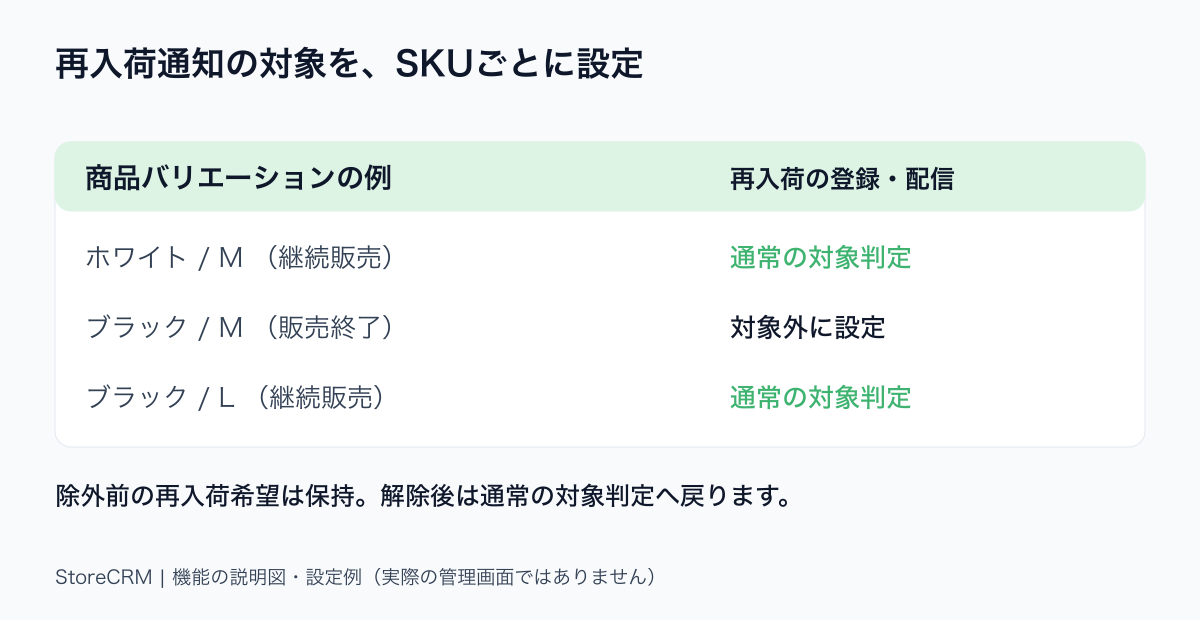
An explanatory example, not an admin screenshot.
Exclude particular SKUs from email and LINE restock notifications. Find variants by product name, variant name, or SKU, then manage eligibility at the color or size level. For example, exclude a discontinued color while keeping the remaining colors eligible. This is separate from the location exclusions introduced in September and lets you reflect variant-level sales policies.
Feature details
- Exclusions apply per variant to new email and LINE registrations and restock deliveries.
- Existing requests are retained. Removing an exclusion returns the variant to normal registration and delivery eligibility checks.
- Manage excluded SKUs under delivery rules in restock notification settings.
Recommended for
- Stores that discontinue individual colors or sizes
- Stores excluding only selected SKUs from restock follow-ups
See restock notification settings (Japanese).
Other updates
- LINE's simplified editor now lets you change the text copied when a button is tapped. Edit the visible label separately from the coupon code or other copied text.
- Set an overall email background color to match your brand or campaign.
- Email editing now retains the subject, and existing emails can be saved as templates for future content creation.
StoreCRM will continue expanding features that support purchase opportunities and scenario creation for stores and agencies.
Please contact StoreCRM support for feature details or help getting started.