In July 2026, StoreCRM coupon issuance, customer segment scenario conditions, terms of service management, wishlist ・ back-in-stock notification UI/UX of management screen This time, we will introduce updates that will help increase sales opportunities, improve customer experience, design measures and reduce operational hours of the day.
Free Shipping Coupon
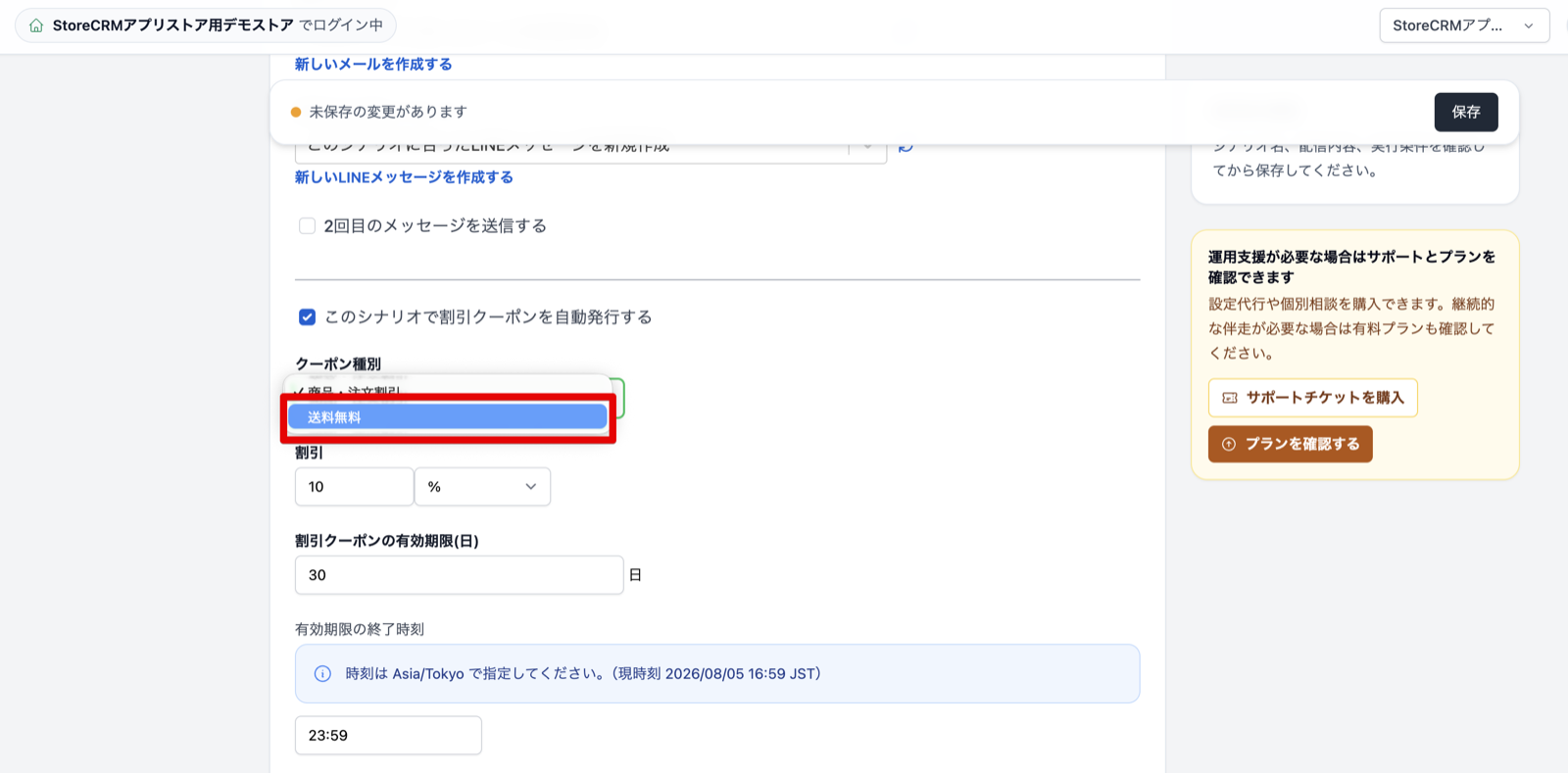
Free shipping coupons can be issued automatically from scenarios. You can use both simple settings and flow editor, and you can set the shipping limit, minimum purchase amount, quantity, expiration date, etc. according to the measures. In order to increase initial purchase and re-purchase campaign, you can easily incorporate shipping benefits and reduce the number of operational hours for individual coupons.
Features Details
- Maximum shipping amount can be set optionally, and if not set, it can be issued without the limit of the shipping amount.
- Minimum purchase conditions can be selected from "None", "Minimum purchase amount" and "Minimum quantity"
- Expires, target customers, number of uses, and other discounts can also be set
Recommended for this store
- Stores that want to reduce purchase withdrawal due to shipping costs
- Stores that want to automate benefits according to the purchase amount
Support customer extraction using Shopify order tags
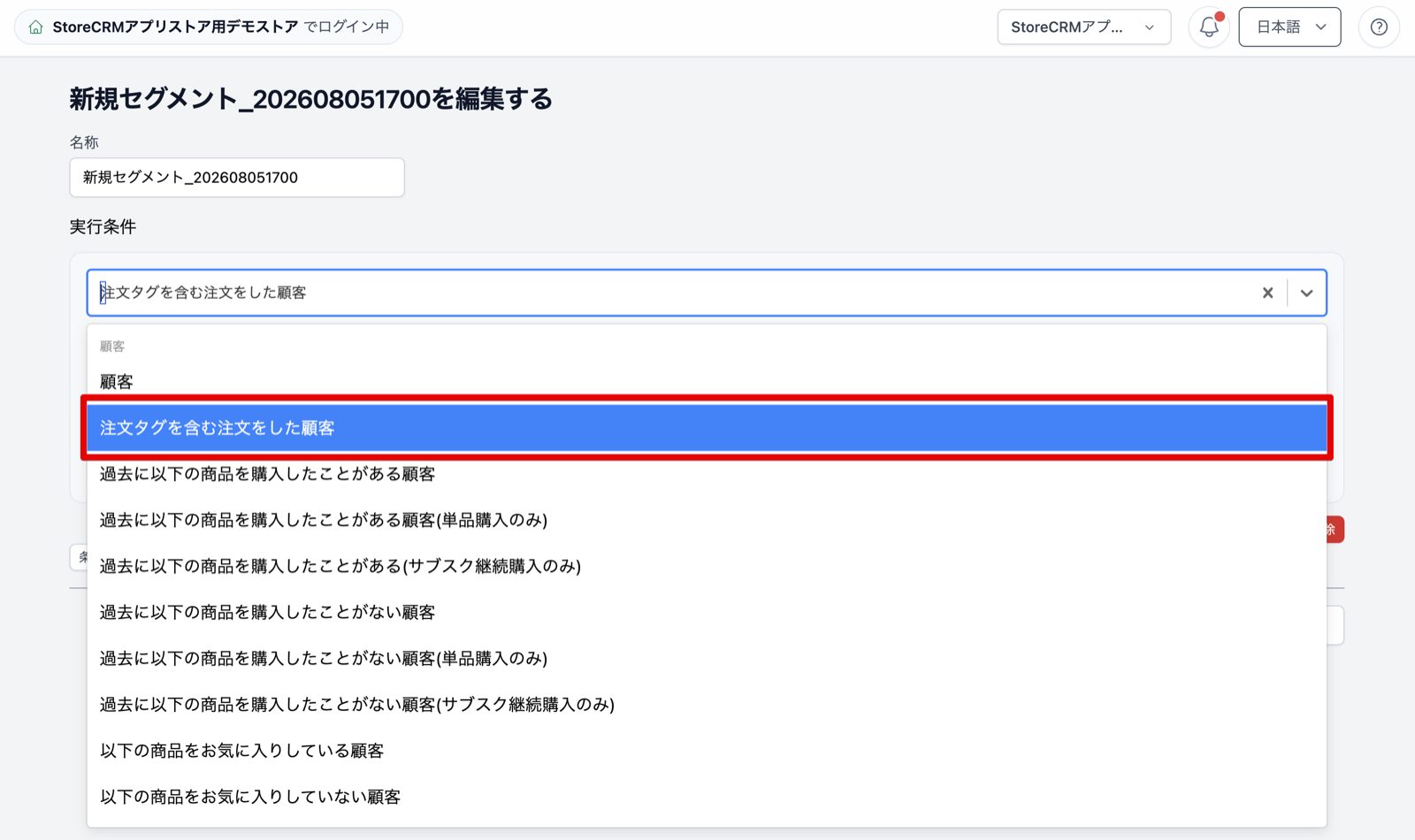
You can now use tags assigned to Shopify orders as conditions to create segments of customers who placed those orders or customers who did not. If order tags are assigned according to operational rules such as store, sales channel, or campaign, that information can be used to select recipients in StoreCRM. This lets stores organize customers using their existing Shopify operations, reducing manual preparation for campaigns and making it easier to tailor delivery content.
Features Details
- You can extract customers in terms of "include" or "not include" the specified order tag
- The order tag is determined by the tag unit, and it is considered confusing with another tag containing a similar string
Recommended for this store
- Stores with custom tags for each store or sales route
- Stores that want to run ongoing campaigns for customers who purchased through a specific campaign
Added "Customer who purchased this order product for the first time" to scenario conditions
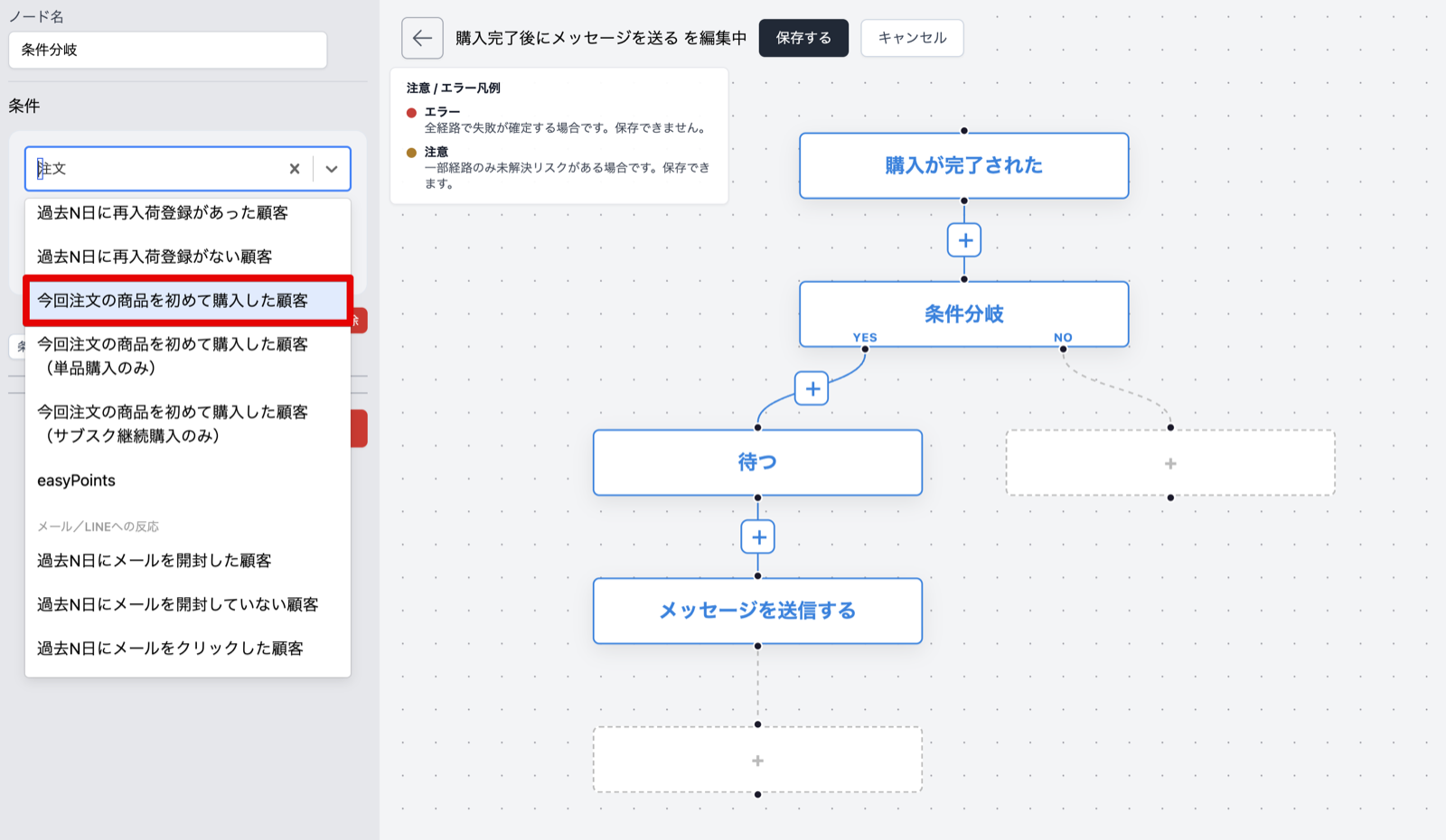
You can now determine whether the product included in this order is the first purchase for that customer. The first purchaser of each product will be automatically sorted out the usage guide, proposal of related products, and follow-up after purchase. It is easy to design communication according to the product's relationship, not post-purchase delivery, and helps to improve customer experience and create next purchasing opportunities.
Features Details
- In addition to regular purchases, you can select only single purchases and only sub-scr、 purchases.
- Target products can be specified by product name, product tag, product ID, variation etc.
- Only manual collections are eligible when using collection conditions, and automatic collections are not eligible
Recommended for this store
- Stores that want to separate the following after purchase by product
- Stores that want to connect from initial purchase to continuous purchase
Supports the extraction of multiple links, version control and consent status of the Terms of Use
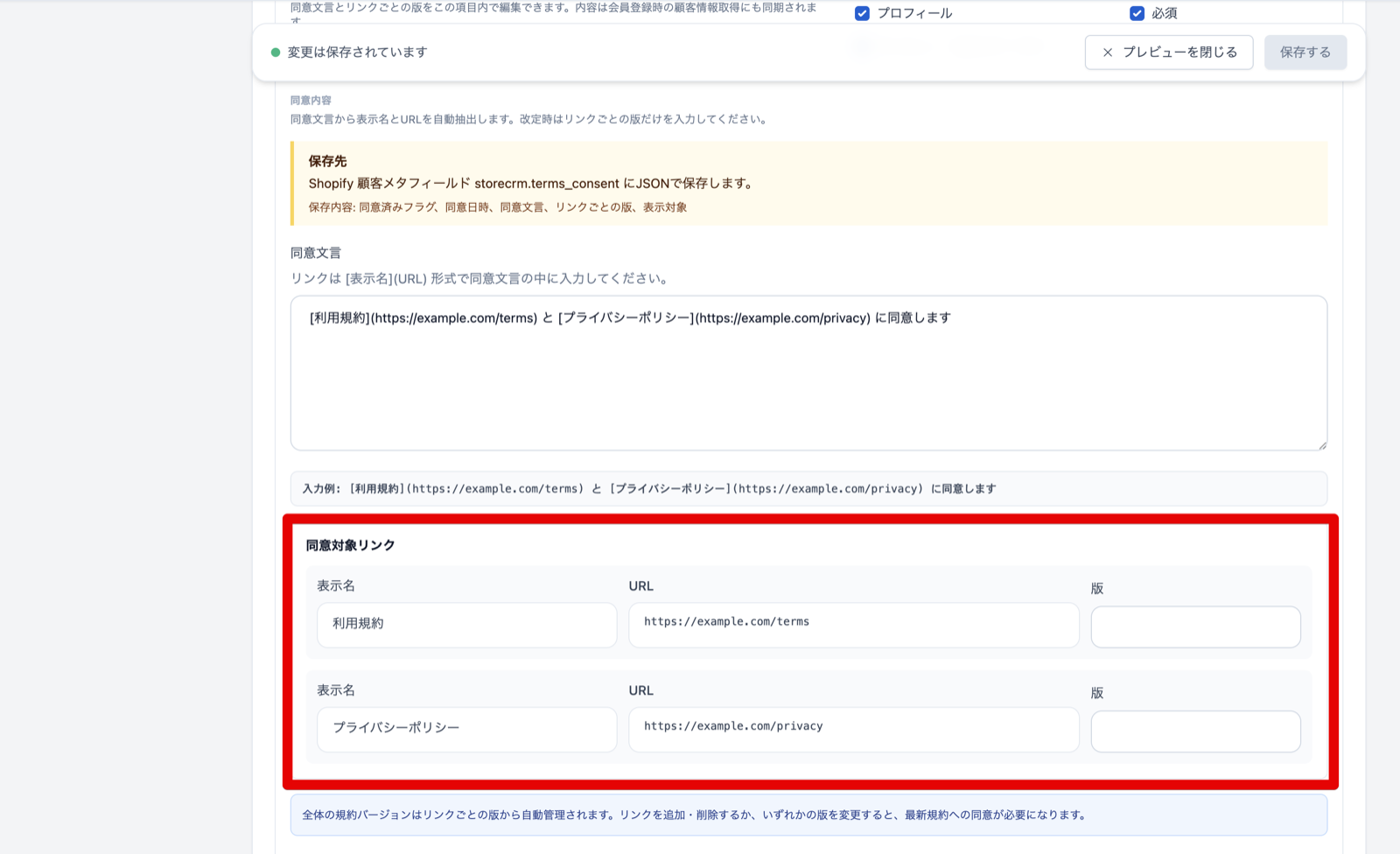
You can now set multiple links such as terms of use and privacy policy to the consent statement displayed at the time of membership registration. You can manage sentences, links and number of versions by language, and you can use it as a condition of the customer segment whether you have agreed or not to the latest terms currently set. Re-agreement guides after the revision of the Terms are easy to be performed according to the target person, and even stores dealing with multiple terms can reduce operational man-hours for confirmation and extraction.
Features Details
- Manage display names, URLs, and number of versions for multiple convention links
- You can link with consent statement according to the display language such as Japanese and English.
- You can extract the target customer according to your consent or unagreement.
Recommended for this store
- Stores that require consent to multiple terms and policies
- Stores that want to streamline re-agreement notices after renewal
wishlist Adding reports wishlist Support list display customization
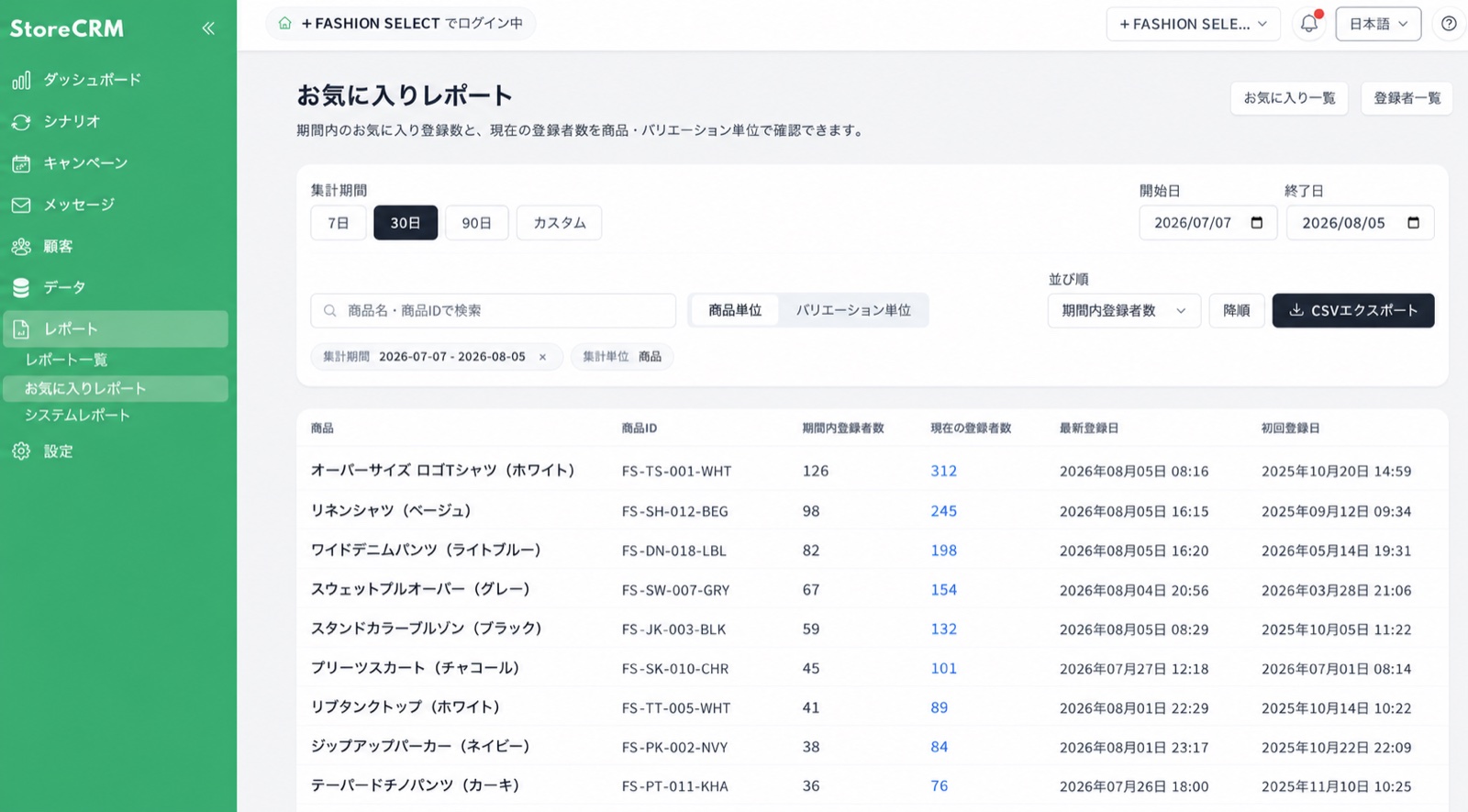
We added a report for checking products added to wishlists and expanded display customization for the storefront wishlist. The report shows products for a specified period by product or variant and supports searching, sorting, and CSV export. On the list screen, stores can select a design preset or create displays using Shopify product information, improving both customer-interest analysis and the shopping experience.
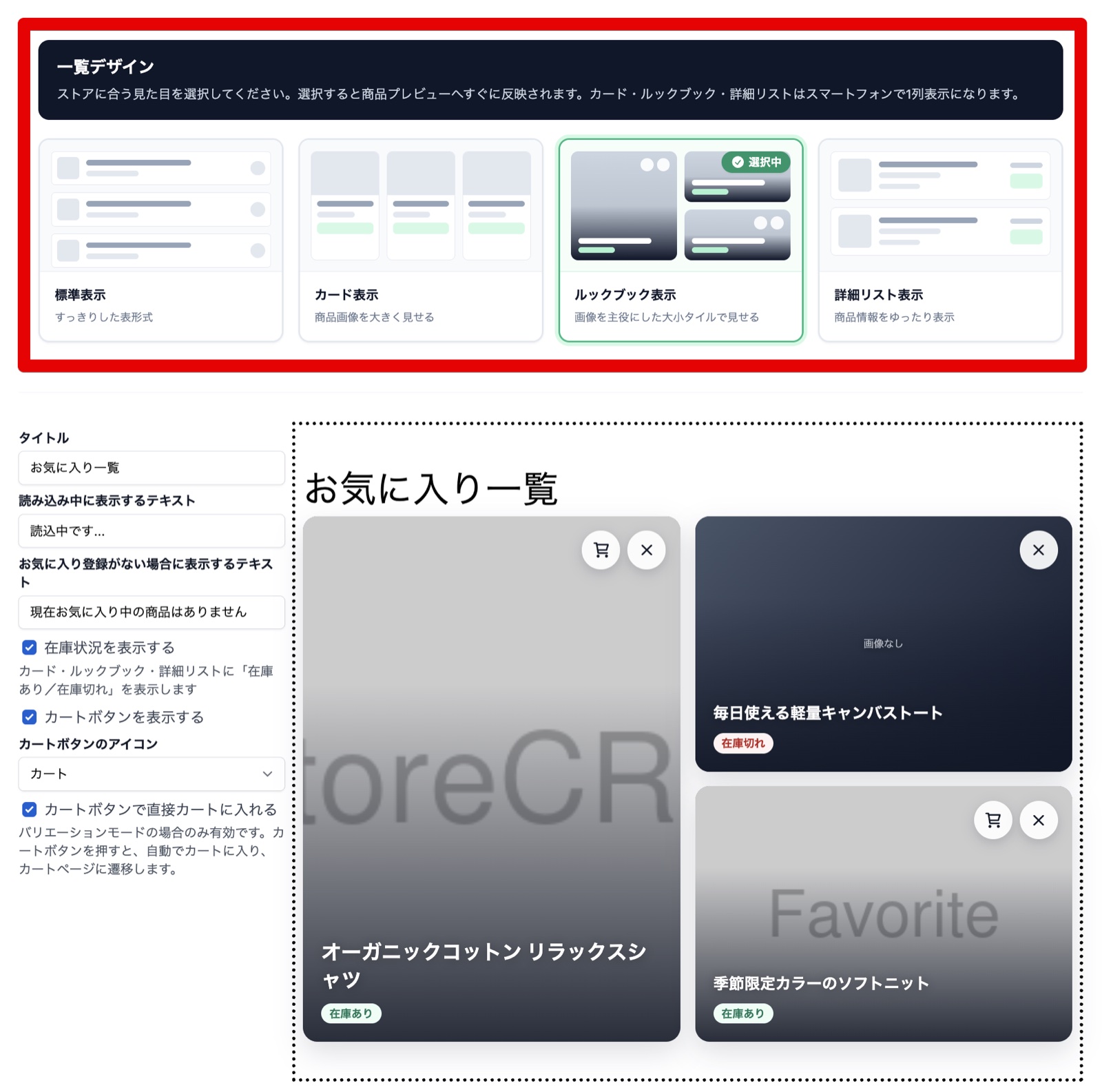
- wishlist "Easy setting" screen in the list. Simply select the list design (standard, card, lookbook, detail list), wishlist It is reflected on the list screen. *
Features Details
- wishlist Period and current in reports wishlist signup Number of persons per item
- You can select the display of the standard, card, lookbook, and details list in easy setting mode.
- In advanced mode, it supports display and additional reading using prices, tags, product meta fields, etc.
Recommended for this store
- Stores that want to utilize products that are highly interested in customers
- wishlist Store to match the list of stores
back-in-stock notification can be selected as customer segment conditions
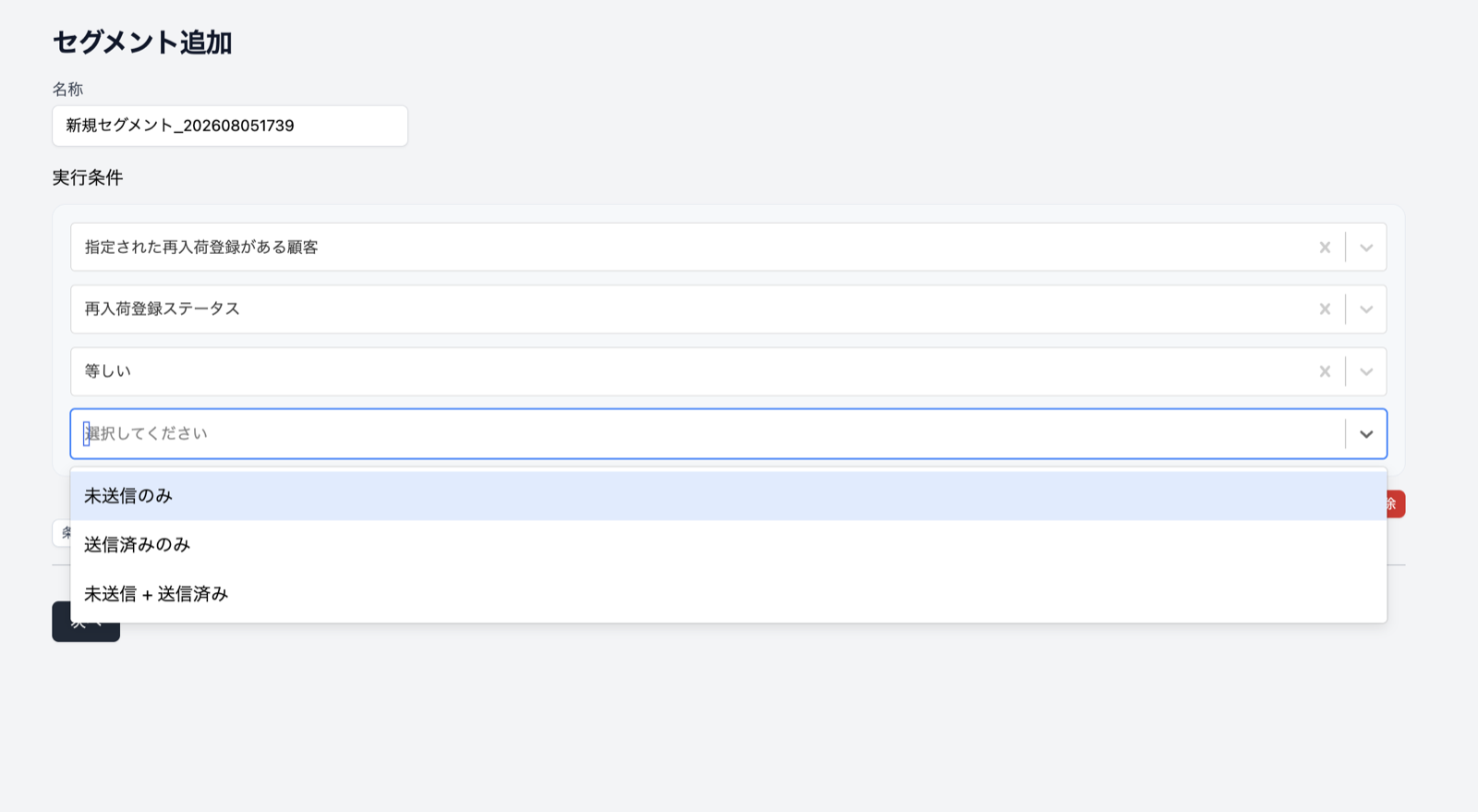
back-in-stock notification You can choose "Unsubmitted Only", "Send Only", "Unsubmitted and Transmitted" as the condition of the customer segment. You will be divided according to the status, such as checking the status of the customer who has not yet received the notification, and following the customer after sending the notification. It is easy to assemble measures to the customer's situation waiting for re-stocking, and you can expand the opportunity of re-purchase while reducing the extraction work for distribution.
Recommended for this store
- Stores that want to guide customers waiting for re-stocking
- Stores that want to follow after sending notifications
UI/UX
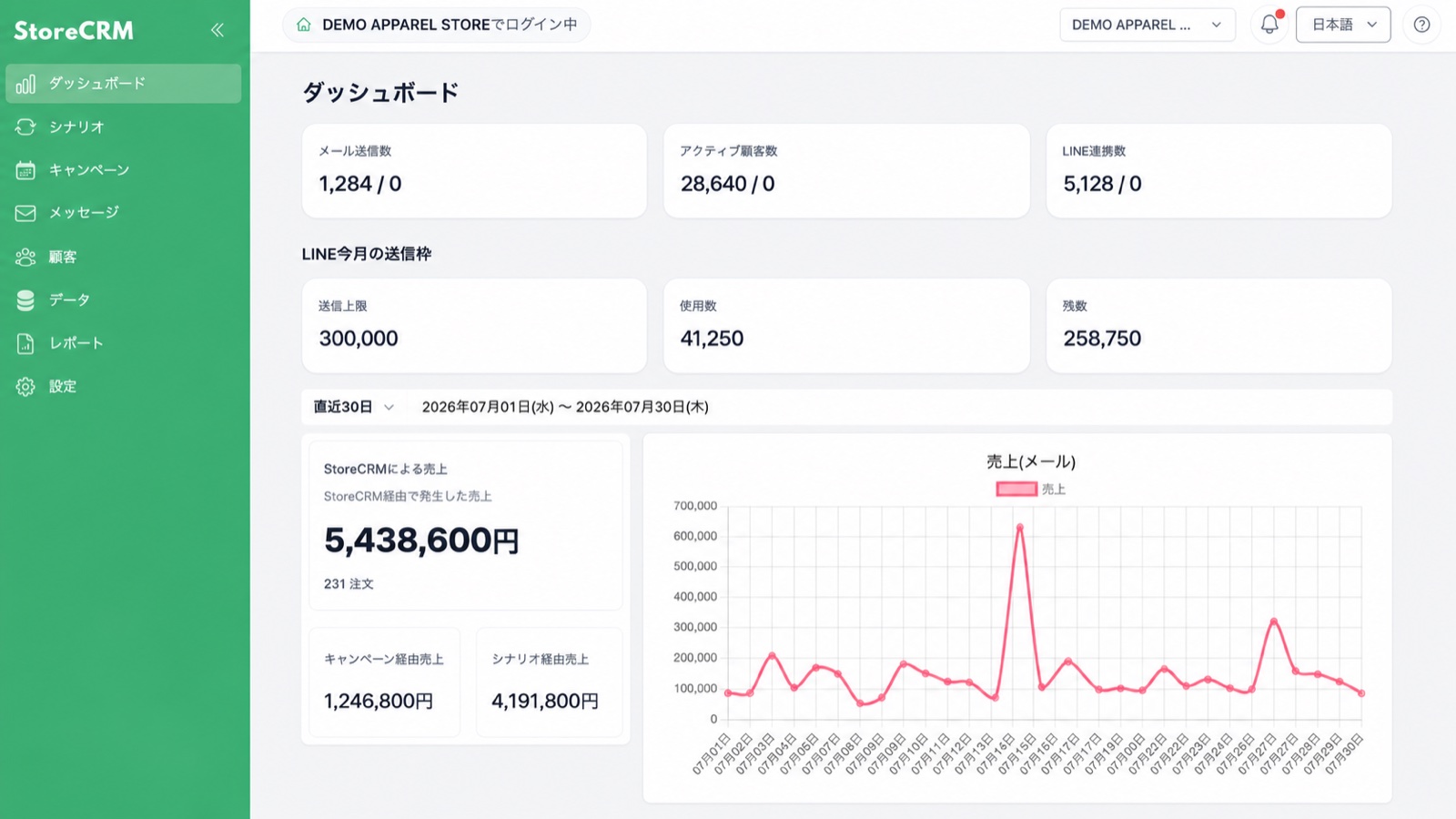
We revised the layout and operation line of the entire StoreCRM management screen to UI/UX which is easy to move to the desired function and setting. We organize the configuration of the setting screen, list screen, creation and editing screen, and improve the display and unsave changes when the screen width is narrow. It is easy to understand the location and the view of the operation that is used daily, and it is easy to work with an agent that supports existing users and operations.
Features Details
- The side menu and settings screens have been reorganized to make desired actions easier to find
- Unified layout and operation feeling of listing, creation, editing, details and report screen
- Improve the check line when the display on a narrow screen and the unsaved changes
Other Updates
- Shopify LINE integration Reduced time-to-screen transitions, enabling you to subscribe and unsubscribe emails without screen movement.
StoreCRM ecommerce businesses We will continue to improve sales growth and daily operational efficiency.
Please feel free to contact us if you have any questions or concerns about each feature.