
Coupon expiry reminders build on the coupon scenarios you already run, such as birthday notifications and win-back emails. Rather than adding a separate delivery trigger, you add follow-up messages and wait times to an existing scenario, turning the run-up to the expiration date into a drip sequence.
The first message delivers the coupon; as the deadline approaches, a second message goes out via email or LINE. You can also enable a setting that stops the remaining messages once the coupon has been used.
A second expiry reminder lifted scenario revenue by 40%
StoreCRM's data shows that announcing the coupon's upcoming expiration in a second email—rather than sending the coupon just once—increased revenue through the scenario by 40%.
* This is an observed result comparing a single coupon send against a sequence that added an expiry reminder as the second message.
* It is an observed value based on StoreCRM's delivery data; results vary by message content, audience, store, and other conditions. It is not a guarantee of results.
* The second-message expiry reminder approach is also featured in the +CLOTHET case study.
Don't let your coupon campaign end after one send
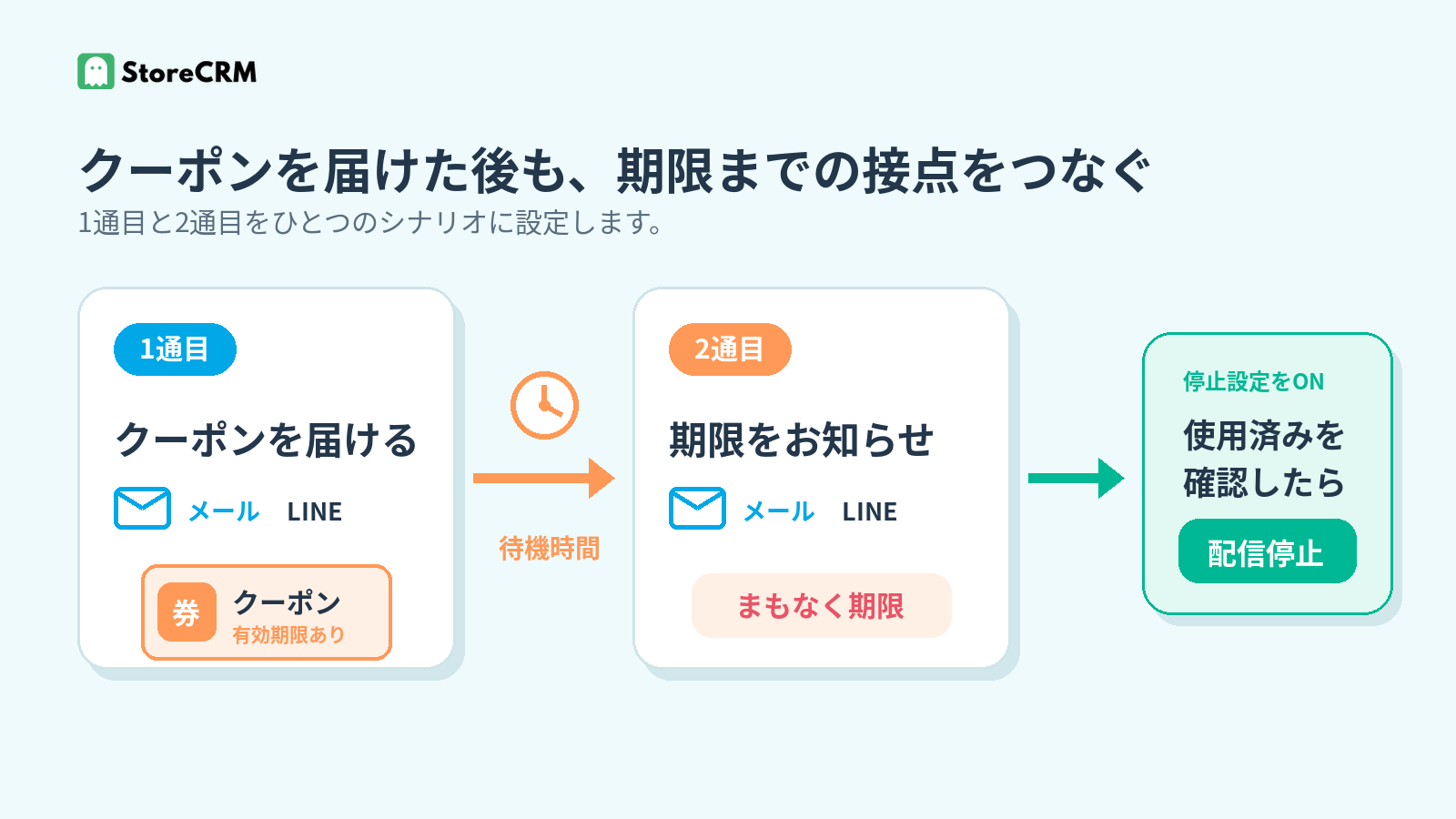
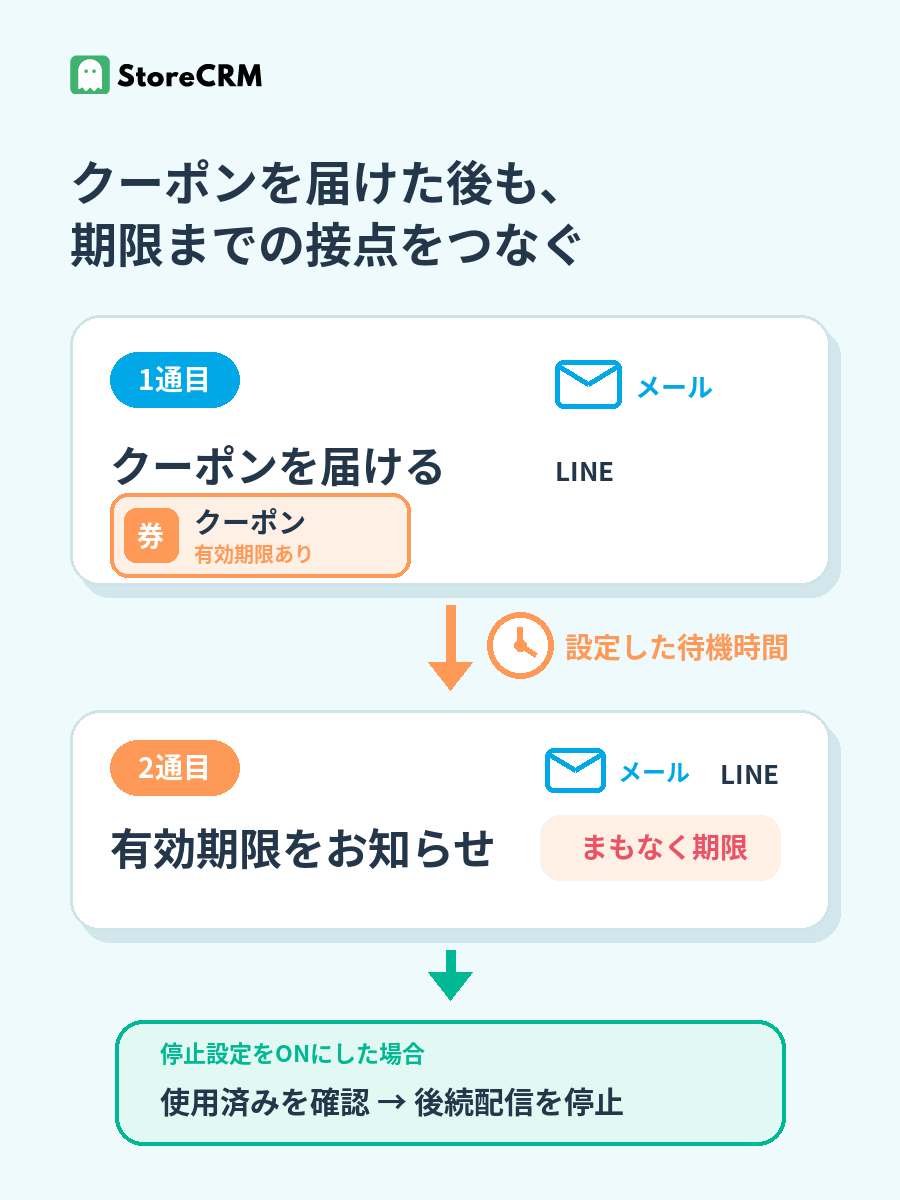
Beyond delivering the coupon in the first message, remind customers again as the expiration date approaches. It gives shoppers who forgot the deadline a reason to come back to the product they were considering.
Click the image to enlarge.
Deliver the coupon in the first message
Embed a coupon in messages to customers celebrating a birthday or those who have not purchased in a while. Set the discount and expiration date to match your store's campaign.
Announce the expiration date in the second
Set a wait time after the first message, then let the second one tell customers the deadline is near. Instead of packing everything into the first message, you can split the content and timing across the sequence.
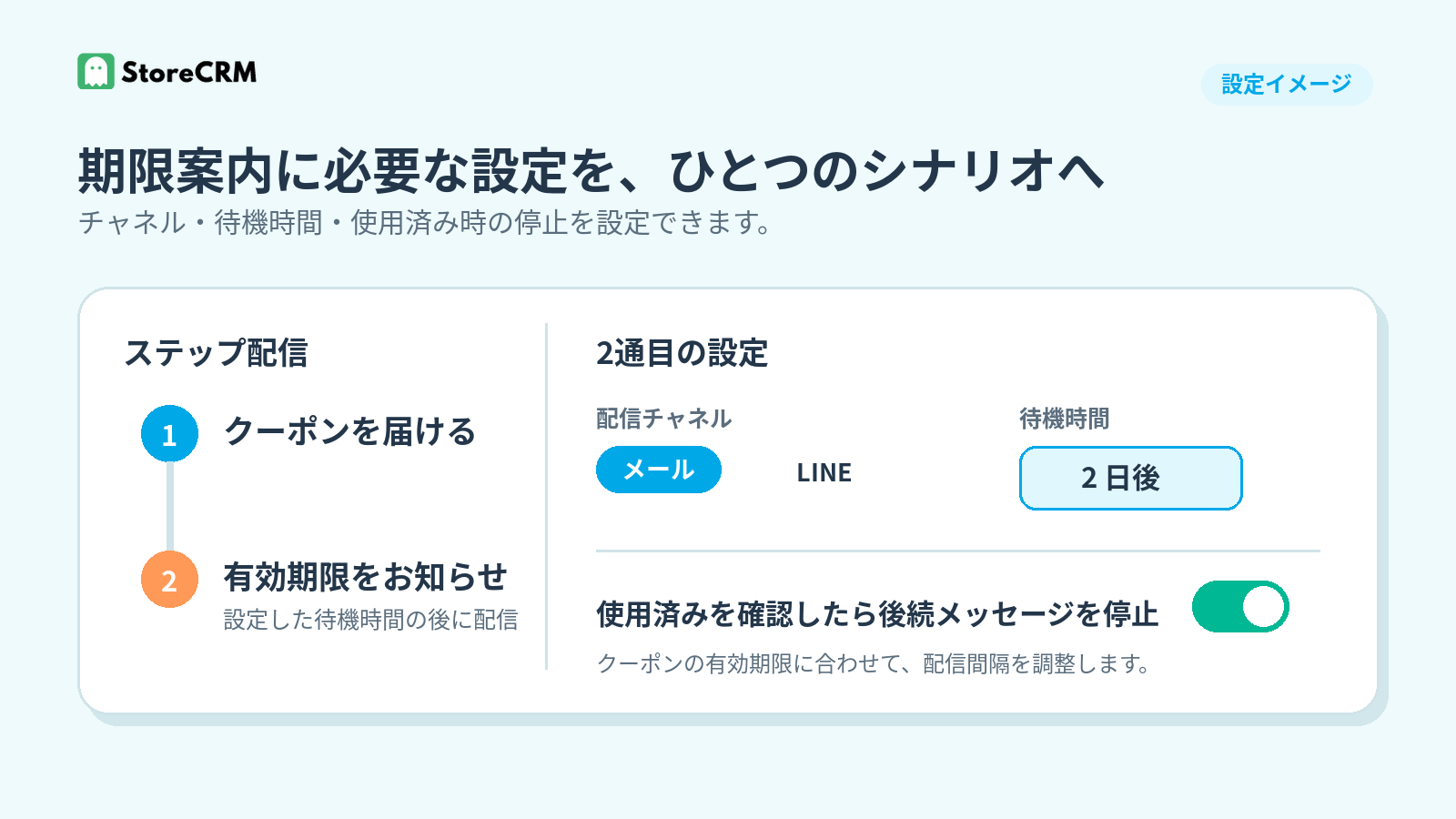
Stop remaining messages once the coupon is used
Enable "stop sending messages once the coupon is used," and the remaining messages halt when the target coupon is confirmed as redeemed. This keeps customers who have already used their coupon from receiving further expiry reminders.
Remind customers via email and LINE, timed to the deadline
Each step can carry both an email and a LINE message. You can vary the channel and content between the first and second messages, or use both channels within the same scenario.
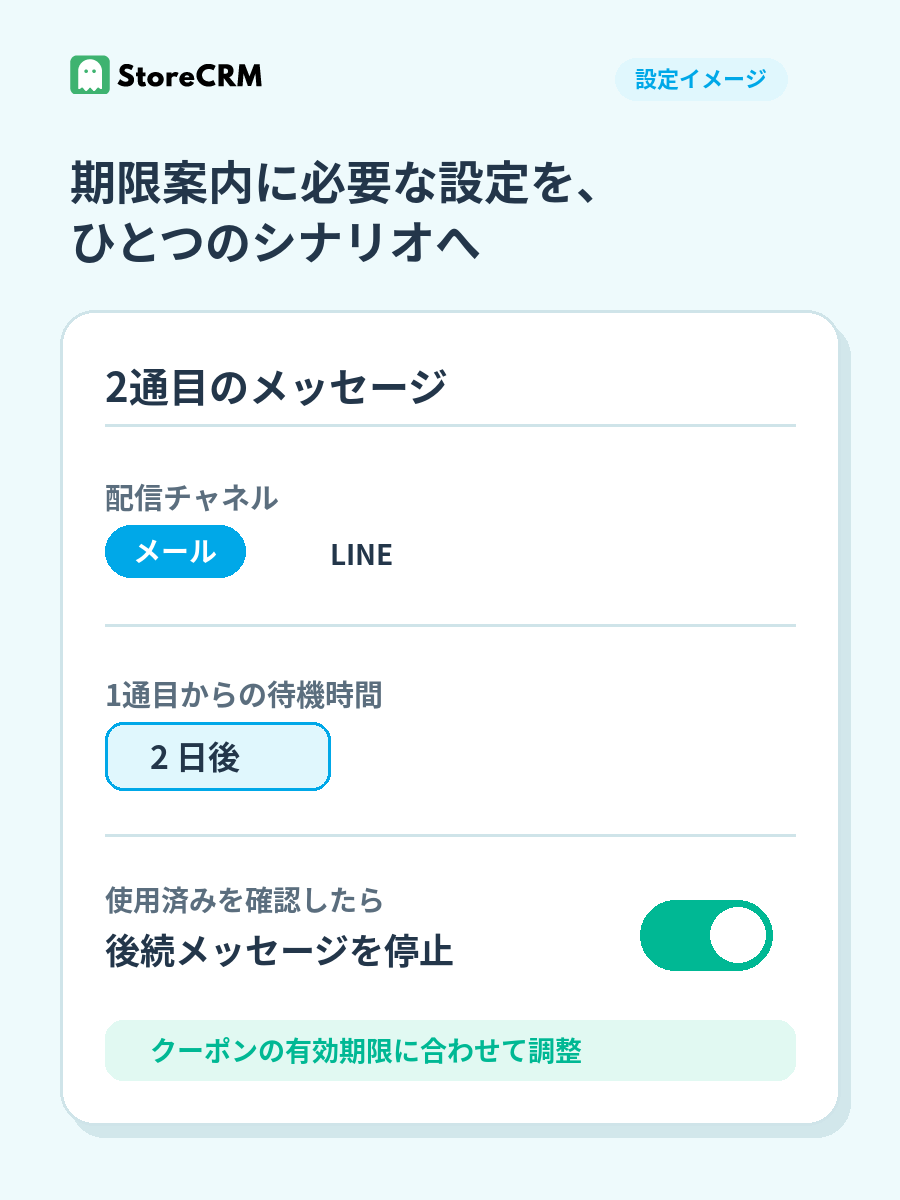
Click the image to enlarge.
Choose the channel that fits each customer
Email and LINE can each be configured. Actual delivery goes to customers who meet each channel's requirements—marketing consent for email, and LINE ID linking and a reachable receiving status for LINE.
Set a wait time for each message
The interval from the first message to the second can be set in minutes, hours, or days, so each store can time its reminders to the coupon's expiration date.
Turn existing scenarios into drip sequences
Coupon expiry reminders are not a standalone scenario with their own audience selection. You add follow-up messages to an existing coupon scenario and run it as a drip sequence.
Build on birthday notifications
Add a second message announcing the expiration date to a scenario that delivers birthday coupons. The celebration and the deadline reminder arrive at separate moments.
Build on win-back emails
You can also add an expiry reminder to win-back emails that deliver coupons to customers who have not purchased in a while. Instead of a single nudge to return, the invitation arrives in stages.
Turn follow-ups into a drip sequence
The same approach works in any scenario that supports automatic coupon issuance and follow-up messages. Give each message its own content and wait time, designing the sequence around the run-up to the deadline.
Review the results and improve
Delivery reports show email opens, clicks on links in your messages, and purchases attributed to StoreCRM. Filter by scenario or message to review performance and refine the second message's content and timing.
Frequently asked questions
Do I create a new scenario just for coupon expiry reminders?
No. You build on an existing coupon scenario, such as a birthday notification or win-back email, adding follow-up messages and wait times to run it as a drip sequence.
Can I send via both email and LINE?
Yes. Each step can carry both an email and a LINE message. Emails go to customers who meet requirements such as marketing consent; LINE messages go to customers who have linked their LINE ID with your store and can receive messages.
Will expiry reminders keep going out after the coupon is used?
You can enable a setting that stops the remaining messages once the target coupon is confirmed as used. Turn it on if you don't want customers to receive expiry reminders after redeeming their coupon.
Turn coupon redemptions into the next purchase
Don't let birthday notifications or win-back emails end after a single send—bring the expiry reminder into the same scenario. With StoreCRM, you can build a drip sequence that combines email, LINE, and follow-up messages.
For setup instructions, see creating emails, scenario execution conditions, and coupon settings.