
Introduction
Sending a coupon in a birthday email is a highly effective way to improve retention in an ecommerce store. Telling customers that they will receive a coupon on their birthday is also a good way to encourage them to create an account in the first place.
This article explains how to add birthday collection to Shopify with StoreCRM and how to send coupons based on it, including the settings to use and the details to watch out for.
Read here for how to add birthday collection.
What StoreCRM can do
StoreCRM sends birthday and birth-month emails without Shopify Flow. With a small theme change, you can also capture the date of birth at signup.
Adding a birthday form to the customer account page lets you collect birthdays from existing customers as well as new ones. Beyond sending coupons, that data also tells you a lot about who your customers are.
An automation in StoreCRM can send more than just the coupon email — it can also send a reminder that the coupon is about to expire. Adding that second, expiry-reminder email to the single coupon email has been shown to increase revenue from the automation by 40%. This feature only works when Shopify > [Settings] > [Customer accounts] is set to [Classic]. With new customer accounts, login uses a one-time code and the customer's input is not carried over, so it cannot be used.
Building an automated email around birthday data
In this section we use the birthday and birth-month data you have collected to build an automation that emails customers automatically each month as their birthday or birth month comes around. A birthday-only or birth-month-only coupon in that email gives customers a reason to buy and lifts revenue.
Creating the automation
StoreCRM provides [Email customers on their birthday] and [Email customers in their birth month] automation templates, so a few simple settings are all it takes to send the emails automatically. Let us actually build the [Email customers on their birthday] automation.
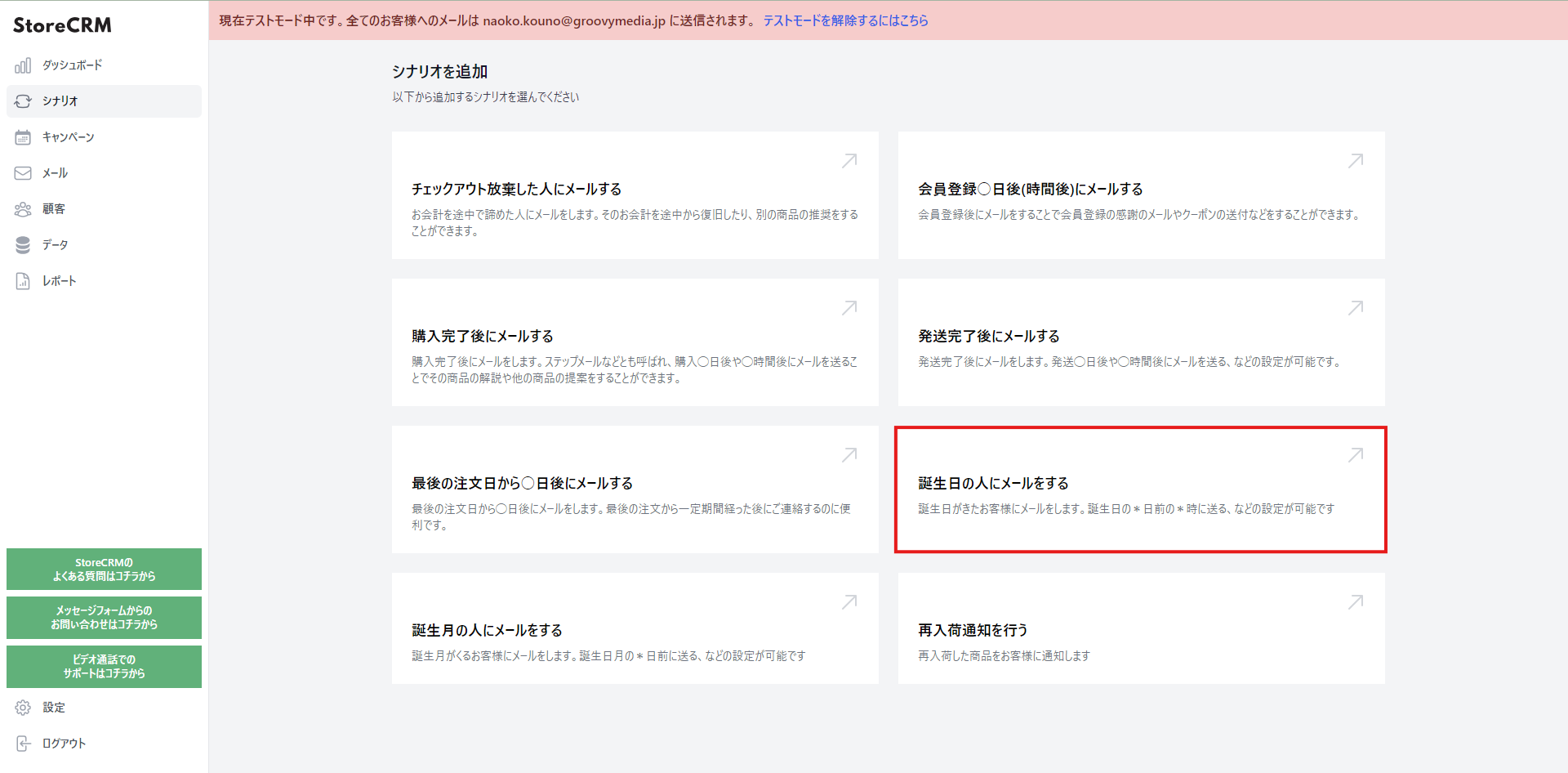
1. Open the StoreCRM app and click [Automations] > [Email customers on their birthday]. For a birth-month automation, click [Email customers in their birth month] instead; every subsequent step is the same.
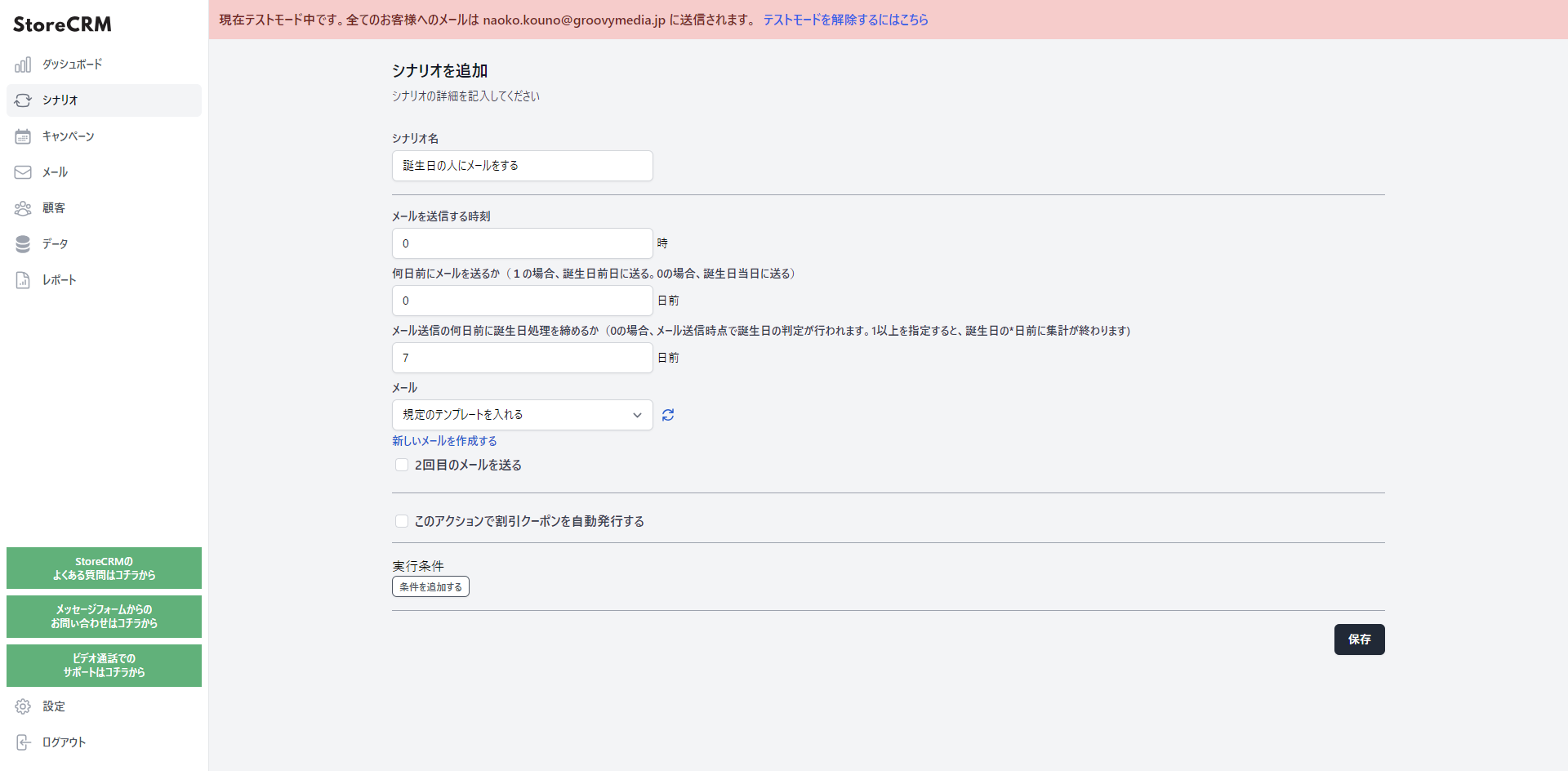
2. The automation settings appear; set when the email should go out. Here we used the following.
- Close birthday registration seven days before the email is sent.
- Send the birthday email at midnight on the day itself.
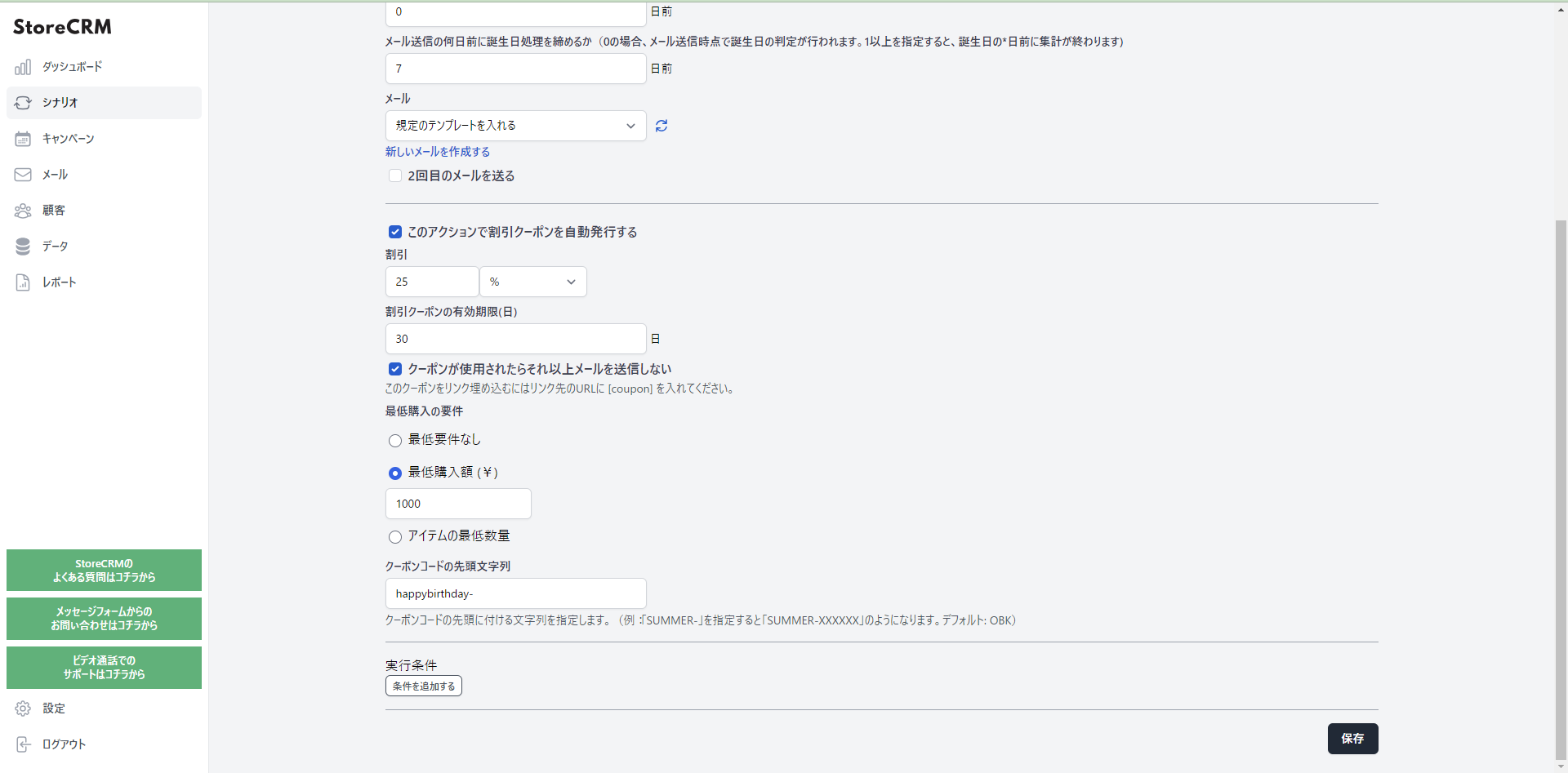
3. Next, because we want a birthday coupon in the email, tick [Automatically issue a discount coupon with this action] and configure the coupon. Here we used the following.
- 25% off orders of ¥1,000 or more.
- Coupon codes prefixed with [happybirthday-].
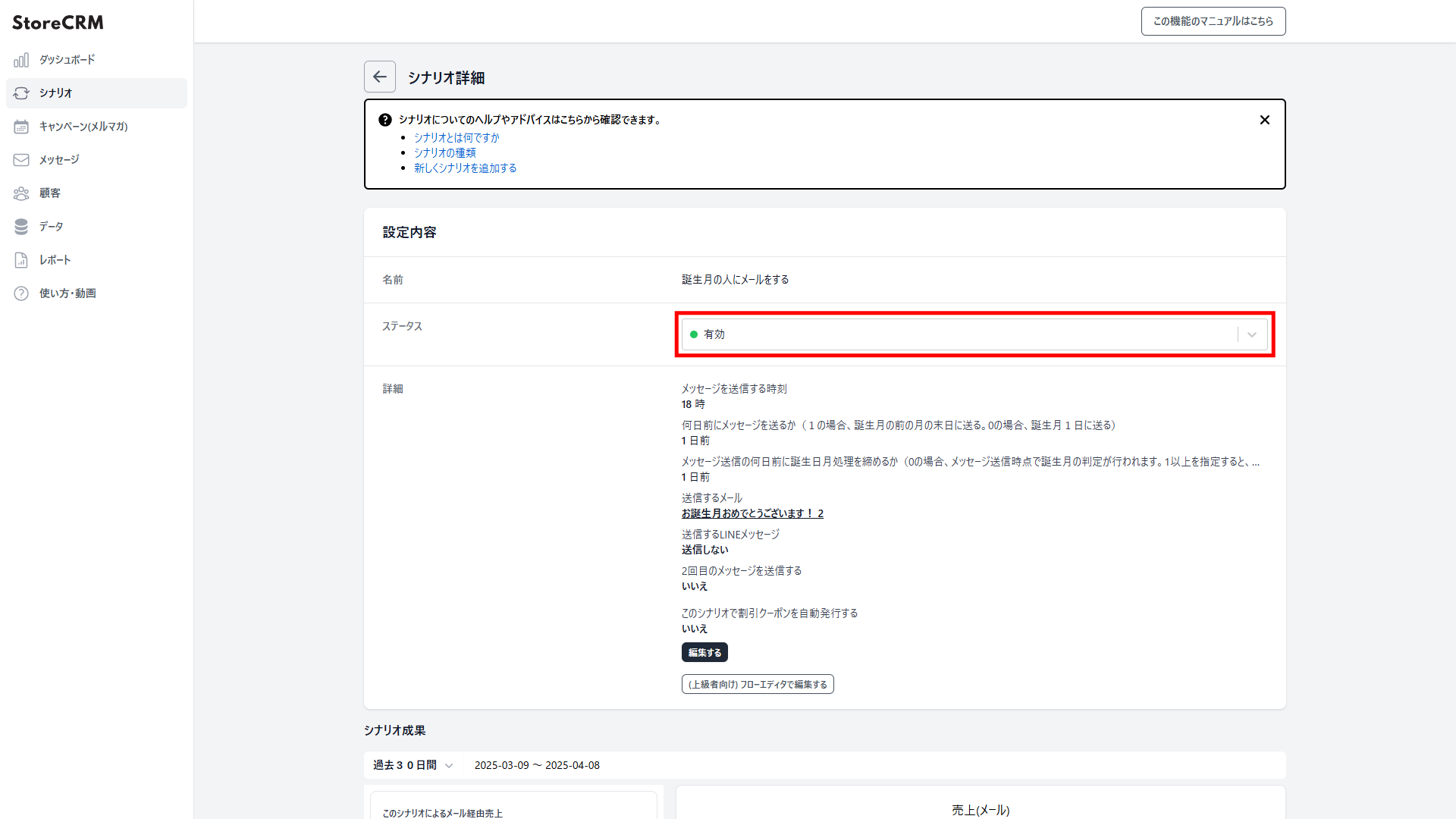
4. Click [Save] and the automation is created, and its detail page opens. Open the [Settings] > [Status] dropdown and set it to [Active], and the emails will go out according to the conditions you set. Note that the matching email is generated automatically when the automation is created. If you want to customise it, follow the next section. That completes the automation.
Editing the email
StoreCRM ships birthday email templates, and you can run the automation with them as they are. If you would rather match the copy and design to your store, or write the message in your own words, you can edit them in the email editor. For how to edit an email, watch this video.
Summary
StoreCRM brings campaigns like this birthday email — which previously meant writing code or combining Shopify Flow with other Shopify apps and configuring all of it — into a single app. We also offer free setup support, where we configure the app for you, along with suggestions for growing revenue once you are up and running. Feel free to get in touch through the contact form.


