
Introduction
Are customers dropping out halfway through signing up?
Now that most people shop on a phone, plenty of them abandon signup for no reason other than "this is too much typing". The same is true in physical stores: asking a customer to set an email address and a password while you are serving them is a real imposition, and many simply do not sign up.
With StoreCRM's LINE Login, signup completes in moments using nothing but a LINE account. Less work for the customer, and a measurable improvement in signup and conversion rates. Because the LINE link happens as part of signup, you also skip the extra step of asking customers to link from a button on their account page.
This article walks through setting up LINE Login.
Note that this page covers classic customer accounts (the earlier version). For new customer accounts, see the link below.
Setting up LINE Login on Shopify new customer accounts (OIDC)
The steps below use the free Dawn theme. Paid themes and heavily customised themes may have a different file structure; if that is the case, contact StoreCRM customer support and we can carry out the implementation for you. Feel free to get in touch through the contact form.
[Please note]
The LINE Login functionality described here is available only on Shopify Plus. We also support merchants considering a move to Shopify Plus, so feel free to get in touch through the contact form.
Related pages
StoreCRM for LINE — the definitive Shopify and LINE integration app
How to connect Shopify with a LINE Official Account
How to add a LINE ID linking icon to your Shopify store
4 Shopify LINE ID linking apps compared
How to manage customers over LINE: 10 recommended CRM tools
Adding LINE signup and login buttons to your signup and account pages
What you will build in this section

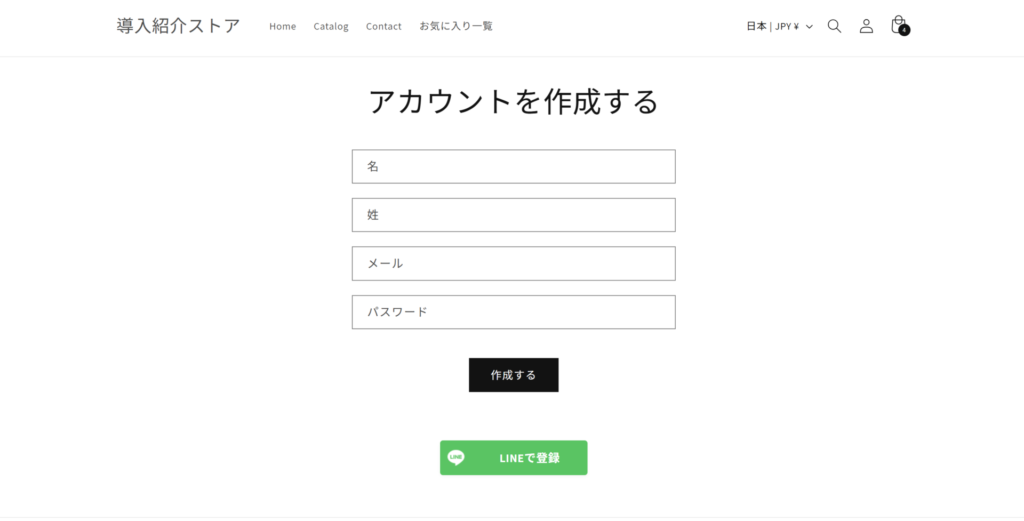
Let us start by looking at the LINE signup button on the signup page and the LINE login button on the login page.
Enabling Multipass in Shopify

1. Open the settings from [Shopify admin] > [Settings].

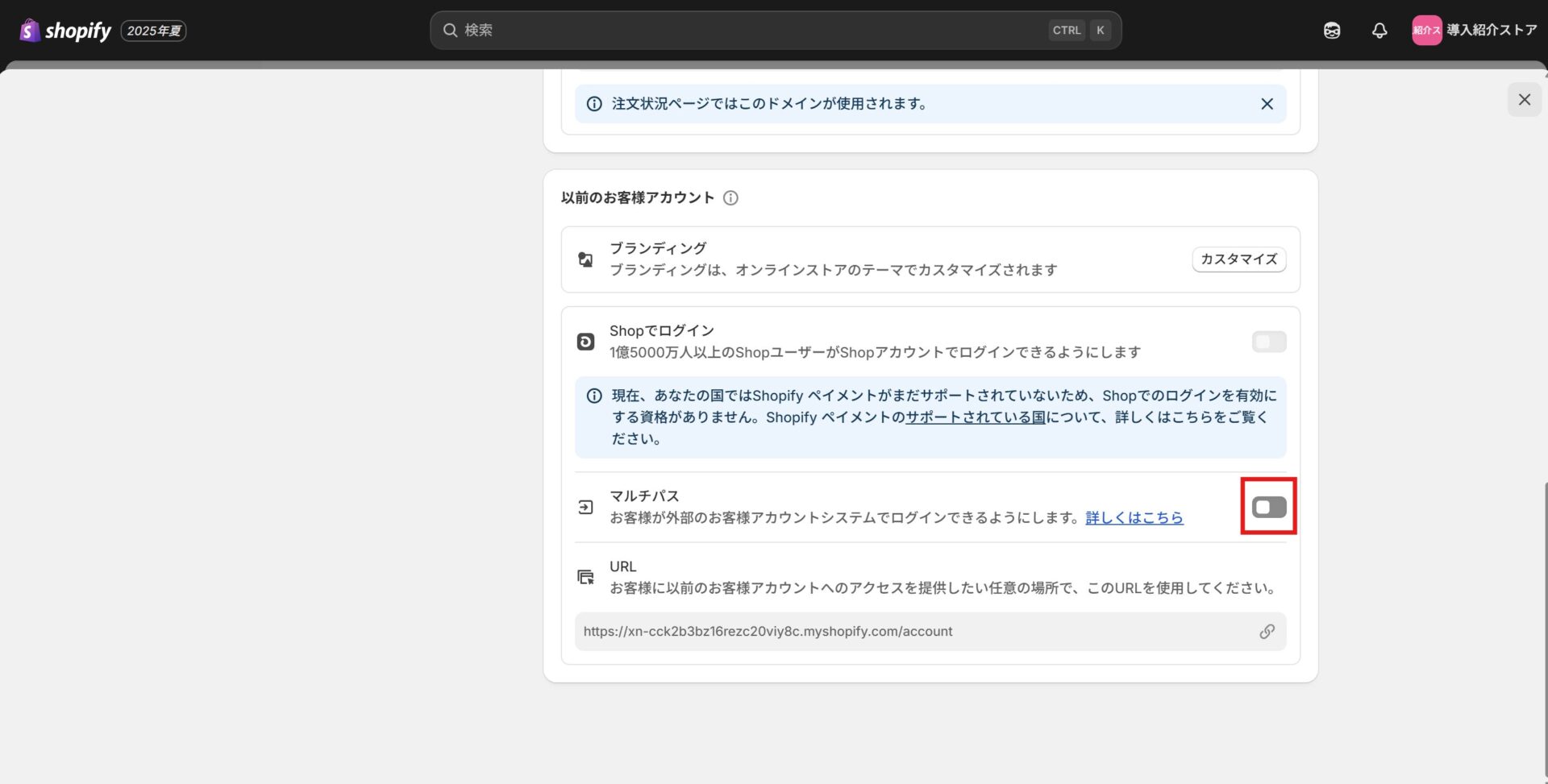
2. Enable [Customer accounts] > [Multipass].

3. Enabling it reveals the Multipass secret; make a note of the value.
Registering the Multipass secret in StoreCRM

1. Open [Settings] > [LINE settings].

2. Enter the Multipass secret you just noted. To show the LINE login button on your storefront, tick [Enable the LINE login button]. Remember to press [Save] at the end. If you want to test it first, tick [Enable the LINE login button in preview mode only] and check it in preview mode.
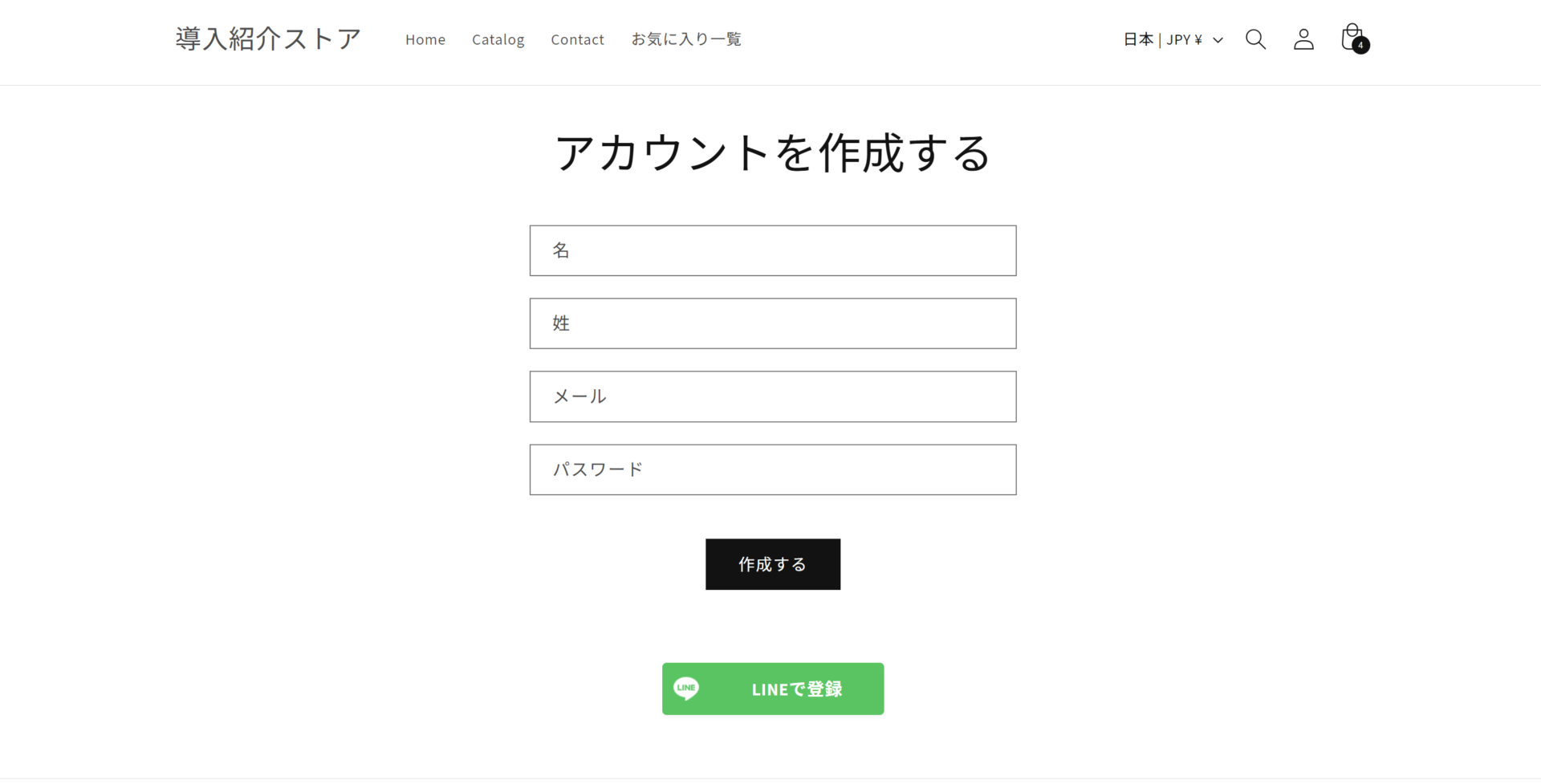
3. Open the login page and the account creation page and confirm that the [Sign up with LINE] and [Log in with LINE] buttons appear.
Applying for permission to retrieve email addresses
This application is required in order to retrieve the email address of a user who logs in with LINE Login. Pulling the email address registered with LINE means the signup form is pre-filled when a customer signs up with LINE, which saves them work and makes it much easier to sign people up in a physical store.
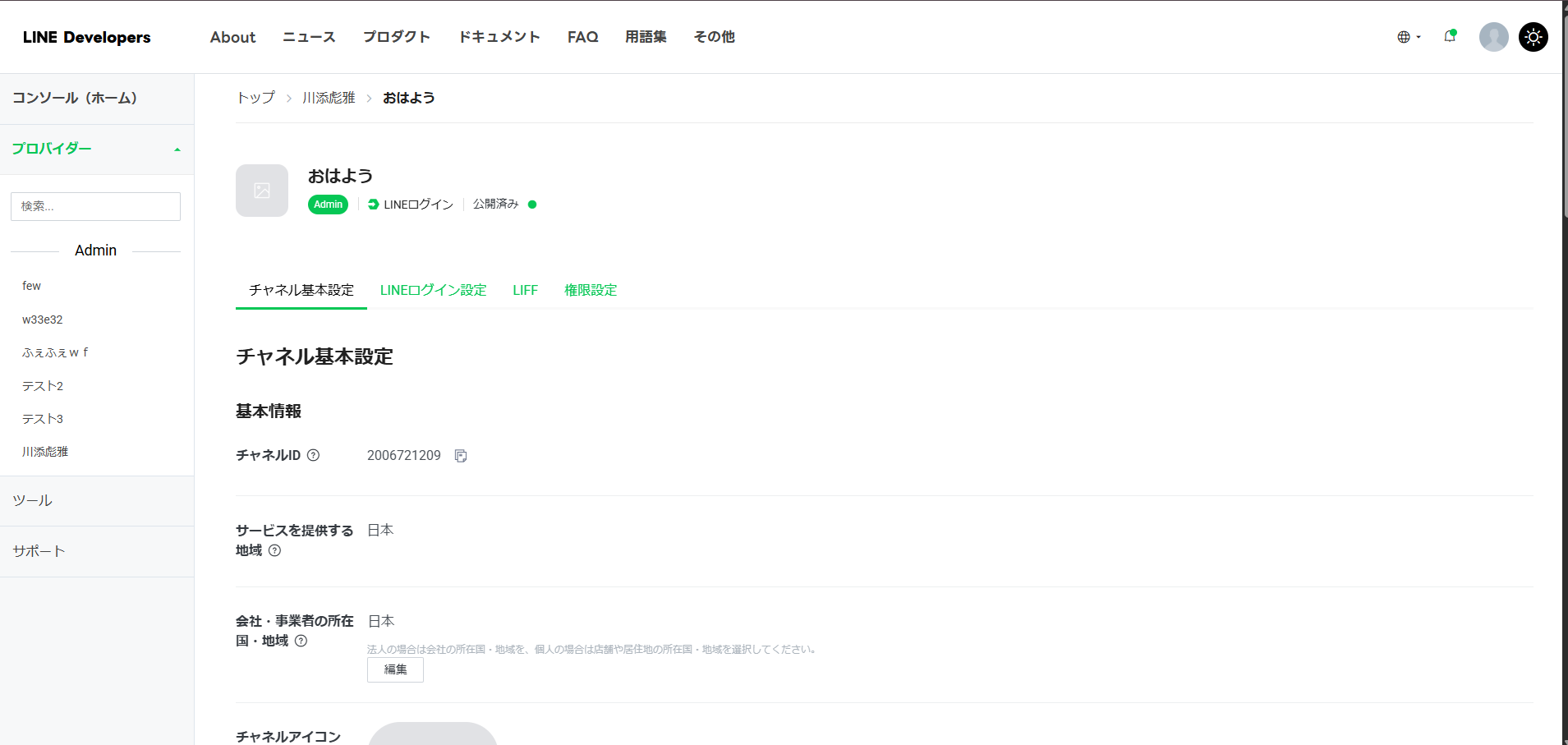
1. Open the basic channel settings for your LINE Login channel.
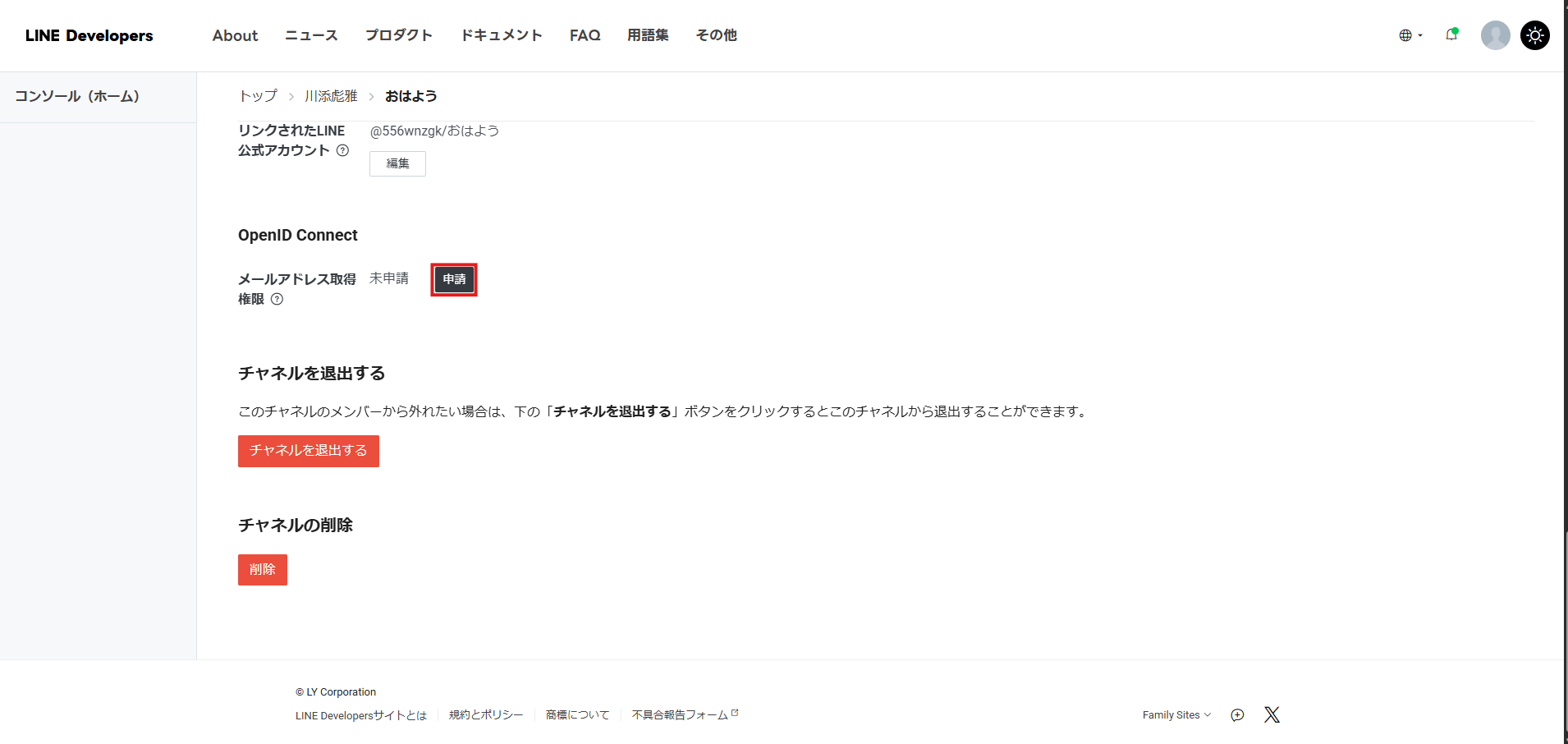
2. Press [Apply] under email address permission.
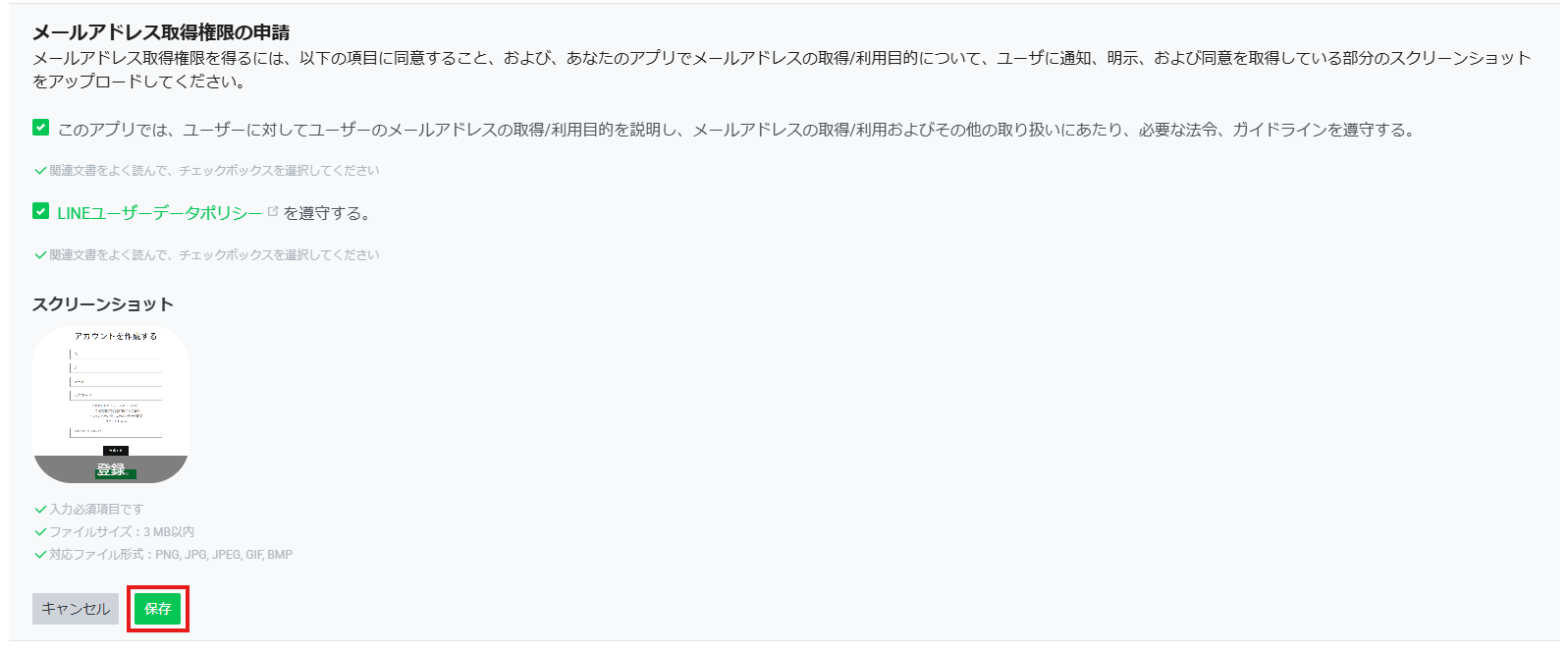
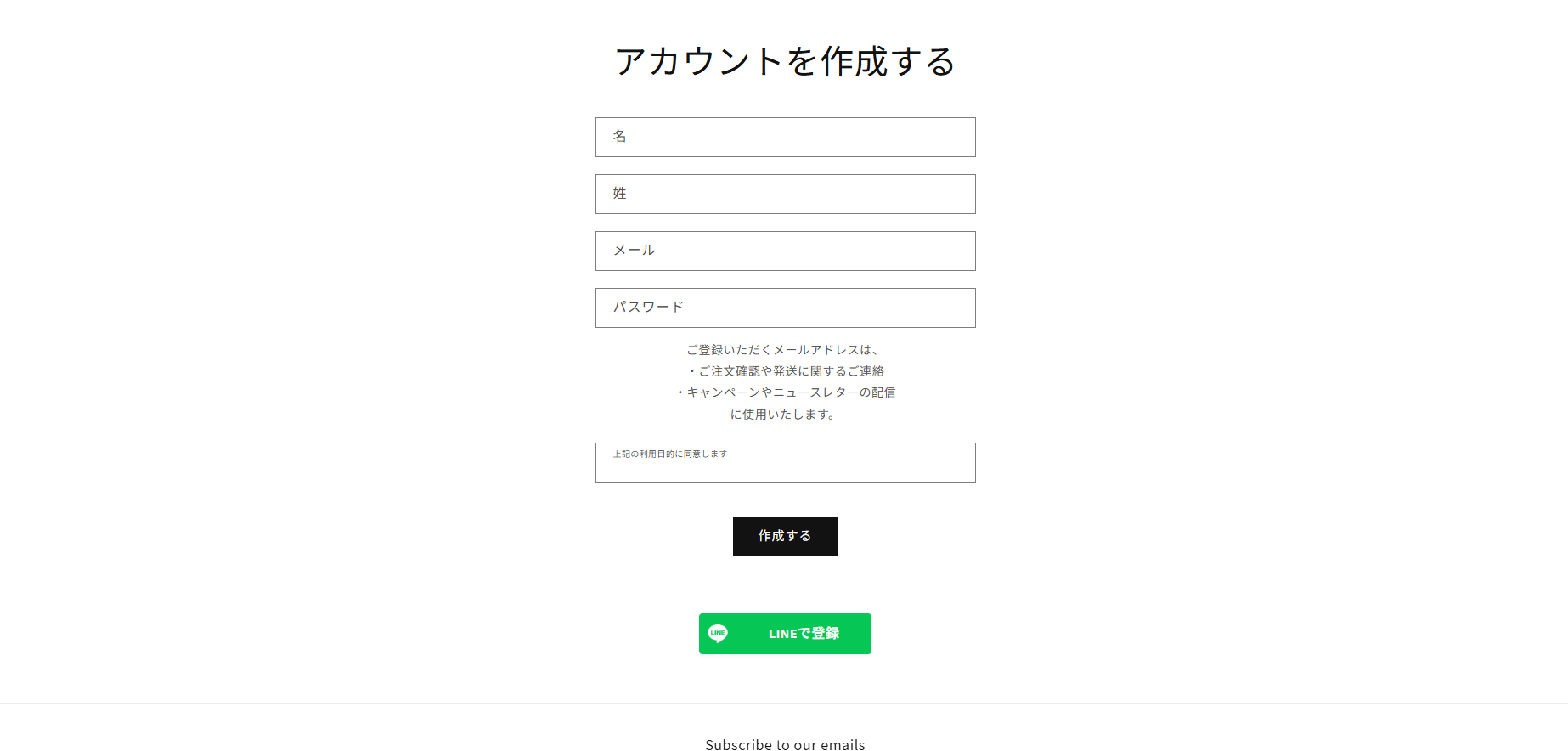
3. Tick both confirmation items and attach a screenshot of the page where LINE signup is used. What matters in the screenshot is that the LINE signup button is visible and that the purpose for which the email address is used is stated clearly. Then press [Save] to submit the application. Once it is approved, you will be able to retrieve email addresses.
Placing the LINE signup and login buttons wherever you want them
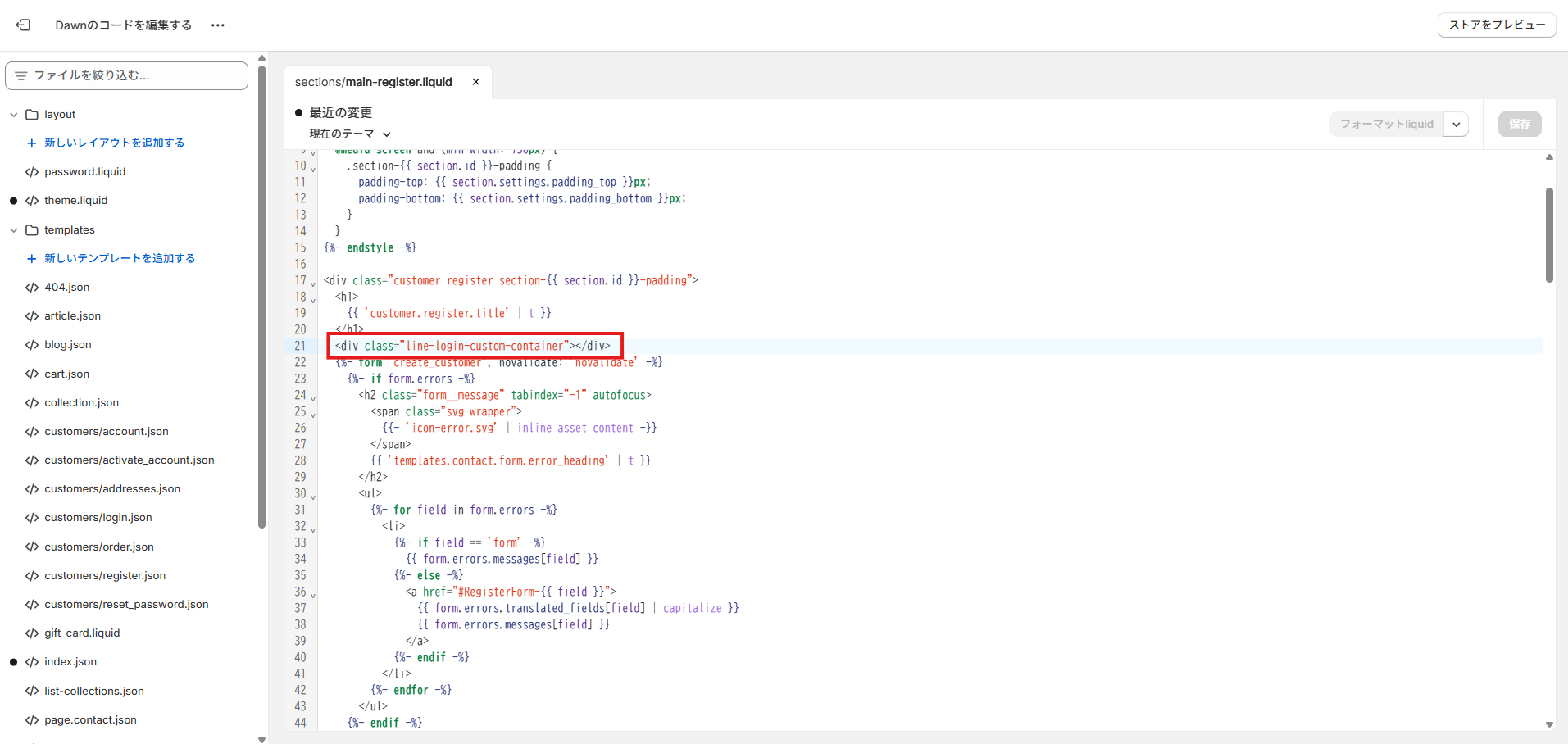
The LINE login and signup buttons can be placed anywhere you like by embedding a snippet of code.
<div class="line-login-custom-container"></div>
Embed the code above wherever you want the button on the signup page and the login page.
Summary
Simply having customers think "logging in with LINE is handy" lowers the barrier to signing up dramatically. With StoreCRM, that small convenience becomes a mechanism for growing revenue and winning repeat customers. If you are not using LINE Login yet, StoreCRM makes it easy to get started.


