
Introduction
If you run an online store on Shopify, chances are you run a LINE Official Account alongside it. For an ecommerce store, the rich menu on that account acts as a permanent landing page, and its click-through rate is very high — there is really no reason not to use it.
StoreCRM lets you send tabbed rich menus, which a LINE Official Account cannot do on its own, and send different rich menus to different customer segments.
That means customers who have not yet linked their LINE account to your Shopify store can get a rich menu that prompts them to link, while everyone else gets one that features recommended products.
This article explains how rich menu delivery works.
Sending a tabbed rich menu from your LINE Official Account
Check that your LINE settings are complete

Make sure nothing is missing from the LINE settings that connect StoreCRM to LINE. Sending LINE messages from StoreCRM does not require the LINE channel access token, but delivering rich menus does, so it must be filled in.
For details of StoreCRM's LINE settings, see the page below.
Setting up the rich menu

Open the rich menu list from [StoreCRM dashboard] > [Customers] > [LINE rich menus]. Click "Create a new rich menu" to start one.

The rich menu editor opens. It has basic settings, which cover things like the delivery period, and area settings, which cover how the menu behaves.
Here is what each of the basic settings does.
[Internal title]
The name shown for this rich menu in the list.
[Delivery period]
The period during which the rich menu is delivered. Outside that period it does not appear.
[Initial state]
Whether the rich menu is already open or closed when the customer opens the LINE chat.
[Chat bar text] Any text you like, shown in the bar below the rich menu.
Here is what each of the area settings does.
[Number of tabs]
StoreCRM can deliver rich menus with switchable tabs. Selecting a number of tabs enables them.
[Tab being edited] Appears when you choose two or three tabs. Selects which tab you are editing.
[Tab height] Appears when you choose two or three tabs. Sets how much of the delivered menu functions as the tab strip.
[Background image] Upload the image that appears as the LINE rich menu. Recommended image sizes are as follows.
| Template type | High resolution | Medium resolution | Low resolution | Typical use |
|---|---|---|---|---|
| Large | 2500 × 1686 | 1200 × 810 | 800 × 540 | Menus carrying a lot of information, such as six panels or tab switching |
| Small | 2500 × 843 | 1200 × 405 | 800 × 270 | When you want to leave more of the chat visible above |
[Template] Sets how the rich menu is divided up and which action each button carries.

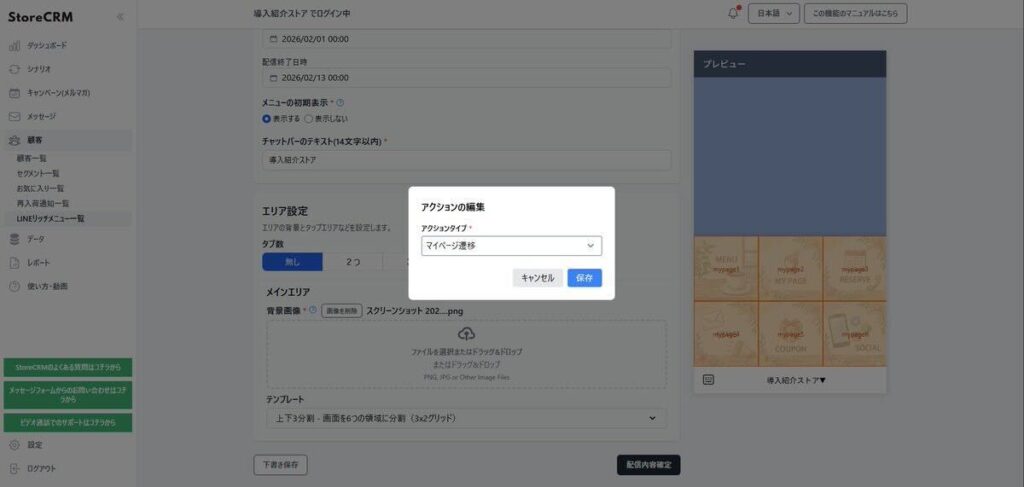
Upload the background image, choose a template, then click "Tap to set an action" on any area of the preview to assign its action type. The available action types are sending a message, opening a link, going to the customer account page, and doing nothing.
Every button that can carry an action must be assigned one of those action types.
When everything is set, click the button to confirm the menu.
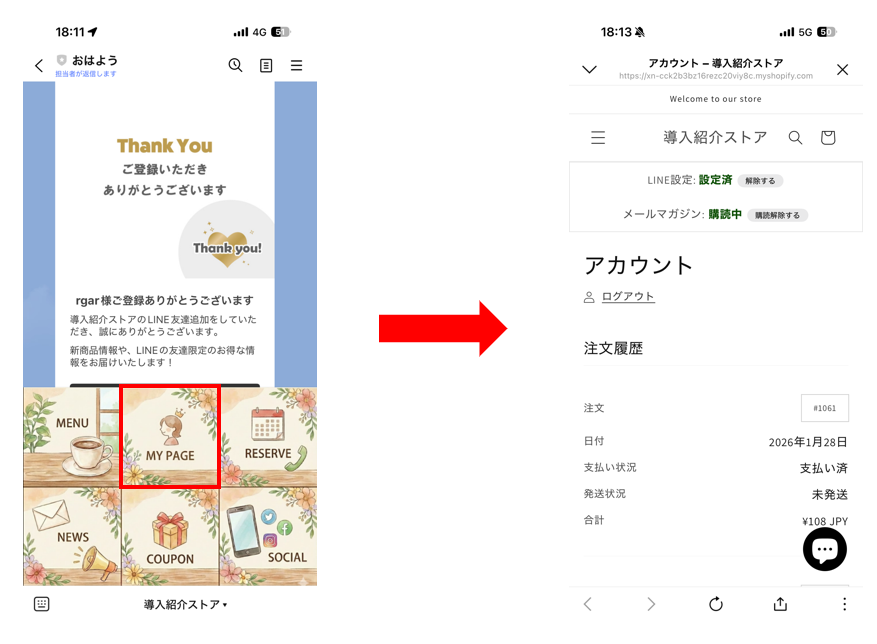
[New] Added 10 February 2026: an action that opens the customer account page
This action takes the customer to their Shopify account page (/account). StoreCRM generates the destination URL automatically, so there is no URL to type in. It gives customers who have linked LINE a smoother route to their account.
At present this is limited to Shopify Plus stores using classic customer accounts.
It requires Multipass to be configured, so follow the article below to set that up first.
How to let customers sign up and log in to Shopify with LINE Login
Delivering the rich menu you created

Once saved, you are returned to the rich menu list, where your new menu appears as a draft.
Open the menu from the button to its right and click "Activate" to deliver it. It takes a few minutes to appear in LINE chats.
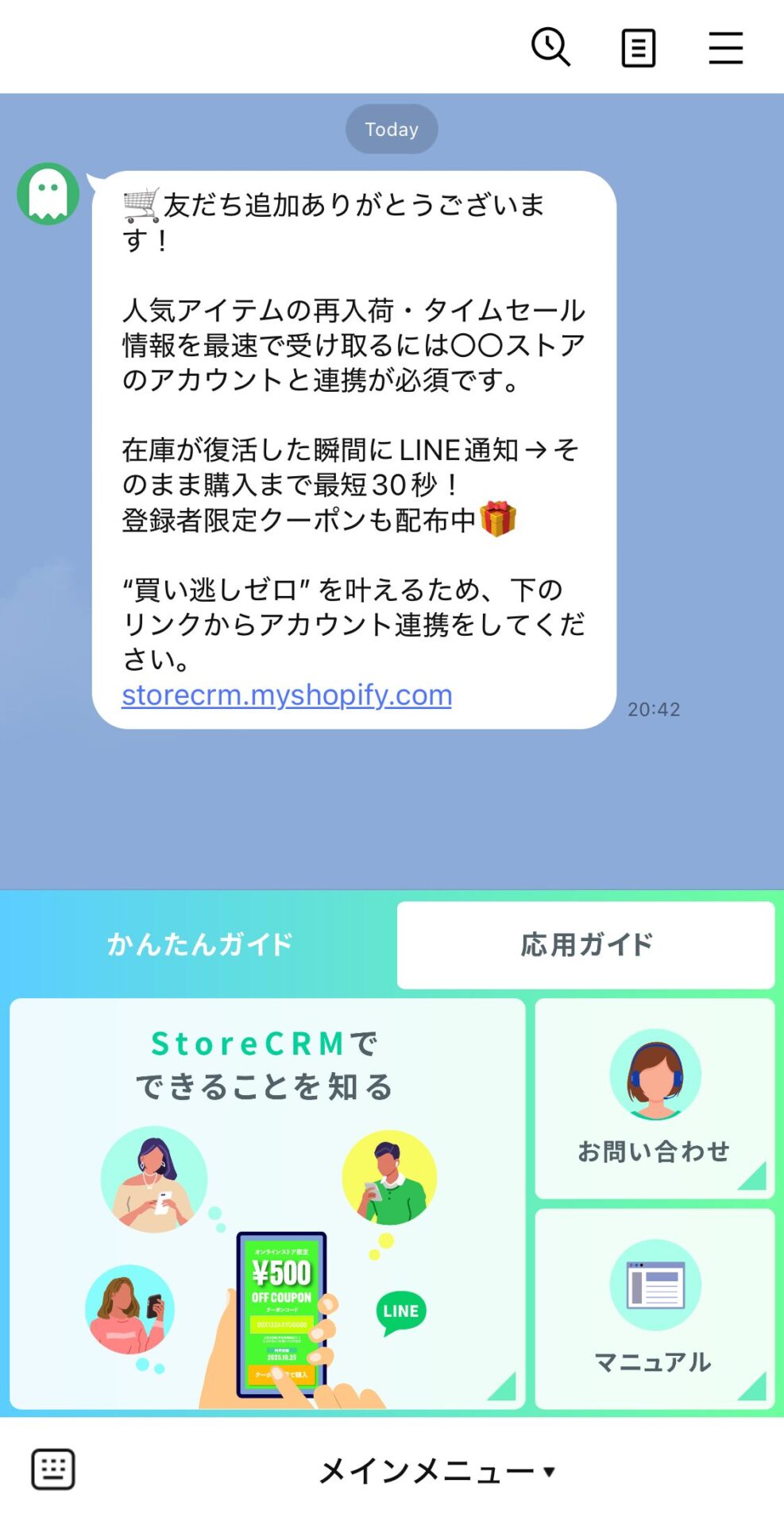
Open the chat for that LINE Official Account and confirm that the rich menu displays correctly and that every button behaves as intended.
Summary
A well-designed LINE rich menu makes the path to whatever your customers want to do completely clear. The pay-off shows up in several places at once: better conversion, higher coupon redemption, stronger click-through and less load on support.
If you have a LINE Official Account but no rich menu, or you have not yet moved to a richer tabbed menu, StoreCRM makes it easy to get started.


