
- A first-purchase anniversary message lets customers know that a full year — or several — has passed since their first purchase.
- Celebrating the anniversary with a special discount, gift, or campaign makes the message far more effective.
- Expressing gratitude to your customers builds loyalty.
- Personalize the content using each customer's purchase history and other details.
- Choose the milestones — 1st, 2nd, 5th anniversary, and so on — to match your store's strategy.
- StoreCRM sends the message automatically on each anniversary of the first purchase, helping you maximize customer lifetime value.
- Sending first-purchase anniversary messages requires the StoreCRM Standard plan or above.
What to include in a first-purchase anniversary message
- Thank the customer for their first purchase.
- Personalize the body based on customer attributes and purchase history.
- Encourage a repeat purchase with a special offer or coupon.
Example first-purchase anniversary message
Subject: [Store name] It has been a year since your first purchase! Here is a 10% off coupon
Dear [Customer name],
Thank you for shopping with [Store name].
It has been a year since your very first purchase with us.
We know you have especially enjoyed [Product name].
We will keep working to bring you products you love.
Your 10% off coupon
To mark the occasion, we have prepared a small thank-you coupon.
We hope you enjoy it.
[Coupon URL]
Note: valid for 30 days from the arrival of this email.
Thank you for your continued support.
[Store name]
What is a first-purchase anniversary message?
- A first-purchase anniversary message is sent to celebrate each anniversary (1st, 2nd, ...) of a customer's first purchase.
- Celebrating the anniversary with a special discount, gift, or campaign makes the message far more effective.
- Reaching out at regular milestones — the 1st anniversary, the 2nd, and beyond — keeps customers motivated to buy again.
- Making the coupon time-limited helps lift your repeat purchase rate.
- Learn how to add coupons in the help center.
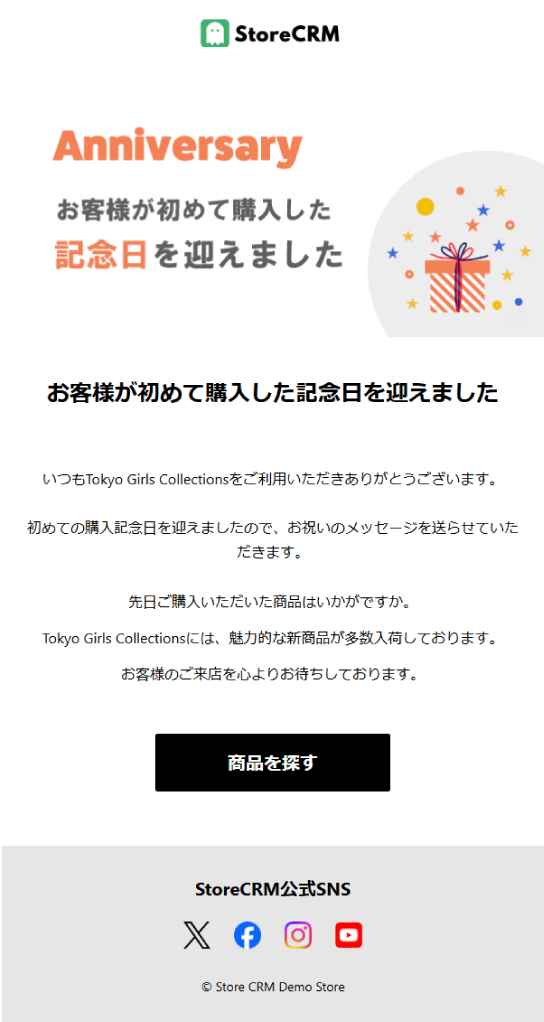
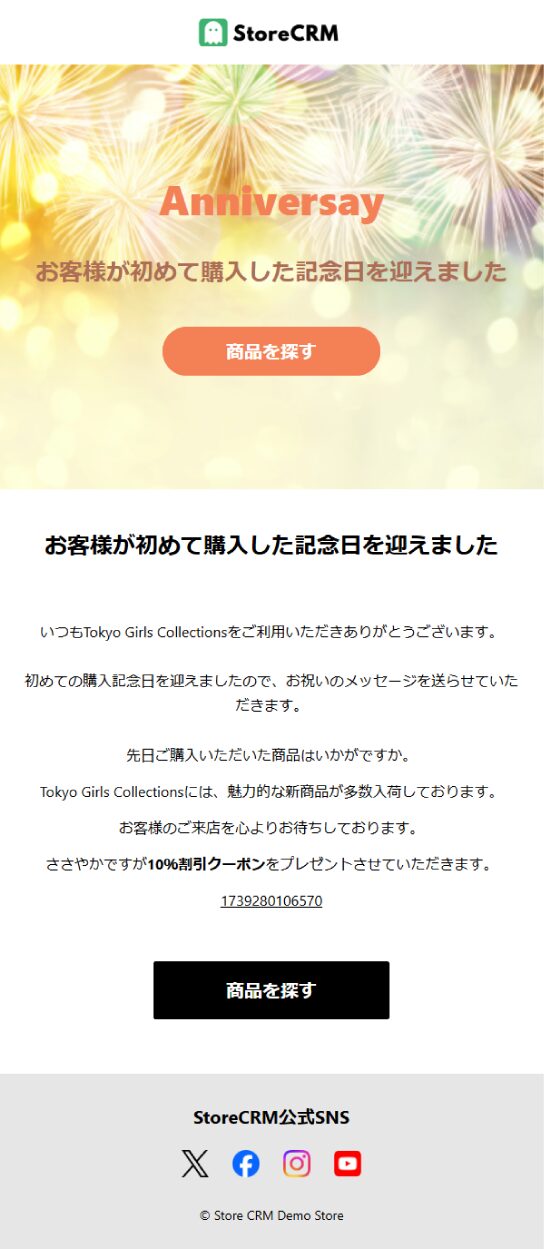
First-purchase anniversary message
- With StoreCRM, you can send emails like this using ready-made templates.
- You can also build an original email featuring photos of your store and products.
Reach customers by email and LINE on each anniversary of their first purchase
- StoreCRM lets you schedule messages for any number of years after the first purchase.
- Set it to one year, two years, and more, and the messages go out automatically.
- Messages can be sent over both email and LINE.
No additional apps required
- StoreCRM sends first-purchase anniversary messages without any extra apps to install.
- Add coupons or recommended products directly to your message.
Setting up an anniversary message is easy
- With StoreCRM, you can set up anniversary messages in just a few steps — no additional apps needed.
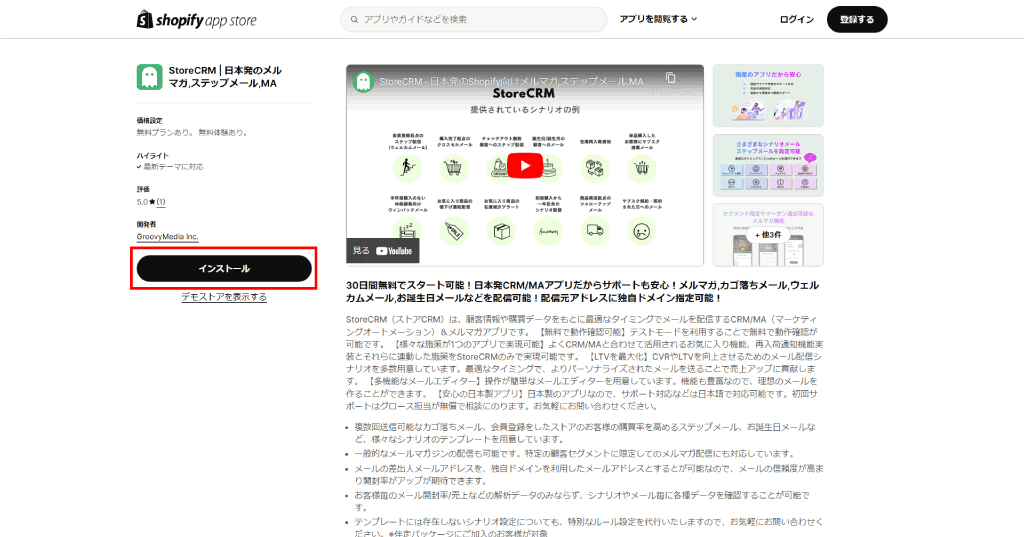
- Make sure the StoreCRM app is installed on your Shopify store first.
- Sending first-purchase anniversary messages requires the StoreCRM Standard plan or above.
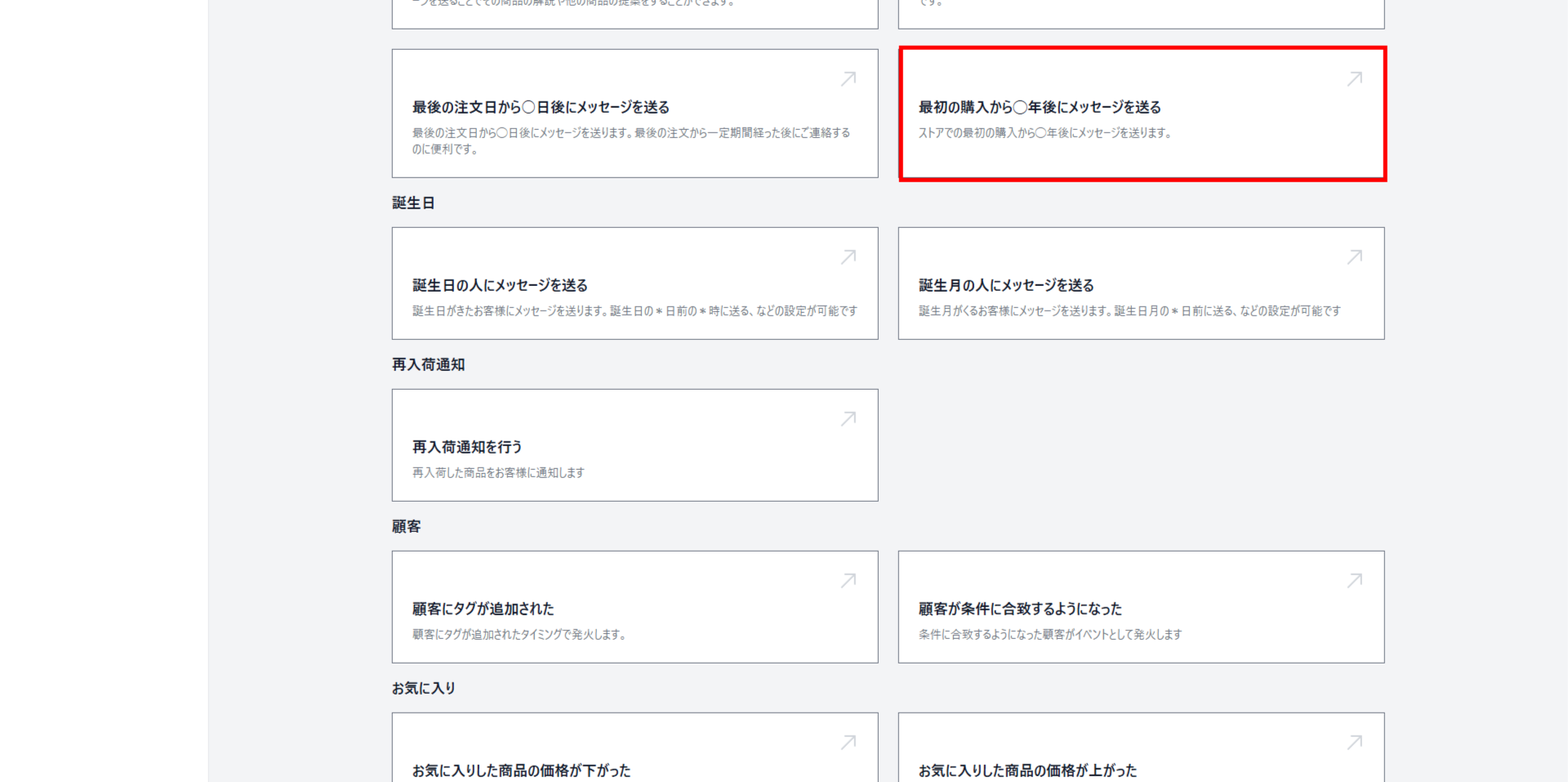
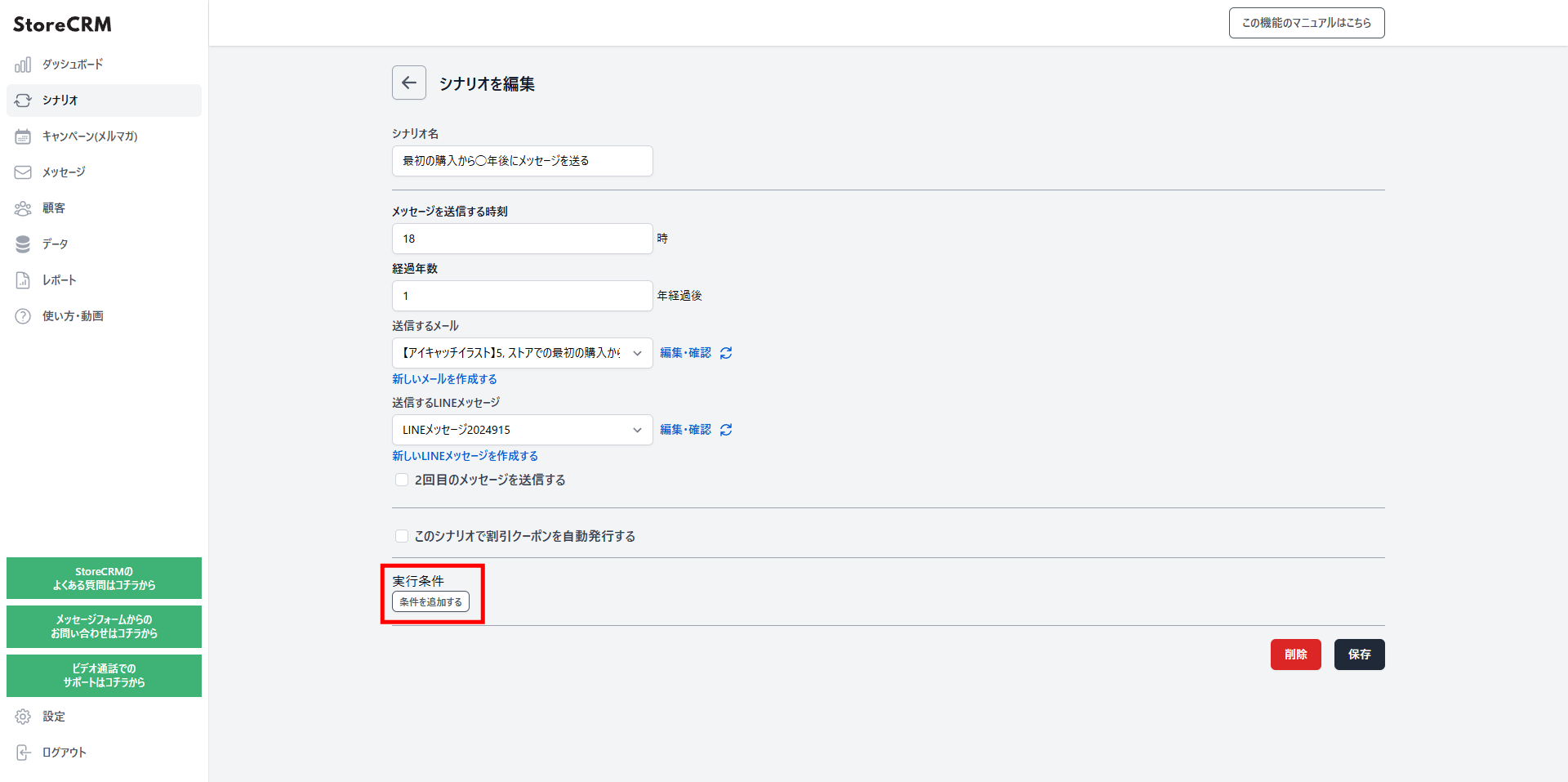
Add a scenario
Click [Send a message X years after the first purchase] to add a scenario.
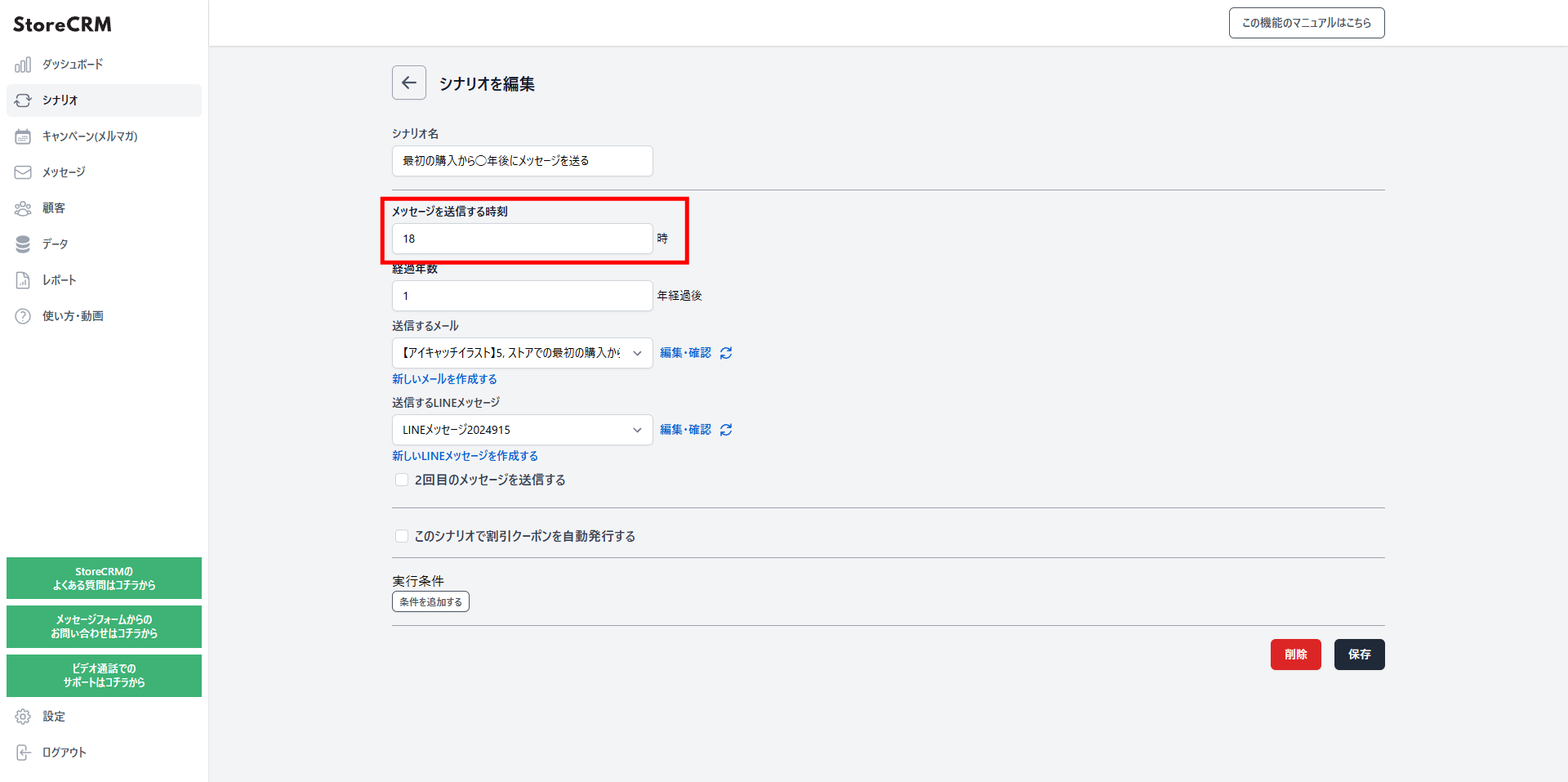
Set the time of day to send the message
In this example, we chose "6:00 PM".
Set the number of years
- Choose how many years after the first purchase the message should be sent.
- In this example, we chose "after 1 year".
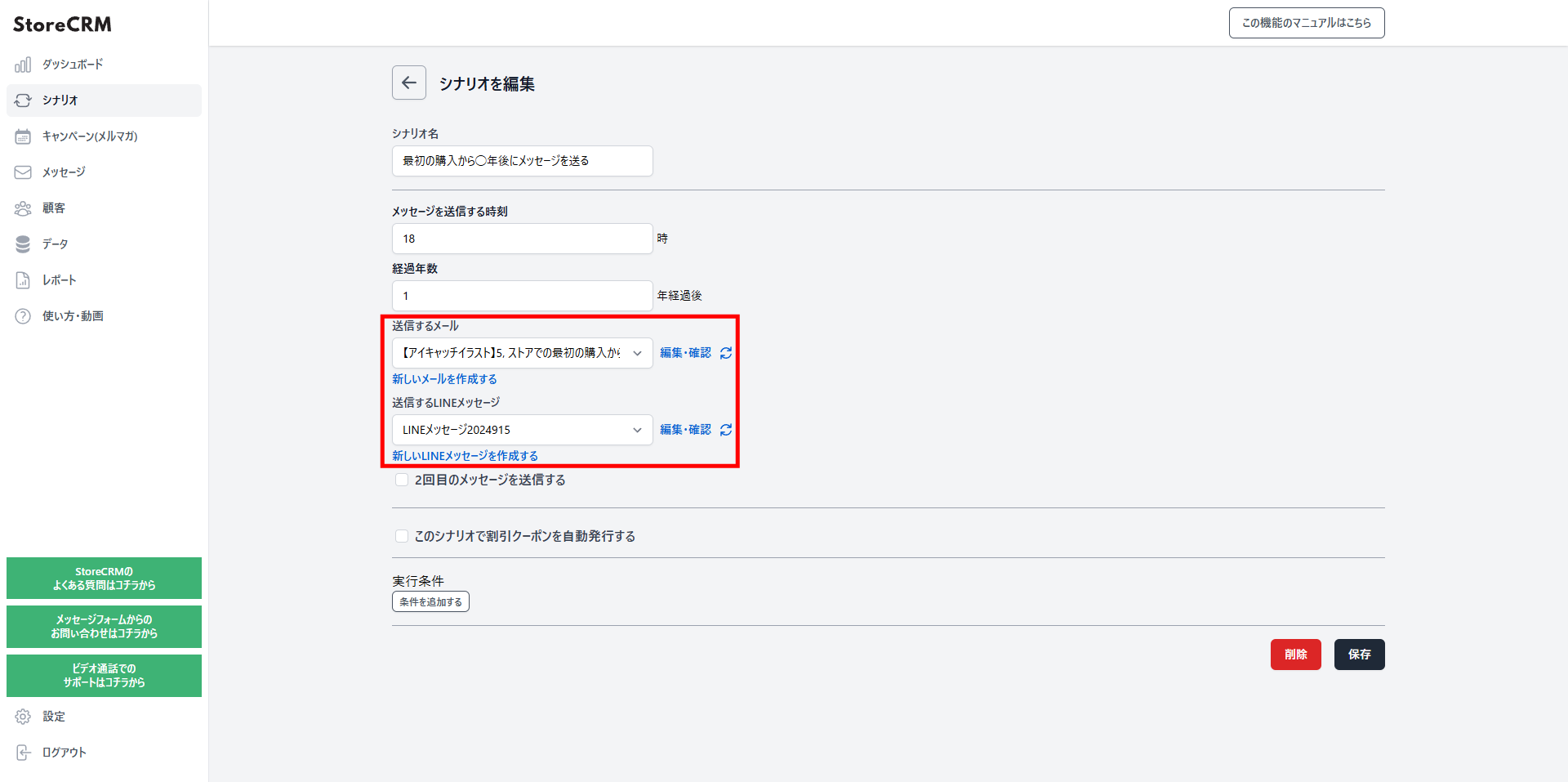
Choose the email and LINE message to send
- A LINE message can go out at the same time as the email.
- To create a new email, go to [Messages] and open [Email list].
- Use a template, or design an original email of your own.
Set up a second message and beyond
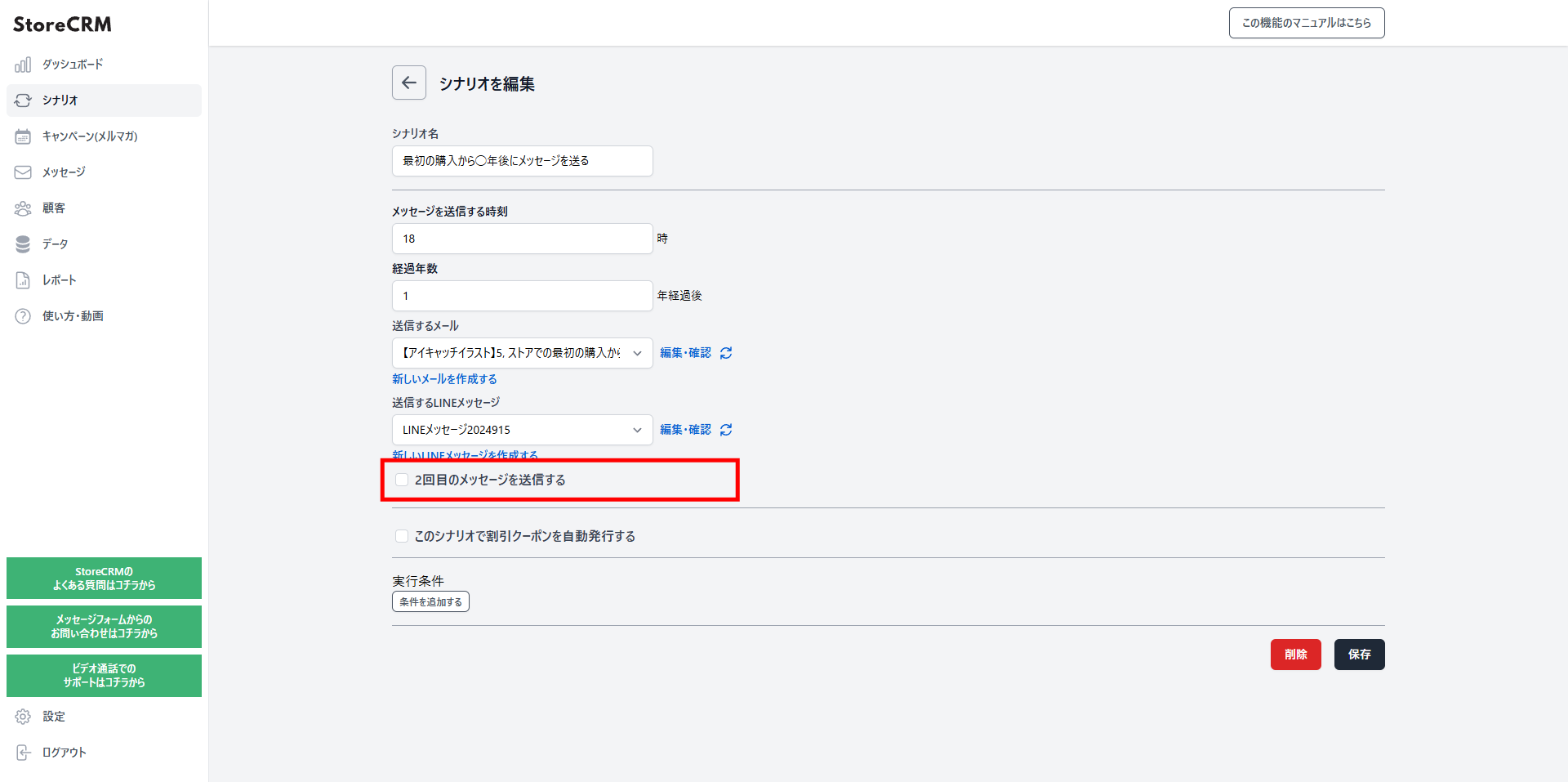
- Check [Send a second message].
- Configure the email to send, following the same steps as the first one.
- Varying the content between the first email and the follow-ups lifts your conversion rate.
- Coupons can be added here too — see how to add coupons.
- You can also skip the second email automatically once the coupon has been used.
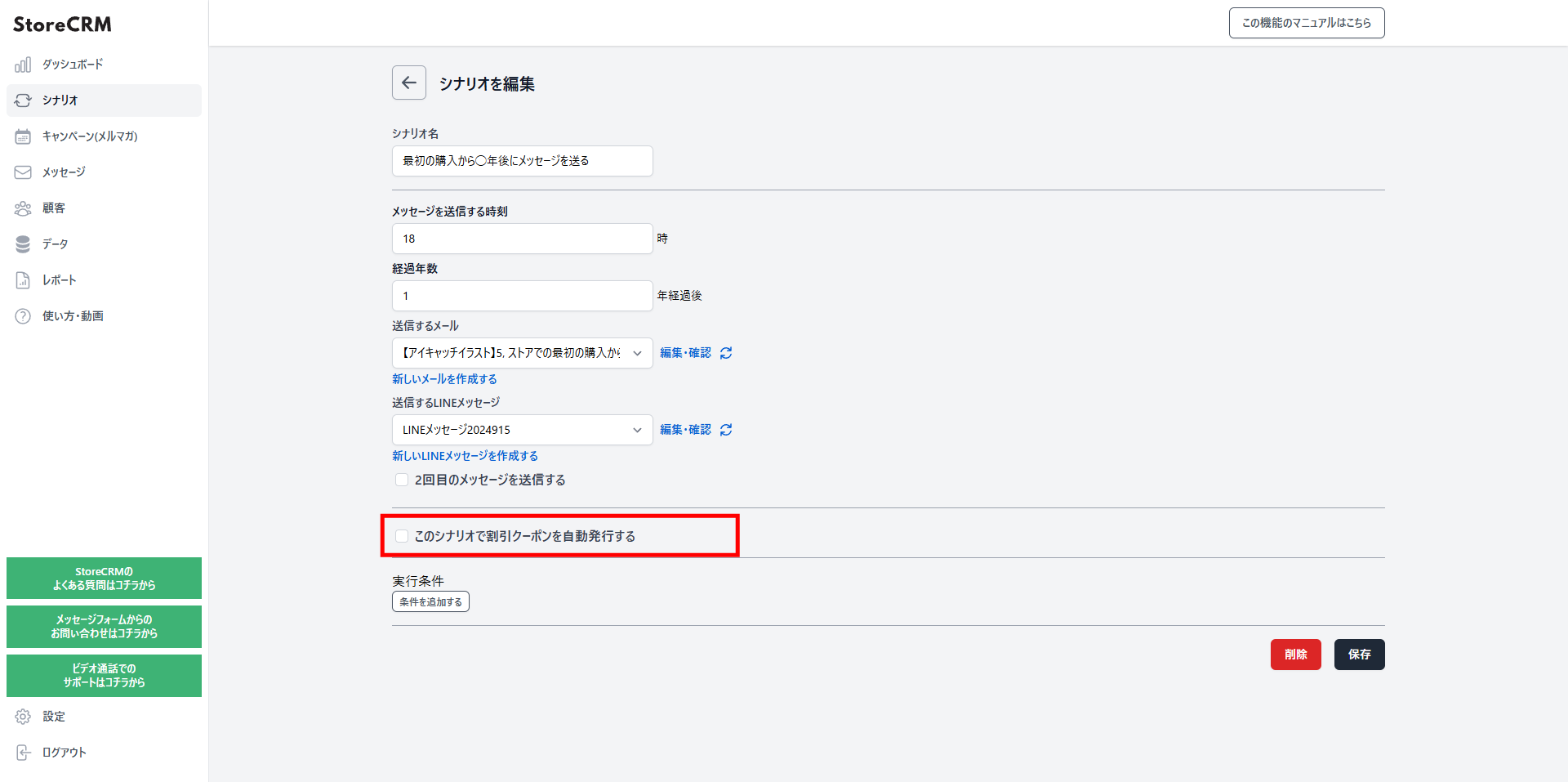
Issue coupons automatically
- Generate coupon codes automatically, or issue coupon links that apply the discount on click.
- Learn how to add coupons in the help center.
Target specific products, specific customers, subscription products, and more
- StoreCRM lets you send emails based on a wide range of conditions.
- Learn more about scenario conditions in the help center.
- In most cases, you can leave these unset and simply send the message.
Create your first-purchase anniversary message
- Create the email you selected in the scenario.
- Use a template, or design an original email of your own.
- Once set up, the message is sent automatically at 6:00 PM one year after each customer's first purchase.
Track open rates, click rates, and revenue with reports
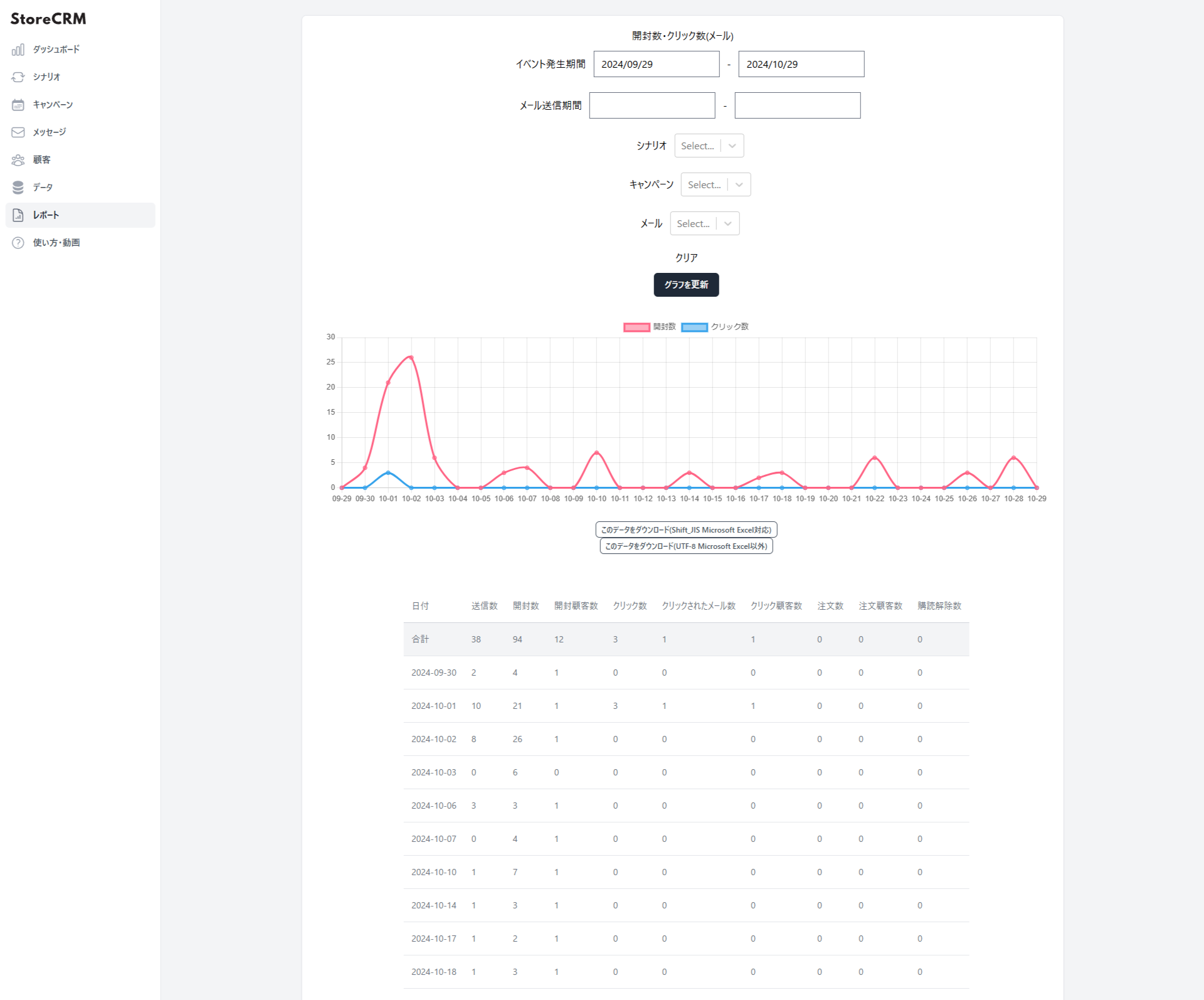
- StoreCRM's reporting shows open rates, click rates, and revenue at a glance.
- Filter the results by a specific scenario or email.
- Click [Download this data (Shift_JIS, for Microsoft Excel)] or [Download this data (UTF-8, for other tools)] to export the data.
Summary
Sending anniversary messages by hand takes an enormous amount of time and effort. Automate them with an app built for the job.